

Last Updated: October 30, 2026
Quick Summary
Advanced video surveillance analytics in 2026 focuses on making existing camera footage searchable, actionable, and verifiable rather than adding more cameras. Buyers should evaluate platforms on per-camera sensitivity, on-site processing, integration, and measured false-alarm performance. Define precision, recall, false-positive rate, and latency before any pilot.
- The global video surveillance market is valued at USD 95.01 billion in 2026, with the United States at an estimated USD 15.53 billion.
- Axis Perspectives 2026 found 37% of organizations are actively investing in AI and IoT for security automation.
- Run a stratified pilot with at least one camera from each environment, since detection performance varies more by scene than by vendor.
- Zone design usually produces the single largest false-positive reduction when tuning analytics.
- Require a human confirmation step before any analytics output triggers a law-enforcement call or disciplinary action.
Table of Contents
- The 2026 Video Surveillance Analytics Market at a Glance
- AI Video Analytics Software: What to Look For
- Real Video Surveillance Analytics Use Cases Across Sites
- On-Premises Video Analytics vs Cloud: What Changes in Practice
- Video Surveillance Analytics Best Practices for False-Alarm Control
- Privacy, Compliance, and Cybersecurity in Video Surveillance Analytics
- Book a Demo and Test Detection on Your Own Cameras
- Frequently Asked Questions
The 2026 Video Surveillance Analytics Market at a Glance
The global video surveillance market is valued at USD 95.01 billion in 2026, and advanced video surveillance analytics in 2026 is the segment driving most of that spending. The United States accounts for an estimated USD 15.53 billion of the total, according to United States Video Surveillance Market Size and Share, with a 13.50% compound annual growth rate projected through 2034.
At MDI AI Detection, we see the same shift on the ground: buyers ask what the system detects and how few false alarms it produces, not how many megapixels a camera offers.
Axis Perspectives 2026 found that 37% of organizations are actively investing in AI and IoT for security automation. The rest are watching, mostly because they are unsure what returns to expect. AI video surveillance ROI breaks down the savings you can realistically expect.
AI Video Analytics Software: What to Look For
AI video analytics software converts raw camera feeds into indexable events: a person crossing a perimeter line, a vehicle idling at a loading dock, an object left near an entrance. The software decides what is worth an alert.
Five capabilities separate serious platforms from demo-grade tools:
- Camera-specific sensitivity so one camera’s settings do not degrade detection on another
- On-site processing that keeps detection running when the internet drops
- Integration with your existing recorders and monitoring station platforms
A common mistake is evaluating software on detection categories alone. For a structured comparison of features and vendors, see this real-time threat detection software buyer’s guide.
Real Video Surveillance Analytics Use Cases Across Sites
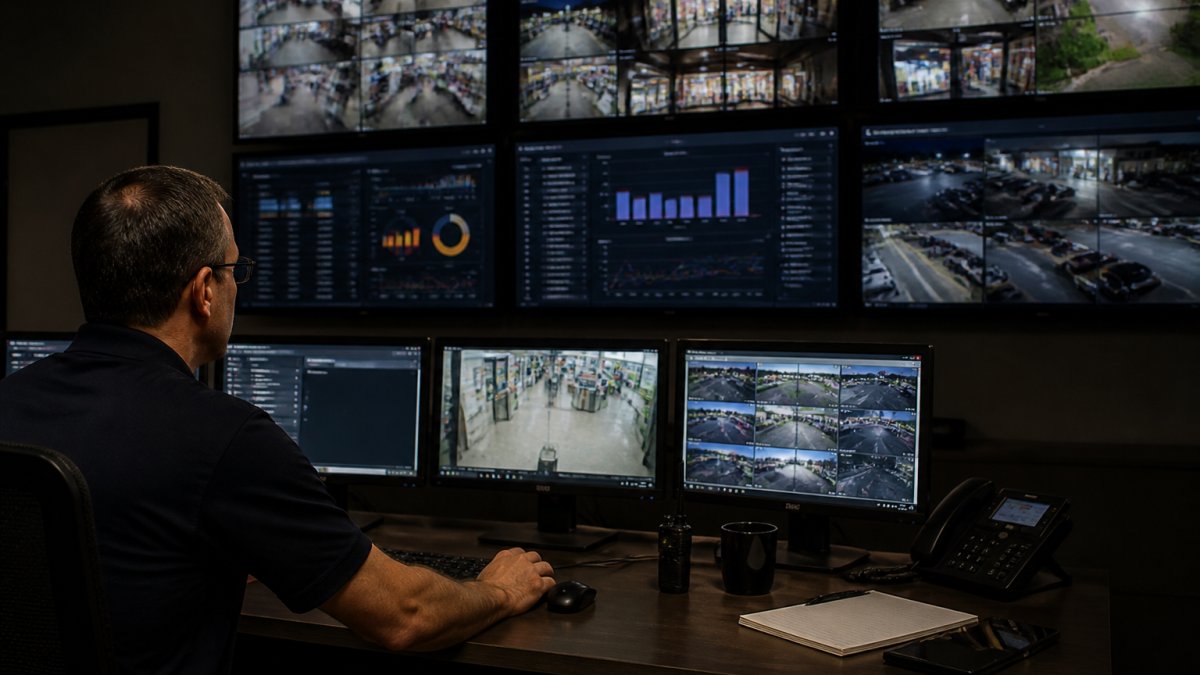
Video surveillance analytics use cases split by site type. Multi-site retail chains use person and vehicle detection to flag after-hours movement and loitering near entrances.
What most guides miss is that one detection engine can serve all three, provided sensitivity is configured per camera rather than globally.
On-Premises Video Analytics vs Cloud: What Changes in Practice
On-premises video analytics runs detection on a local server beside your recorders; cloud analytics streams footage to a remote provider. The difference shows up in resilience, bandwidth, and data custody.
| Factor | On-Premises | Cloud |
|---|---|---|
| Internet outage | Detection continues locally | Detection stops or degrades |
| Bandwidth | No video leaves the site | Continuous upstream streaming |
| Data custody | Footage stays on your network | Video stored with provider |
| Hardware | Local server required | Minimal on-site hardware |
| Scaling across sites | One server per location | Centralized account |
Sites with unreliable connectivity, such as warehouses and rural campuses, can lose real-time alerting when a cloud pipeline drops. On-site processing is designed to keep detection working during internet outages.
Video Surveillance Analytics Best Practices for False-Alarm Control
Effective false-alarm control goes beyond tuning zones. For a deeper, practical guide, read how to reduce false alarms from security cameras. After a pilot, a buyer should be able to measure the false-positive rate on their own cameras, the latency, and how performance holds up over time.
Define the metrics before you tune
Agree on four numbers with the vendor before the pilot starts, and measure them on your own footage:
- Precision, of the alerts the system fired, what share did a human confirm as a true event? 60% precision means four in ten alerts waste a responder’s time.
- Recall, of the true events in the test period, what share did the system catch? Precision and recall trade off through sensitivity, so pick the operating point deliberately per camera.
- False-positive rate, false alerts per camera per day, reported per camera rather than site-wide, because one bad camera can dominate the total.
A common pattern is to require a defined precision floor and a false-positive ceiling per camera class (perimeter, interior, parking), and to reject any camera that misses the floor after tuning. Set thresholds with your monitoring partner, because their response capacity determines what false-positive rate is tolerable.
Run a structured pilot, not a demo
Vendor demos can run on curated footage, while real cameras see glare, rain, headlights, and clutter. A structured pilot on your own feeds is a practical test:
- Baseline first. Run the existing system (or motion-only detection) for one to two weeks and log alerts and confirmed events; without a baseline you cannot prove improvement.
- Stratify the cameras. Pick at least one camera from each environment, perimeter, entrance, interior, parking, loading dock, because detection performance varies more by scene than by vendor.
- Label ground truth. Have a human review a sample of footage and record which events were real; this is the reference set for precision and recall.
- Tune, then re-measure. Adjust sensitivity, zones, minimum object size, and dwell time per camera, then re-run the measurement. Document every change so the result is reproducible.
- Hold a shadow period. Run the tuned system in parallel with the existing process for at least two weeks before cutover, comparing alert volume and confirmed events side by side.
Ask the vendor to show you the tuning log and the before/after metrics from a comparable site. A vendor who cannot produce measured precision and false-positive rates from a real deployment is selling a demo, not a system.
The tuning levers that do most of the work
Once the metrics are defined, four levers drive most of the improvement:
- Per-camera sensitivity. A parking-lot camera and an interior hallway camera see completely different motion patterns. Global settings are how alert fatigue starts.
- Detection zones that exclude the noise. Mask swaying trees, roads, reflective surfaces, and HVAC vents. Zone design usually produces the single largest false-positive reduction.
- Minimum object size and dwell time. Require an object to persist for a defined number of frames or seconds before firing. This filters shadows, insects, and rain without materially hurting recall for real intrusions.
- Class filtering. Suppress alerts for classes you do not care about on a given camera, for example, ignore vehicles on an interior camera, ignore people on a roof camera that only watches equipment.
Sustain accuracy after go-live
Accuracy decays. Cameras get bumped, lighting changes with the season, construction alters a sightline, and firmware updates can shift detection behavior.
- Weekly false-positive review for the first month, with a named owner and a log of tuning changes.
- Monthly review of precision and false-positive rate per camera, with a threshold that triggers re-tuning.
- Quarterly re-validation against a fresh ground-truth sample, plus a check that firmware and model updates did not regress performance.
False-alarm control is measurable. Define precision, recall, false-positive rate, and latency up front; run a stratified pilot against ground truth; tune per camera; and re-validate on a schedule. A system that cannot show those numbers is not ready for a 2026 deployment.
Privacy, Compliance, and Cybersecurity in Video Surveillance Analytics
Privacy and cybersecurity are where most 2026 deployments stall, and they are the two areas where generic vendor content is thinnest. AI analytics turns passive footage into structured data about people, face embeddings, gait signatures, license plates, dwell patterns, which raises obligations that plain recording did not. Treat governance and security as design inputs, not as a legal review bolted on at the end.
The U.S. rules that actually apply
Obligations for video surveillance analytics come from several directions and vary by state and buyer type:
- Biometric and facial-recognition laws. Several U.S. states regulate the collection of biometric identifiers, typically requiring notice, consent, and retention limits. If you enable face recognition, plate recognition tied to identity, or gait matching, confirm your obligations with counsel before deployment.
- State comprehensive privacy laws. Several states have consumer privacy statutes that may treat biometric data as sensitive and grant individuals access, deletion, and opt-out rights. Confirm which apply to your locations with counsel.
- Sector and setting rules. Some sectors, such as education and health care, carry additional privacy rules for how footage and analytics outputs are shared. Describe detection accuracy to buyers accurately.
Facial recognition and behavior analysis carry the highest legal risk of any analytics feature. Confirm obligations with counsel, document your lawful basis, and default to features that do not create biometric identifiers unless a specific use case justifies them.
Privacy-by-design controls to specify in the RFP
Buyers who write these into the contract get better systems than buyers who ask for them after deployment:
- Purpose limitation and retention. Set a retention period per data type, for example, 30 days for raw video, 90 days for event clips, and a defined destruction schedule for any biometric template. Require the vendor to enforce it automatically, not by policy memo.
- Data minimization at the edge. Prefer analytics that emit event metadata and short clips rather than streaming full-resolution video to a cloud provider. Less data leaving the site means less exposure.
- Access control and audit logging. Every query against stored footage should be logged with user, timestamp, and purpose. A court-ready audit trail with chain of custody protects you twice: it proves what the system detected, and it shows who accessed the footage afterward.
- Vendor data-handling terms. Confirm where video is stored, whether it is used to train vendor models, subprocessor list, breach notification timeline, and deletion on contract termination.
- Human oversight. Require a human confirmation step before any analytics output triggers a law-enforcement call, an employee disciplinary action, or a public-safety response.
Cybersecurity: harden the analytics layer like the network device it is
An analytics server or edge appliance has credentials to every camera feed and often a path to the recorder and the monitoring station. That makes it a high-value target. The controls below reflect common security practices for IP camera and IoT deployments:
- Network segmentation. Put cameras and analytics appliances on a dedicated VLAN with no route to the corporate network except through a monitored jump host. Flat networks are how a single compromised camera becomes a ransomware event.
- Credential hygiene. Unique credentials per device, no shared admin accounts, MFA on the analytics management console, and immediate revocation when staff leave.
- Encryption. TLS for video and metadata in transit, encryption at rest for stored footage and event databases, and signed firmware where the vendor supports it.
Privacy and security are not the compliance tail of a surveillance project, they are the reason many 2026 deployments succeed or stall. Specify retention, access logging, segmentation, and human oversight in the RFP, and you will get a system your legal, IT, and security teams can all defend.
Book a Demo and Test Detection on Your Own Cameras
Vendor demos run on curated footage. Your cameras see glare, rain, headlights, and clutter that no demo reel includes. A practical test is running detection against your own feeds for a week and counting how many alerts a human confirms.
MDI AI Detection has been an integrator since 2008, installing and supporting security systems. Visit our website for current details, or contact our team to schedule a demo. You can also see how cameras, networks and AI are designed, installed and supported by one team.
Frequently Asked Questions
How does AI video surveillance analytics work?
AI video surveillance analytics runs computer vision models on camera feeds to classify objects, people, vehicles, and events in real time. Instead of recording everything for later review, the system flags specific detections like a weapon, an intruder at a perimeter, or a vehicle in a restricted zone. Tuned analytics reduce false alarms because the model filters out motion that does not match a defined rule. On-site servers process the video locally, so detections continue even when the internet connection drops.
Can video surveillance analytics work with existing IP cameras and recorders?
Yes, when the analytics platform is built to sit on top of your current infrastructure. On-premises video analytics from MDI AI Detection integrates with existing IP cameras and recorders, so an IT director does not have to approve a rip-and-replace project. The AI server reads the camera streams, applies detection rules per camera, and sends verified alerts to your team or monitoring station through platforms like Immix and Bold Manitou. Compatibility depends on the camera protocols in use, so confirm stream formats and recorder support before deployment.
How can organizations reduce false alarms from video analytics?
Camera-specific sensitivity settings are the biggest lever. A loading dock camera needs different thresholds than a school perimeter camera, and tuning each one separately removes most nuisance alerts. Pair that with detection rules that require an object to cross a defined zone, and with verified alerts that include a snapshot and clip for the operator. Review alert logs monthly and adjust the cameras that generate the most noise, because monitoring fatigue is the fastest way to lose operator trust.
What is the difference between on-premises and cloud video analytics?
On-premises video analytics processes video on a local server at each site, so detection keeps running during internet outages and no footage streams to a third-party cloud. Cloud analytics centralizes management across sites but depends on bandwidth and an active connection. For warehouses and schools where the connection is unreliable, on-premises detection continues locally when the link is down. Many organizations run a hybrid: local detection at each site with centralized reporting. Compare uptime requirements and data governance rules before choosing.
The real test of advanced video surveillance analytics is not what a system detects in a demo, it is how many alerts your team acts on in week four. Get started with MDI AI Detection and test detection on your own cameras before you commit to a rollout.
