

Last Updated: October 29, 2026
Quick Summary
Retail theft detection with AI video analytics uses software to watch camera feeds and flag suspicious behavior, such as concealment gestures or loitering, so staff can respond before a loss happens. Shoplifting incidents fell 12.4% in 2025, yet many retailers still see repeat incidents. Alerts still need human verification.
- Shoplifting incidents fell 12.4% in 2025 compared with 2024, per Spot AI’s 2026 overview.
- Half of retailers still reported more repeat incidents, which drives adoption of these systems.
- Systems flag concealment gestures, repeated high-value shelf visits, and loitering near exits.
- Alerts only deter theft when staff can act on them quickly, not twenty minutes later.
- Treat every alert as a lead that needs human verification before any confrontation.
Table of Contents
- Behavior patterns and anomaly detection
- AI Shoplifting Detection: What It Catches and What It Misses
- Employee Theft Detection in Retail: Spotting Internal Fraud
- Real-Time Retail Security Alerts and Incident Response
- Connecting AI Analytics to Existing CCTV and Retail Loss Prevention Technology
- Accuracy, False Alarms, and Privacy Compliance in US Stores
- Scheduling a Demo to Test AI Theft Detection on Your Own Cameras
- Frequently Asked Questions
Retail theft costs stores far more than the goods that walk out the door.
The core idea is simple. Instead of relying on someone to watch a wall of screens, software watches the camera feeds and flags behavior that looks wrong. Retail theft detection through video analytics means spotting suspicious movement before the loss happens, not just reviewing footage afterward.
Behavior patterns and anomaly detection
Most systems start by learning what normal store activity looks like. They track how customers move through aisles, how long they linger, and how staff typically interact with merchandise. Anything that breaks those patterns gets a closer look.
Common signals include:
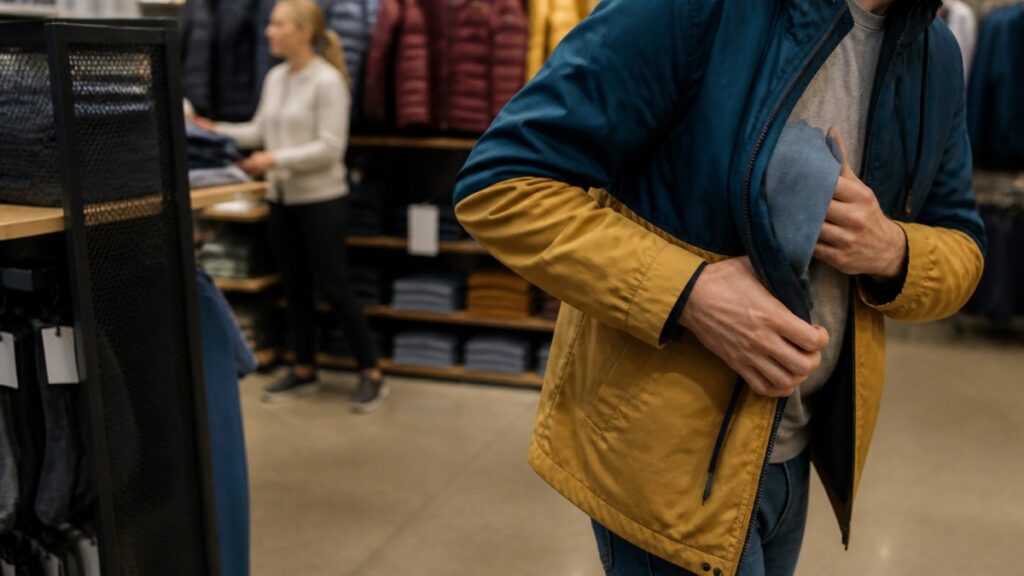
- A person concealing an item inside a bag or clothing
- Repeated visits to a high-value shelf without buying
- Someone loitering near exits or blind spots
A retailer using AI video analytics can correlate camera data with transactions to spot abnormal patterns. One published case study describes a retailer that mapped foot traffic and time of day against sales records to find activity that did not match normal store operations, according to Loss Prevention Media’s case study on combating retail shrink with AI.
Shoplifting and external theft detection
External theft is the most visible problem. Systems can flag gestures associated with taking merchandise and send alerts to staff in real time. Veesion’s retail detection platform describes analyzing existing cameras for high-risk gestures, though published effectiveness figures are limited.
Alerts work best when staff can act on them quickly. A flagged clip that arrives twenty minutes later is a report, not a deterrent.
AI Shoplifting Detection: What It Catches and What It Misses
AI shoplifting detection catches clear, repeatable behaviors such as concealment gestures and unusual loitering. It struggles with context, like a customer who simply forgot to pay or a stocker moving boxes in an odd way.
What it catches well:
- Concealment motions at shelves
- Items moved to a second location in the store
- Groups working together to distract staff
What it often misses:
- Ordinary customers whose movement looks odd on camera
- Thefts hidden behind displays or outside camera coverage
- Fraud that happens entirely at the register
Treat alerts as leads for a human to verify. Blind trust in any video system creates its own risk.
The table below summarises what AI shoplifting detection catches well and what it often misses.
| Category | Examples | Note |
|---|---|---|
| Catches well | Concealment motions at shelves | Clear, repeatable behaviors |
| Catches well | Items moved to a second location | Visible across camera feeds |
| Catches well | Groups distracting staff | Detected as coordinated activity |
| Often misses | Ordinary customers who look odd on camera | Context is lost |
| Often misses | Thefts behind displays or outside coverage | Camera blind spots |
| Often misses | Fraud entirely at the register | Outside shelf-level video scope |
Employee Theft Detection in Retail: Spotting Internal Fraud
Internal theft is harder to see because staff know the store layout and the camera angles. Video analytics can help by flagging cash handling, voids, and unusual access to restricted areas. Transaction intelligence adds another layer by comparing register activity against the video timeline.
Watch out: Monitoring employees raises privacy and labor-relations questions. Set clear policies, limit who can review footage, and check your state rules before you deploy.
Real-Time Retail Security Alerts and Incident Response
Real-time alerts only create value when the right person sees them fast enough to act. A detection that reaches a manager ten minutes after a concealment gesture is evidence; one that reaches them quickly can still deter.
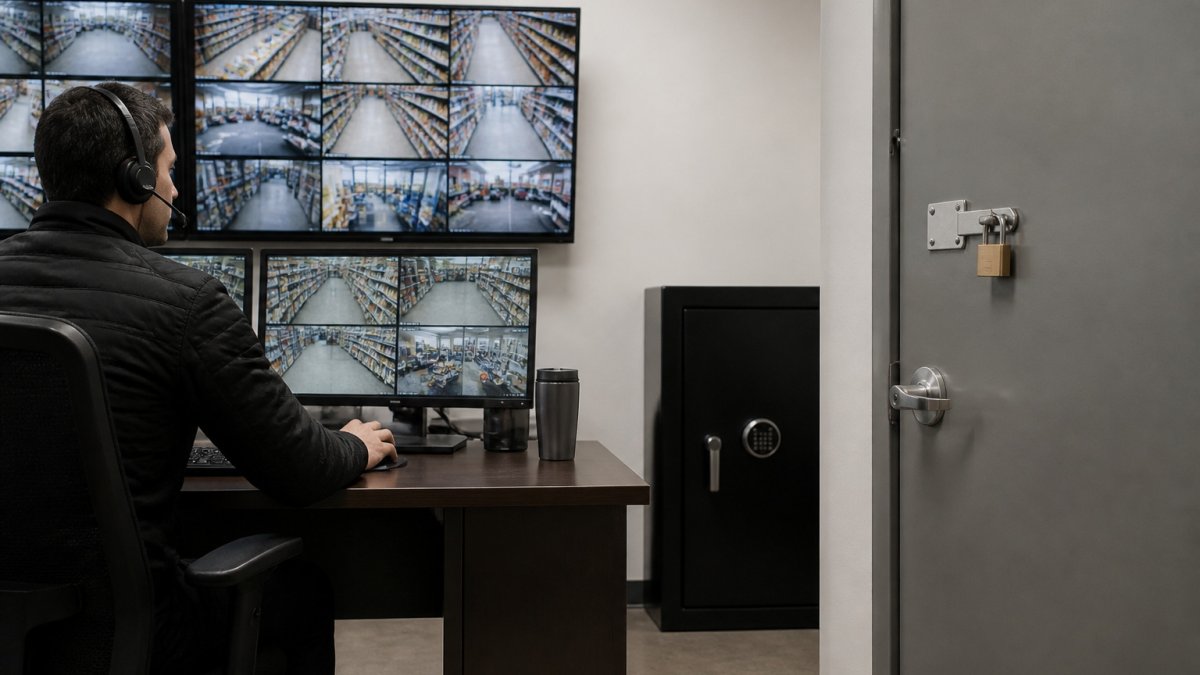
Alert routing architecture
Alert routing patterns vary, and the right choice depends on store size, staffing, and whether you run a central monitoring desk.
- Direct-to-manager push. Alerts go to a store manager’s phone or a handheld device via an app. This is the lowest-cost option and works well for single-location retailers, but it competes with the manager’s other duties and can be missed during busy periods.
- Central monitoring desk. Alerts route to a remote or in-house monitoring station where an operator triages the clip before escalating to store staff. This filters noise and is common in multi-store chains, but it adds staffing cost and a layer of latency.
- Hybrid tiered escalation. Low-confidence alerts go to a queue for review; high-confidence alerts (for example, a concealment gesture near an exit) push directly to staff. This is the pattern most loss prevention teams converge on because it balances speed and noise.
Whatever pattern you choose, define the escalation tiers in writing. A common structure is: Tier 1 (informational, logged only), Tier 2 (review within 15 minutes), Tier 3 (immediate response, staff dispatched). Map each alert type to a tier so staff are not making judgment calls in the moment.
Response-time benchmarks and staffing
There is no universal standard, but a common operational target is under 60 seconds from detection to a human viewing the clip for high-priority alerts, and under 15 minutes for review-queue items. Meeting that target requires matching alert volume to staffing.
Run a two-week baseline before go-live: count alerts per hour, per camera, and per shift, then compare that volume to the number of staff available to respond.
Incident response playbook
A written playbook should cover, at minimum:
- Who receives each alert tier and on which device.
- What the responder does first (view the clip, confirm the behavior, note the timestamp).
- When to approach a customer versus when to observe and document (approaching on a false positive creates customer-experience and liability risk).
- How to preserve the clip, including export format, timestamp verification, and chain-of-custody logging.
- Who to notify for law enforcement, corporate loss prevention, or legal review.
- How to close out the incident and record the outcome.
Do not let staff confront a suspected shoplifter based on an alert alone. Treat every alert as a lead that requires human verification, and follow your company’s safety and use-of-force policies.
Measuring alert performance
Keep a log of every alert with four fields: timestamp, camera, alert type, and outcome (confirmed theft, false positive, inconclusive, no action). Review the log weekly. Two metrics matter most: the share of alerts that lead to a confirmed incident (precision) and the share of known incidents that generated an alert (recall). If precision is low, raise thresholds or add a monitoring filter. If recall is low, the cameras or detection zones are probably wrong, not the model.
Connecting AI Analytics to Existing CCTV and Retail Loss Prevention Technology
You do not need to replace every camera to start. Check compatibility with your camera brands, recorder model, and network setup before buying.
MDI AI Detection works with existing IP camera and recorder infrastructure, and its on-site processing keeps detection running during internet outages.
Integrating AI with CCTV is a practical step-by-step process. Read the guide to integrating AI with existing IP cameras for the details.
Accuracy, False Alarms, and Privacy Compliance in US Stores
Accuracy and compliance are the two areas where retail AI video analytics deployments most often fail, and they are the areas most articles skip. This section gives you a measurement method and a compliance checklist you can act on before and after go-live.
Measuring detection accuracy: precision and recall
Two metrics tell you whether a system is working:
- Precision = confirmed theft alerts ÷ total alerts. Low precision means too many false alarms and staff will stop trusting the system.
- Recall = confirmed thefts that generated an alert ÷ total confirmed thefts. Low recall means the system is missing thefts, often because of camera placement, occlusion, or detection zones that are too narrow.
You cannot calculate either without ground truth. Build it by reviewing a sample of recorded footage each week and labeling what actually happened. A practical starting point is 20-30 randomly selected clips per camera per week, plus every alert that staff acted on. Track precision and recall over time; a system that starts at 60% precision and climbs to 85% after tuning is working as intended.
Tuning to reduce false alarms
False alarms usually come from four sources: lighting changes, reflections and shadows, crowded scenes, and detection zones that include non-merchandise areas. Tune in this order:
- Fix camera placement first. A camera aimed at a bright window or a reflective display will generate noise no threshold can fix.
- Draw detection zones tightly. Exclude aisles, walkways, and staff-only areas unless you specifically want them monitored.
- Set per-camera sensitivity. A stockroom camera and a checkout camera should not share the same threshold.
- Add a confidence filter. Most platforms let you suppress alerts below a confidence score; start conservative and lower it only after reviewing the suppressed clips.
- Review weekly. Alert logs are the fastest way to find noisy cameras.
Ask your vendor whether alerts can be filtered by a monitoring station before reaching store staff. A human triage layer often cuts the alerts staff see by half or more.
Privacy and legal compliance checklist
Privacy rules vary by state and by how footage is used. The following checklist covers the questions most retailers need to answer before deployment:
- Notice. Post signage where state law requires it, and state clearly that video analytics may be in use. Some states require notice at the entrance; others require it only for employee monitoring areas.
- Biometric restrictions. Several states regulate facial recognition and other biometric identifiers. Confirm whether your system uses biometric matching and whether your state requires consent or prohibits it in retail settings.
- Employee monitoring. Monitoring employees raises labor-relations and privacy questions. Set a written policy, limit who can review footage, and check state rules before deploying cameras in break rooms or other employee-only areas.
Consult your legal counsel before deployment. This checklist is a starting point, not legal advice.
Responsible use and limitations
AI video analytics should support staff judgment, not replace it. Common limitations include occlusion behind displays, poor lighting, crowded scenes, and model bias that can make some behaviors look suspicious when they are not. Treat every alert as a lead for a human to verify, document the outcome, and review performance regularly.
Before you commit, decide whether proactive monitoring is worth the staffing and cost in your stores.
Scheduling a Demo to Test AI Theft Detection on Your Own Cameras
The best way to judge a system is to test it on your own footage. Ask for a demo that runs on your cameras, not a sample video. Check alert speed, false alarm rate, and how well the output supports an investigation.
Testing with your own stores shows you what the system actually catches. Book a demo to test AI theft detection on your own cameras.
Frequently Asked Questions
How does AI video analytics detect retail theft?
AI video analytics runs on existing cameras and looks for patterns in movement rather than watching every frame. It flags behaviors such as concealment gestures, lingering in high-risk areas, or unusual handling of merchandise, then sends an alert to store staff or a monitoring station. Results depend on camera placement, lighting and how sensitivity is configured for each camera.
Can AI cameras detect shoplifting in real time?
Yes, AI shoplifting detection can generate alerts while the behavior is still happening, which lets staff respond before a customer leaves the store. Real-time performance depends on processing that runs close to the cameras, so alerts keep working if the internet connection drops. Alerts should be reviewed by trained staff, and retailers should test the system on their own footage before relying on it for enforcement decisions.
Does AI video analytics require cloud video streaming?
No. MDI AI Detection processes video on on-site AI servers, so footage does not need to be streamed to third-party clouds. This keeps detection running during internet outages. For current pricing and deployment options, contact MDI AI Detection directly for a quote, since pricing depends on the number of cameras, sites and integration requirements.
How can retailers reduce false alarms from AI theft detection?
Camera-specific sensitivity settings are the main control. A camera covering a high-traffic entrance needs different thresholds than one covering a stockroom aisle. Retailers should review alert logs over the first few weeks, adjust thresholds for each location, and track which alert types staff actually act on.
