

Table of Contents
- Why Proactive Threat Detection for Schools Beats Reactive Security
- Step 1: Build Your School Threat Assessment Team
- Step 2: Run Behavioral Threat Assessment in Schools
- Step 3: Invest in School Threat Assessment Team Training
- Step 4: Deploy School Safety Technology That Verifies Alerts
- Step 5: Connect Detection to Intervention and Student Support
- Step 6: Protect Privacy and Measure What Works
- Conclusion
- Frequently Asked Questions
Last Updated: October 19, 2026
Why Proactive Threat Detection for Schools Beats Reactive Security
Proactive threat detection for schools means finding and assessing warning signs before violence happens, not waiting for a lockdown alarm. At MDI AI Detection, we see the same pattern repeatedly: districts buy cameras, then still react late.
The reason is simple. A camera records. It does not think.
Reactive security waits for a door to be forced or a shot fired, by then the incident is underway. Proactive work starts weeks earlier, with a concerning post, a behavior change, or a stranger circling the lot.
That shift changes how you staff, train, and buy technology. Here are six steps from scattered alerts to a working prevention program.
Detection without assessment is noise. Assessment without detection is blind. You need both, connected by people who know what to do with what they find.
Step 1: Build Your School Threat Assessment Team
A school threat assessment team is a small, named group that reviews concerning behavior and decides next steps. Include an administrator, a counselor or school psychologist, a security director, and a law enforcement liaison.
Keep the core group to five or six people. Larger teams stall.
Assign three roles in writing:
- Case lead who opens and tracks every report
- Records keeper who logs evidence and decisions
- Liaison who talks to families and outside agencies
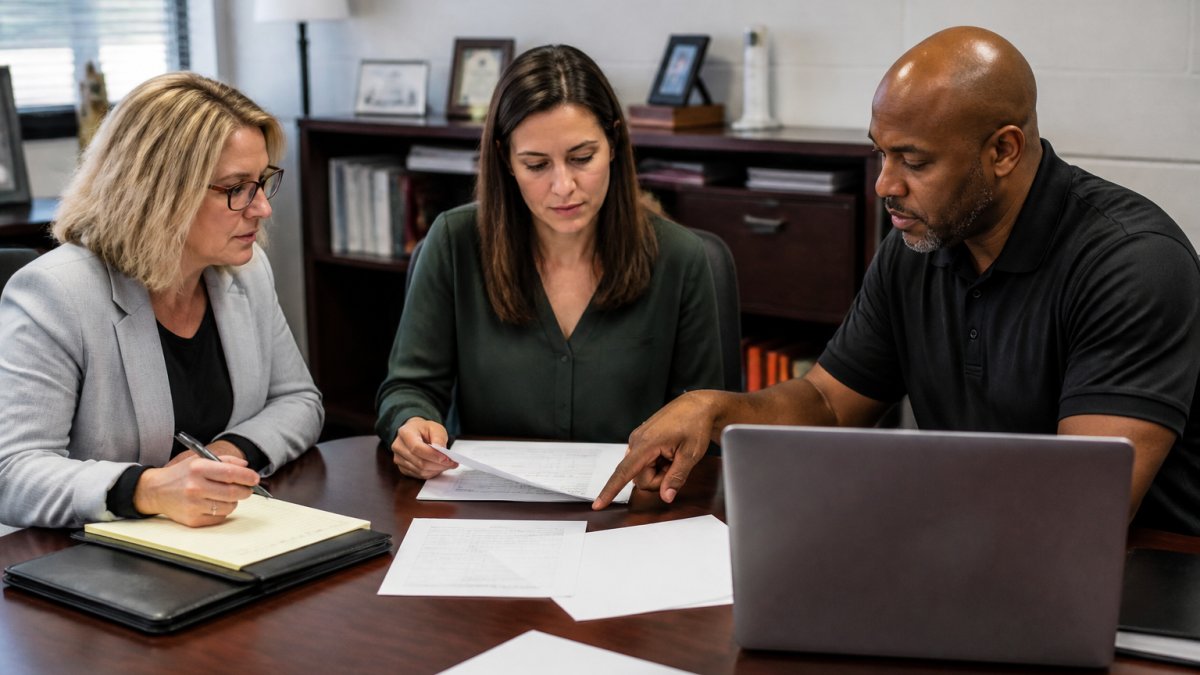
Meet weekly, even in quiet weeks. A standing 30-minute meeting beats an emergency call every time.
Step 2: Run Behavioral Threat Assessment in Schools
Behavioral threat assessment in schools is a structured process for judging whether a student’s words or actions suggest risk of targeted violence, a set path, not a gut feeling.
The path looks like this:
- Receive the report. Log it the same day.
- Screen it. Is this a joke, a vent, or a plan?
- Gather facts. Interview, review posts, check records.
- Judge credibility. Does the person have a means, a target, and a timeline?
- Act. Support plan, monitoring, or law enforcement referral.
- Follow up. Recheck at set intervals.
The federal threat assessment guidance from the U.S. Secret Service and Department of Education frames this as an investigative and support process, not a disciplinary one. That distinction matters. Punish first and students stop reporting.
A common mistake is skipping step four: teams hear a threat and jump straight to suspension. Credibility screening tells you whether it’s a bad day or a real plan.
Step 3: Invest in School Threat Assessment Team Training
School threat assessment team training separates a real program from a binder on a shelf. Untrained teams overreact or freeze.
Train on four things:
- Threat credibility factors and how to weigh them
- Interview technique that gets facts without accusation
- Documentation that holds up under review
- Privacy limits and what you may and may not share
Run a tabletop exercise each semester. Give the team a written scenario and walk it through end to end. Most gaps show up here, not in the policy.
A team that has never practiced will default to the loudest voice in the room. That is how districts end up suspending a student for a bad joke while missing a real plan in the next building.
Step 4: Deploy School Safety Technology That Verifies Alerts
School safety technology should shorten the gap between a signal and a human decision, not flood staff with alerts they learn to ignore. The hard part is choosing a detection layer that fits your existing cameras, network, and monitoring workflow, then proving it works before scaling.
Start with a readiness check before you take a single sales call:
- Camera inventory. List every camera by location, model, resolution, and whether it supports ONVIF or a vendor SDK. Detection quality depends on the source image, not the analytics.
- Network map. Identify which cameras sit on the same VLAN as staff devices, where the internet uplink enters, and which buildings have backup power. On-site processing needs a server room with cooling and a UPS.
- Monitoring workflow. Decide who watches alerts in real time: district dispatch, a third-party monitoring station, or campus staff. The answer changes the integration requirements.
- Data governance owner. Name the person who signs off on retention, access, and sharing before any video leaves the campus.
With that in hand, evaluate platforms against criteria that separate real detection from marketing:
| Requirement | Why It Matters | What to Ask the Vendor |
|---|---|---|
| On-site processing | Detection keeps working when the internet drops | Does the appliance run inference locally, or does it stream video to a cloud region? |
| Camera-specific tuning | Fewer false alarms per zone | Can sensitivity be set per camera and per zone, or is it global? |
| Verified alerts | Staff trust what they receive | Does a human confirm the alert before it reaches a phone, and is that step logged? |
| Audit trail | Evidence holds up in an investigation | Can you export who saw what alert, when, and what action followed? |
| Existing camera support | No rip-and-replace budget | Which ONVIF profiles and recorder brands are certified, and what is the fallback for analog cameras? |
| Monitoring integration | Alerts reach the people who act | Does it push to Immix, Bold Manitou, or your existing station, and what is the failover path? |
| Total cost of ownership | Budgets survive year two | What are the license, server, installation, training, and support costs separately, and what renews annually? |
At MDI AI Detection, our on-site AI servers run on the IP cameras and recorders a district already owns.
Do not buy district-wide on the first purchase order. Run a pilot in one building for a full semester, with a written success test agreed before install:
- Pick one building and three camera zones that represent your hardest conditions: a main entrance, a parking lot, and a hallway with heavy foot traffic.
- Set baseline numbers for alerts per week, false alarms per camera, and time from alert to human review.
- Tune for two weeks before judging results. Most false alarms in week one come from default sensitivity, not bad hardware.
- Review with the threat assessment team at 30, 60, and 90 days. Ask whether alerts changed any decision, not just whether they fired.
- Decide on evidence. Scale only if false alarms per camera fall and time to review stays inside your target.
Ask your monitoring station for the false alarm count by camera, not by site. One badly tuned camera can generate most of the noise and hide the fact that the rest of the system is working well.
Budget for more than the box. First-year costs include the appliance or server, per-camera licensing, installation and cabling, network upgrades, training, monitoring fees, and annual support. Ask vendors to quote each line separately and confirm whether pricing is per camera, per stream, or per building, districts that skip this find year-two renewals eat their expected savings. Operational expenses must also account for the human element, as effective oversight requires comprehensive cybersecurity staff training to ensure that the technology remains a protective asset rather than a neglected liability.
Finally, write the integration down. A one-page diagram showing camera to recorder to detection server to monitoring station to case file prevents the most common failure: an alert that fires correctly but reaches nobody with authority to act.
Step 5: Connect Detection to Intervention and Student Support
Detection only pays off when it feeds a support path. A verified alert that dies in an inbox is worse than no alert, it teaches staff the system doesn’t matter.
Build a simple handoff:
- Alert fires and is verified by a person
- Case lead is notified within minutes
- Team screens the same day
- Support plan opens if risk is present
- Follow-up is logged on a schedule
Early intervention is the goal, not expulsion. Students who get help early rarely escalate. guidance from the Centers for Disease Control and Prevention on school violence prevention supports connecting prevention work to student support rather than punishment alone.
Step 6: Protect Privacy and Measure What Works
Privacy and civil rights protections keep a detection program legal and trusted.
Data minimization. Collect only what a stated safety purpose requires.
Retention limits. Set separate retention periods for video, alert clips, and case files, and configure automatic deletion rather than manual cleanup.
Transparency. Publish a plain-language summary of what is monitored, why, who sees it, and how to raise a concern.
Bias and scope review. Automated detection can produce uneven results across locations, lighting, and demographics.
Annual legal review. Walk the policy with counsel yearly and after any major change in state law, vendor, or data flow.
Then measure whether the program is working. Track indicators that connect detection to outcomes, not just activity:
| Metric | What It Tells You | How to Use It |
|---|---|---|
| Reports received per month, by source | Whether staff and students trust the system | A falling count after training may signal fear of consequences, not safety |
| False alarms per camera per week | Whether tuning is working | Target the worst camera first; district averages hide problems |
| Time from alert to human review | Whether the handoff is fast enough | Set a target by alert type and review misses monthly |
| Time from report to team screening | Whether assessment keeps pace | A backlog here is the most common program failure |
| Referral follow-through rate | Whether support plans actually start | Count plans opened versus plans with a logged first contact |
| Cases closed with a support plan | Whether intervention is real | Compare against cases closed with no action and review the difference |
| Staff training completion | Whether the team is prepared | Track by role and by building, not district-wide |
| Student and family concerns raised | Whether transparency is working | Route concerns to the governance owner, not the security desk |
Review these quarterly with the threat assessment team and governance owner in the same room.
A detection program with no written retention schedule, no named access owner, and no outcome metrics is not a prevention program. It is a camera system with a press release.
Conclusion
The hardest part of proactive threat detection for schools isn’t the technology, it’s the discipline of connecting detection, assessment, and support into one loop people actually run every week.
MDI AI Detection helps districts close that loop: our systems work with your existing cameras, verify alerts before they reach staff, keep running when the internet fails, and leave a court-ready audit trail. Book a demo to see how detection fits your infrastructure.
Frequently Asked Questions
What does proactive threat detection mean for schools?
Proactive threat detection means identifying and addressing concerning behavior before it escalates into violence. Instead of waiting for an incident, schools combine behavioral threat assessment, anonymous reporting, trained staff, and detection technology to catch warning signs early. A threat assessment team reviews each report, evaluates credibility, and connects the student to support. The goal is prevention and early intervention, not punishment. Schools that pair human assessment with verified alerts from cameras and reporting tools respond faster and with better context than those relying on reactive lockdown drills alone.
How can schools balance threat detection with student privacy?
Balance comes from limiting data collection to what serves safety, writing clear policies, and keeping human review in the loop. Schools should document what is monitored, who can access it, and how long it is retained. Detection technology that processes video on site, rather than streaming to third-party clouds, reduces exposure. Behavioral threat assessment focuses on observable behavior and reported concerns, not surveillance of private communications. Train staff on privacy rules, get district legal counsel involved, and communicate the policy to families so expectations are clear before an incident occurs.
How can technology support school threat detection?
Technology adds speed and coverage that staff alone cannot match. AI detection running on existing IP cameras can flag weapons, intruders, and vehicles in real time, then send verified alerts to the right personnel. Camera-specific sensitivity settings cut false alarms, and a court-ready audit trail documents what was detected and when. On-site processing keeps detection working during internet outages. Anonymous reporting platforms give students and staff a low-friction way to share concerns. Technology should feed the threat assessment team, not replace its judgment.
What should school staff be trained to recognize and report?
Staff should learn to recognize warning behaviors: threats or statements of intent, interest in weapons, fixation on grievances, withdrawal, and escalating conflict. Training should cover how to report concerns through a clear channel, what happens after a report, and the difference between a threat and a joke made in frustration. School threat assessment team training should include tabletop scenarios and role clarity so everyone knows who convenes the team and how quickly. Refresher training each year keeps reporting habits sharp and reduces underreporting.