

Last Updated: October 26, 2026
Quick Summary
Proactive video monitoring is worth it for businesses that want to stop losses while they happen instead of reviewing footage afterward. AI analytics flag defined events in real time and a trained reviewer verifies each alert before it escalates, so staff act on confirmed threats rather than noise.
- Proactive systems add two layers to cameras you already own: detection and human verification.
- Design coverage around vulnerable zones like loading docks and fence lines, not camera count.
- Set sensitivity per camera and review false alarms weekly to keep staff trusting alerts.
- Segment the camera network on its own VLAN and change every default password.
- Track alert verification time, response time, false-alarm rate and camera uptime against a pre-go-live baseline.
Table of Contents
- What Proactive Video Monitoring Actually Changes for a Business
- Proactive vs Reactive Surveillance: Where the Cost Difference Shows Up
- How AI Video Analytics for Security Detect Threats in Real Time
- Building a Commercial Video Surveillance System Around Coverage, Not Camera Count
- A Step-by-Step Rollout Plan for Multi-Site Deployment
- Video Monitoring Best Practices That Keep False Alarms Down
- Privacy, Data Retention, and Cybersecurity Requirements to Settle First
- Measuring Whether Monitoring Is Working and What It Costs to Own
- Frequently Asked Questions
What Proactive Video Monitoring Actually Changes for a Business
Proactive video monitoring is a security approach where AI analytics and trained reviewers watch camera feeds in real time and send verified alerts before a loss occurs. At MDI AI Detection, we build it on the cameras a site already owns.
That difference matters most in the first few minutes. A camera that records a break-in gives you evidence. A system that flags a person climbing a fence gives you a chance to stop it.
Below, we break down what changes in practice, what it costs to own, and how to roll it out across multiple sites without ripping out hardware you just installed.
Proactive vs Reactive Surveillance: Where the Cost Difference Shows Up
Reactive surveillance records and stores. Someone reviews the footage later, usually after a loss, an insurance claim, or a police report. The cameras did their job. The outcome was still bad.
Proactive systems add two layers: detection and verification. Software watches for defined events. A person confirms the alert is real. Then someone acts.
The cost gap shows up in three places:
- Loss recovery. Recorded footage rarely gets property back. A live warning can stop the theft.
- Staff time. Someone has to scrub timelines after every incident. That is paid hours spent on work that produces nothing.
- Alarm fatigue. Unverified alerts train staff to ignore the system, which is worse than no system at all.
How AI Video Analytics for Security Detect Threats in Real Time
AI video analytics for security is software that classifies what a camera sees and flags defined events as they happen. It runs on the video stream, not on a person watching a wall of screens.
The detection layer looks for patterns: a person where no person should be, a vehicle in a restricted lane, a weapon-shaped object, smoke, or flames. When a rule trips, the system sends an alert.
What the Analytics Catch and What Still Needs a Human
Analytics are strong at spotting motion that matches a rule. They are weaker at context. A raccoon on a loading dock and a person on a loading dock can look similar to a motion sensor.
That is why human verification stays in the loop. The AI narrows thousands of hours of footage to a handful of events.
Our on-site AI servers run this locally, so detection keeps working during an internet outage. No video streams to a third-party cloud.
Building a Commercial Video Surveillance System Around Coverage, Not Camera Count
A commercial video surveillance system should be designed around what you need to see, not how many cameras you can afford. Ten cameras pointed at the wrong spots protect nothing.
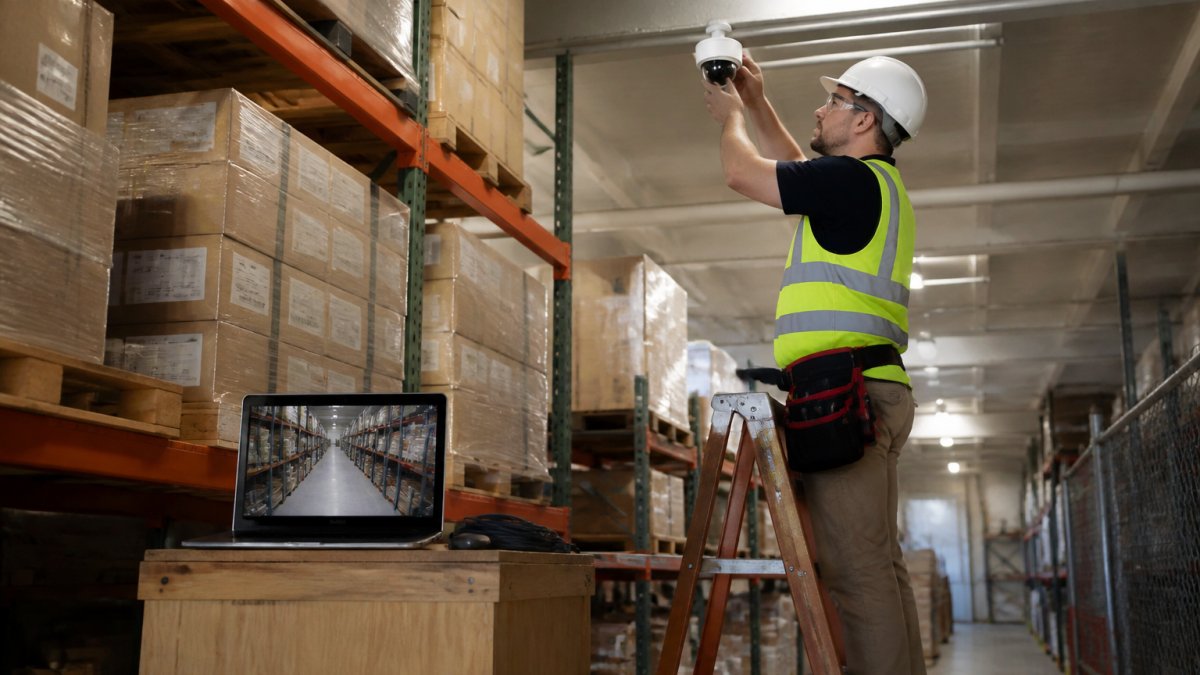
Start with a site walk. Map entries, exits, cash handling areas, loading docks, and perimeter gaps. Then place cameras to cover those zones with overlap where it counts.
The Vulnerable Areas Most Sites Undercount
Most sites overcount the front door and undercount everything else. The gaps we see most often:
- Rear and side entrances with no camera angle
- Loading docks and trash enclosures
- Parking structures and vehicle gates
If your site is a construction yard, dealership, self storage facility, retail floor, office, or school, before you buy another camera.
A Step-by-Step Rollout Plan for Multi-Site Deployment
Rolling out across multiple locations fails when every site is treated as a copy of the first. Build a repeatable plan, then adapt it per site.
- Audit each site. Walk every location and record coverage gaps, existing camera models, and recorder types.
- Confirm compatibility. Check that your IP cameras and recorders work with the AI layer before committing.
- Set detection rules per camera. Different zones need different sensitivity. A dock camera and a lobby camera should not share settings.
- Test with a small group. Run one or two sites for a few weeks and tune the rules.
- Connect your monitoring path. Route verified alerts to your team or your monitoring station.
- Train staff on response. An alert nobody acts on is just noise.
- Review and expand. Use the first sites’ data to set expectations for the rest.
If you want one team to design, install, and support the whole rollout.
Video Monitoring Best Practices That Keep False Alarms Down
False alarms are the fastest way to kill a security program. Staff stop trusting alerts, then stop responding. Fixing this is mostly about tuning, not buying more hardware.
- Set sensitivity per camera, not per site
- Use detection zones that exclude trees, roads, and foot traffic
- Require human verification before an alert escalates
For a deeper walkthrough, read our guide on how to reduce false alarms from security cameras. It covers the tuning process step by step.
Privacy, Data Retention, and Cybersecurity Requirements to Settle First
Settle privacy and data rules before the first camera goes live. Retrofitting compliance after deployment is expensive and slow, and it is the part of a video program most often left to whoever happens to answer the phone when a complaint arrives.
Decide three things up front: where footage is stored, how long it is kept, and who can access it. Write those rules down and apply them the same way at every site.
Privacy and Consent: What to Put in Writing
There is no single federal video surveillance statute that governs private workplaces. Instead, you are working against a patchwork: state wiretap and eavesdropping laws, state biometric-privacy laws where analytics touch faces or gait, and common-law privacy and intrusion claims. Navigating these complex legal requirements necessitates a robust technical framework that prioritizes secure video streaming to ensure that all captured footage remains protected from unauthorized access or liability.
A practical privacy baseline:
- Signage. Post notice at entrances and in monitored areas stating that video is in use and who to contact with questions. Signage is not a legal shield by itself, but it defeats the “reasonable expectation of privacy” argument in most common areas.
- Restricted areas. Keep cameras out of restrooms, locker rooms, lactation rooms, and break areas where employees change or rest. These are the fastest route to a privacy claim.
- Audio. Do not enable audio recording unless you have confirmed the consent rules in that state. Several states require all-party consent.
Data Retention: Pick a Period and Enforce It
Retention is a business decision with legal consequences. Keep footage too long and you expand discovery exposure and storage cost. Delete it too fast and you lose the evidence you need for an incident or claim.
A common pattern is a tiered schedule: a short rolling window for general footage, a longer hold for flagged events, and a documented legal-hold process that suspends deletion when an incident, claim, or investigation is open.
Cybersecurity: Harden the Camera Network
Cameras are network devices, and a cheap IP camera with a default password is a known entry point. Treat the camera network as a separate system:
- Segment it. Put cameras and recorders on their own VLAN, isolated from business traffic and point-of-sale systems.
- Kill defaults. Change every default password, disable unused services, and remove any camera from the public internet.
- Patch on a schedule. Firmware updates close known vulnerabilities; track models and versions so you know what is exposed.
A camera system that is reachable from the public internet without multi-factor authentication is a liability, not an asset. Audit remote access before you expand coverage.
Settle these rules once, document them, and audit them at every site. The cost of doing it up front is a fraction of the cost of unwinding a bad deployment.
Measuring Whether Monitoring Is Working and What It Costs to Own
Measure results with numbers you already have, and build the cost case before you scale. This is the section most security proposals skip, and it is the one that decides whether the program survives its second budget cycle.
The KPIs That Actually Tell You It Is Working
Track a small set of metrics per site and compare them against a baseline you capture before go-live:
- Alert verification time. How long from an event to a human confirming it is real. This is the number that determines whether you can intervene in time.
- Response time. From verified alert to someone acting, guard dispatched, door locked, police called.
- False-alarm rate. Verified false alerts divided by total alerts. A rising rate is the leading indicator that staff will stop trusting the system.
Review these weekly at first, then monthly. The tuning loop is simple: high false-alarm rate means adjust detection zones and sensitivity; slow verification means review the escalation path; low uptime means fix the network before adding cameras.
Total Cost of Ownership: The Full List
Hardware is the visible cost and rarely the largest one. Build the TCO from these components:
- Equipment. Cameras, recorders or on-site AI servers, network switches, and mounting hardware.
- Installation. Labor, cabling, and configuration, which scales with site complexity and ceiling height.
- Monitoring. Either internal staff time or a monitoring subscription, priced per site or per camera depending on the provider.
Building the ROI Case
ROI is avoided loss plus operational value minus TCO. Avoided loss is the hard part because it is counterfactual: you cannot prove a theft that did not happen.
Present the case as a range, not a single number. A conservative avoided-loss estimate plus documented staff-hour savings is more credible to a finance team than an aggressive projection, and it survives the first quarter of real data.
To build that case in detail, it walks through the inputs and the formula.
Want to see how verified alerts reach your team, even when the internet drops? We build it on cameras you already own.
Track a small set of metrics per site and compare them against a baseline captured before go-live.
| KPI | What it measures | Note |
|---|---|---|
| Alert verification time | Event to human confirming it is real | Determines whether you can intervene in time |
| Response time | Verified alert to someone acting | Guard dispatched, door locked, police called |
| False-alarm rate | Verified false alerts divided by total alerts | Rising rate signals staff will stop trusting system |
| Camera uptime | Percentage of cameras streaming and recording as configured | A camera that is down is not coverage |
| Incidents prevented or resolved | Count interventions, not just detections | A deterred event is a result |
| Cost per verified alert | Total monitoring and labor cost divided by verified alerts | Useful for comparing sites and vendors |
Frequently Asked Questions
What is proactive video monitoring for a business?
It is a setup where cameras and analytics flag suspicious activity as it happens, and a person or monitoring station verifies the alert before anyone responds. Instead of pulling footage after a theft, staff get a real-time alert about a person at a loading dock after hours or a vehicle circling the lot. The goal is incident prevention and faster response time, not just video evidence for later.
Can AI detect threats through existing business security cameras?
Often, yes. On-site AI servers can process feeds from IP cameras and recorders you already own, so a multi-site operation does not have to rip out infrastructure across every location. Compatibility depends on the camera models and recorders in place, so confirm that before committing. Processing on site also means detection keeps running during internet outages, which matters for warehouses and remote sites with unreliable connections.
How can a business reduce false alarms from video monitoring?
Set sensitivity per camera rather than applying one setting site-wide. A camera pointed at a highway will trigger on every passing truck, while one covering a stockroom door needs tighter rules. Combine motion detection with analytics that classify people, vehicles, and weapons, then route alerts to human verification before dispatch. Review which cameras generate the most noise each month and adjust them instead of ignoring the alerts.
Can employees be monitored by workplace security cameras?
Employers generally can use security cameras in common and public areas of the workplace, but not in private spaces such as restrooms, locker rooms, or changing areas. Put the scope in an employee handbook, post signage where cameras operate, and set a data-retention period. If you use video for performance monitoring rather than security, get legal review first.
