

Last Updated: November 7, 2026
Quick Summary
Warehouse intrusion detection with cameras uses strategically placed video surveillance, motion analytics, and alerting rules to detect unauthorized access and suspicious activity in real time instead of reviewing footage after a loss. A working system covers each zone to match its risk, tunes detection rules per camera, routes verified alerts to someone who can act, and keeps a retention and audit trail for investigations.
- Place cameras by risk map: docks and doors first, then high-value racking, then perimeter.
- AI analytics classify triggers as people, vehicles, or forklifts instead of any pixel change.
- Configure detection in order: map zones, draw detection zones, set sensitivity, define schedules, route alerts.
- Reduce false alarms with detection zones, object classification, schedules, and verification before escalation.
- Cost is driven by camera count and type, labor, recorder capacity, analytics licensing, and monitoring.
Table of Contents
- What Warehouse Intrusion Detection With Cameras Actually Requires
- Warehouse Camera Placement: Zone-by-Zone Coverage Plans
- AI Video Analytics for Warehouse Security: From Motion to Verified Alerts
- Configuring Camera-Triggered Intrusion Detection Step by Step
- Reducing False Alarms Without Weakening Detection
- Warehouse Intrusion Detection With Cameras Cost: What Drives the Number
- Your Warehouse Security System Checklist
- Book a Demo to Test Detection on Your Own Cameras
- Frequently Asked Questions
What Warehouse Intrusion Detection With Cameras Actually Requires
Warehouse intrusion detection with cameras is the practice of using strategically placed video surveillance, motion analytics, and alerting rules to detect unauthorized access and suspicious activity in real time rather than reviewing footage after a loss. It is best framed as three connected jobs: see the zone, verify the event, and route a usable alert to someone who can act.
Most facilities already own the cameras. The gap is usually configuration and response, not hardware.
Here is what separates a working system from a wall of monitors nobody watches:
- Coverage that matches the risk of each zone, not uniform camera counts
- Detection rules tuned per camera, so a dock door and a quiet aisle trigger differently
- A verified alert path to a phone, guard desk, or monitoring station
- A retention and audit trail that holds up during an incident investigation
Below, we walk through placement, analytics, configuration, false-alarm control, cost drivers, and a checklist you can hand to an integrator.
Warehouse Camera Placement: Zone-by-Zone Coverage Plans
Warehouse camera placement should follow the building’s risk map: docks and doors first, then high-value racking, then perimeter and outdoor approaches. A common mistake is spreading cameras evenly across square footage. Thieves and unauthorized entrants use doors, so that is where coverage earns its keep.
Loading Docks and Shipping Areas
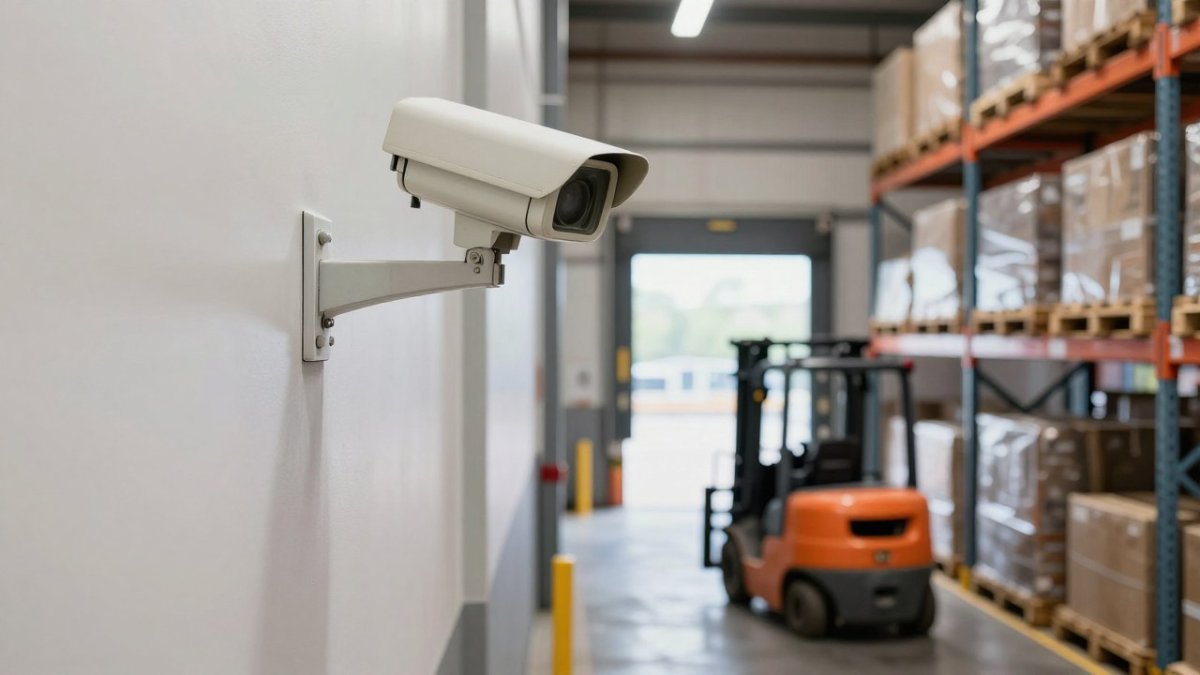
Docks need overlapping views: one camera covering the door face, one covering the staging floor inside, and one on the exterior approach. Watch for trailers blocking sightlines and for blind spots behind open doors. High-resolution video with a wide-angle lens helps, but overlapping fields of view matter more than megapixels.
Aisles, Racking, and High-Ceiling Zones
High ceilings are the practical constraint. Long aisles need cameras positioned to capture faces and hands at racking level, not just the tops of pallets. Multi-sensor cameras cover more aisle length per mount, and thermal or infrared options help in unlit sections during night surveillance. For a deeper tuning playbook, see reduce false alarms from security cameras.
AI Video Analytics for Warehouse Security: From Motion to Verified Alerts
AI video analytics for warehouse security converts raw motion into verified events by classifying what triggered a detection: a person, a vehicle, or a forklift, rather than a shadow or a plastic wrap flapping in the wind. That classification step is what makes alerts worth opening.
Traditional motion detection fires on any pixel change. Object detection asks a better question. When a camera sees a person crossing a restricted area line at 2 a.m., the system can send a real-time alert with a snapshot and timestamp instead of a generic motion ping. For the loss-reduction side of the ledger, our team breaks down how AI video analytics cut warehouse losses.
Configuring Camera-Triggered Intrusion Detection Step by Step
Configuring camera-triggered detection is a sequence, not a single setting. Work through it in this order:
- Map zones and risk levels. Label docks, restricted areas, perimeter, and high-value racking.
- Draw detection zones per camera. Exclude walkways, forklift lanes, and tree lines that generate nuisance triggers.
- Set sensitivity per camera. A busy dock and a quiet cage should not share a threshold.
- Define schedules. Arm restricted zones after hours; leave safety zones active around the clock.
- Route alerts by severity. Critical events to phones and the monitoring station; lower-priority events to a review queue.
- Test with real traffic. Walk the zones, drive a forklift through, and confirm what fires and what stays quiet.
- Document everything. Record settings and changes for incident investigation and audit.
If you are ready to install and configure the hardware itself, our step-by-step AI camera installation guide covers mounting, networking, and recorder integration.
Reducing False Alarms Without Weakening Detection
False alarms erode trust faster than any other failure. Once guards start ignoring alerts, detection is effectively off. The fix is precision, not lower sensitivity across the board.
Work the problem in four layers, in this order:
- Detection zones that exclude known nuisance areas. Draw polygons that stop at the edge of forklift lanes, walkways, and tree lines rather than covering the whole frame. A dock camera should watch the door face and the staging floor, not the traffic aisle behind it.
- Object classification. Configure the analytics to trigger on people and vehicles only, and to ignore small objects and animals. This single setting removes most wind-blown-debris and wildlife alerts without touching sensitivity.
- Schedules and arming states. Arm restricted zones after hours and leave safety and traffic zones in a lower-priority review mode around the clock. A cage that is quiet at 2 a.m. should not share a threshold with a dock that sees constant forklift traffic at 2 p.m.
- Verification before escalation. Route critical events to a human or a monitoring station with a snapshot and a short clip, and require acknowledgment before the event is closed. Verified alerts are the ones that keep response time meaningful.
Watch out: tuning globally after one bad night is the most common mistake. It silences the nuisance camera and blinds the quiet one. Tune one camera, walk the zone, confirm what fires and what stays quiet, then move to the next.
Set a target before you start. One workable pattern is to track false alarms per camera per week, the share of alerts verified as real events, and median time from alert to acknowledgment.
This is also where camera-led detection earns its keep over standalone sensors: a door contact tells you something opened, but a camera with object classification tells you a person entered, which direction they moved, and what they were carrying, enough to verify before anyone is dispatched.
Warehouse Intrusion Detection With Cameras Cost: What Drives the Number
Warehouse intrusion detection with cameras cost is driven by camera count and type, cabling and mounting labor, recorder capacity, analytics licensing, and monitoring. Pricing depends on quantity, site conditions, and the scope of work. MDI AI Detection provides current pricing and quotes through its website, so request a quote based on your floor plan and camera inventory.
The variables that move the number most:
| Cost Driver | What Changes It | Where to Save |
|---|---|---|
| Camera count and type | Zone count, thermal vs. standard, multi-sensor vs. fixed | Reuse existing IP cameras that meet resolution and low-light needs |
| Cabling and mounting labor | Ceiling height, conduit runs, lift rental, after-hours work | Mount on existing infrastructure and consolidate runs |
| Recorder and storage | Retention length, resolution, frame rate, on-site vs. cloud | Tiered storage: full frame rate on critical zones, lower on overview cameras |
| Analytics approach | Cloud streaming vs. on-site processing, per-camera licensing | On-site AI servers that process feeds locally |
| Monitoring | In-house guard desk vs. station contract, alert volume | Fewer, verified alerts reduce per-event monitoring fees |
| Integration | Access control, alarm panel, VMS tie-in | Phase integrations; start with the alert path that matters most |
Three mechanics matter more than the line items. First, labor scales with ceiling height and building complexity, not camera count, a 40-foot clear height with long conduit runs can cost more in installation than the cameras themselves. Second, analytics licensing is usually priced per camera per month or as a one-time on-site server cost, and the two models diverge sharply as camera count grows. Third, monitoring contracts are often priced per verified event or per account, so false-alarm reduction is a direct cost lever, not just an operational one.
Build the business case on avoided loss and labor, not on camera price. Inventory shrink, claims, and guard overtime are the numbers a decision-maker recognizes. Use a structured ROI calculation for AI video detection rather than a vendor estimate, and ask each bidder to break out hardware, labor, licensing, and monitoring separately so you can compare like with like.
Watch out: a low hardware quote that bundles analytics into a multi-year cloud subscription can cost more over five years than an on-site server that processes feeds locally. Price the full term, not the first invoice.
Your Warehouse Security System Checklist
Run this warehouse security system checklist before signing off on any design:
- Zone map with risk ratings for docks, aisles, perimeter, and restricted areas
- Camera coverage plan with overlapping views at every entry point
- Documented blind spots and a remediation plan
- Per-camera detection zones and sensitivity settings recorded
- Alert routing tested end to end, including after-hours
- Footage retention policy aligned with legal and insurance needs
- Access control and visitor management tied to camera events
- Night surveillance and low-light performance verified on site
- Alert response procedure with named owners per shift
- Quarterly detection performance review scheduled
Privacy, retention, and cybersecurity deserve a line item of their own. Limit footage access by role, keep retention as short as operations allow, and secure the network the cameras sit on.
Book a Demo to Test Detection on Your Own Cameras
The only honest test of warehouse intrusion detection with cameras is your building, your lighting, and your traffic. MDI AI Detection runs on-site AI servers that work with your existing IP cameras and recorders, so detection keeps running during internet outages and no video streams to a third-party cloud. Camera-specific sensitivity settings cut nuisance alerts, and every event carries a court-ready audit trail. Alerts route to your team or monitoring station through Immix and Bold Manitou.
Get started with MDI AI Detection and test detection on your own cameras before you commit. Contact our team to schedule a demo.
Detection you can defend starts with a system that sees the right zones and sends alerts people trust. MDI AI Detection pairs on-site AI processing with your current camera infrastructure, so you get verified alerts, a documented audit trail, and fewer false alarms without replacing hardware you already own.
Frequently Asked Questions
Can an existing warehouse camera system be used for intrusion detection?
In most cases, yes. On-site AI servers can work with existing IP cameras and recorders, so you avoid replacing infrastructure you already installed. The key requirement is that cameras support standard streaming protocols and are positioned to cover the zones you want monitored. Confirm compatibility with your integrator before committing to a full rollout.
How do you reduce false alarms from warehouse security cameras?
Set detection zones so cameras ignore forklift lanes, conveyor belts, and exterior motion like trees or traffic. Adjust sensitivity per camera instead of applying one global setting, and use object detection to distinguish people and vehicles from shadows or debris. Pair motion detection with video verification so alerts are confirmed before reaching your monitoring station. Review alert logs monthly and retune any camera that generates repeated nuisance triggers.
Where should security cameras be placed in a warehouse?
Cover loading docks and shipping doors first, since that is where inventory leaves. Then place cameras on aisle ends and racking cross-aisles, at restricted-area entries, along the perimeter fence line, and at main employee entrances. Use wide-angle or multi-sensor cameras for open floor areas with high ceilings, and thermal or infrared models for low-light perimeter zones. Map blind spots on a floor plan before finalizing positions.
What does warehouse intrusion detection with cameras cost depend on?
Pricing depends on camera count, site size, whether you need new hardware or can reuse existing IP cameras, on-site server requirements, and integration with your monitoring station. Reusing current cameras and recorders usually lowers the total compared with a full replacement. Because every warehouse layout differs, request a quote based on your floor plan and camera inventory rather than relying on a generic per-camera estimate.
