

Table of Contents
- Why Security Cameras Generate False Alarms
- Optimize Security Camera Placement to Avoid False Alerts
- Configure Security Camera Motion Detection Settings
- Define and Refine Security Camera Detection Zones
- Use AI Video Analytics to Reduce False Alarms
- Test Your System and Document Results
- Balance Alert Reduction With Detection Reliability
- Frequently Asked Questions
Last Updated: October 11, 2026
Why Security Cameras Generate False Alarms
False alarms drain resources and erode trust in your security system, which is why many facilities work to reduce false alarms from security cameras. When your team responds to dozens of alerts daily, they stop taking any of them seriously. By the time a real threat appears, critical incidents get lost in the noise.
Most false alarms stem from predictable sources. You can reduce false alarms from security cameras significantly by addressing root causes rather than ignoring alerts entirely.
Environmental Triggers: Wind, Trees, and Lighting
Wind moving trees and branches is the single most common cause of false alerts. Shadows cast by moving trees create motion patterns that look suspicious to basic motion detection.
Lighting changes trigger false alarms constantly. Reflections off windows, water, or shiny surfaces fool cameras into thinking something moved when only light changed. Cloud cover passing overhead can create motion-like patterns in your detection zones.
Rain, snow, and fog add difficulty, precipitation moving across the lens looks like motion in the frame.
Pet Movement and Animal Activity
Pets and wildlife trigger more false alarms than expected. A dog running across a monitored area generates the same motion signature as an intruder, as do cats, raccoons, and birds.
At night, infrared detection activates and small animals appear as heat signatures, creating false alerts from normal animal behavior.
Optimize Security Camera Placement to Avoid False Alerts
Camera placement determines what it sees and what it misses. Strategic positioning prevents false alerts before they start.
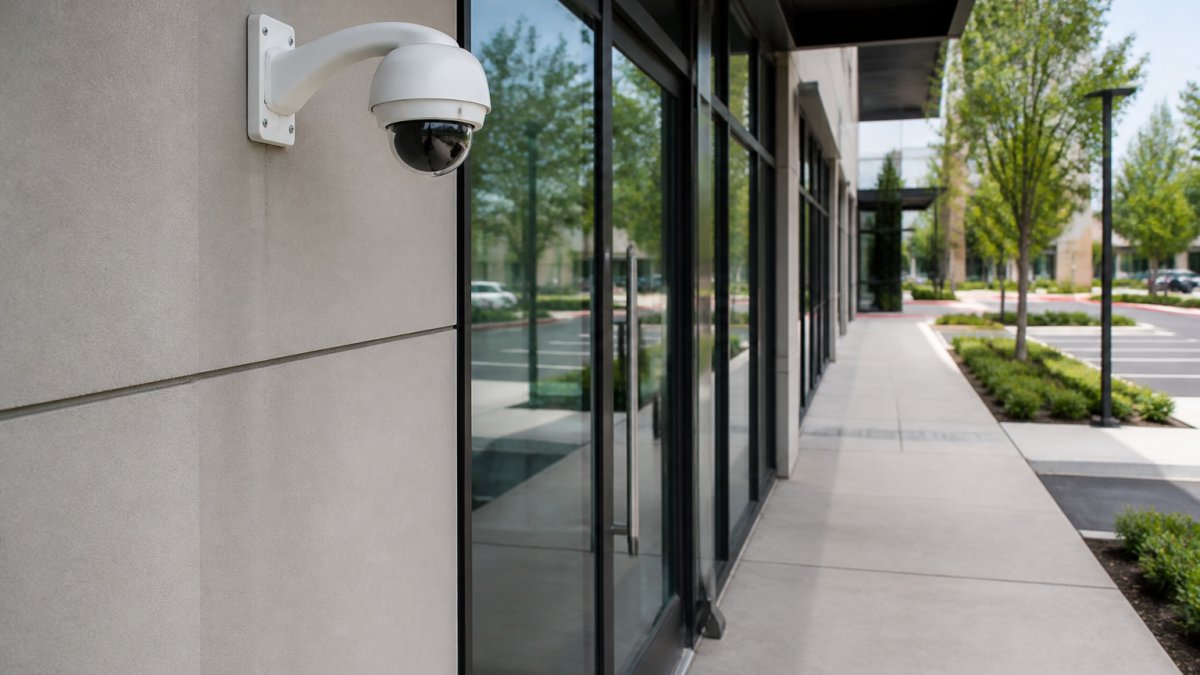
Careful attention to these environmental factors helps to optimize camera placement while simultaneously ensuring that the field of view remains broad enough to capture every necessary angle for security camera placement for maximum coverage.
Position Cameras Away From Environmental Motion Sources
Never point cameras directly at trees, shrubs, or vegetation that moves in wind. Angle cameras to minimize tree canopy in the detection zone.
Keep cameras away from reflective surfaces like windows, glass doors, and shiny metal. Moving water features and fountains trigger false alerts.
Avoid aiming cameras at falling rain or snow. Position them under eaves when possible, or angle slightly downward to reduce sky visibility.
Mount Cameras at the Right Height and Angle
Mount perimeter cameras 8-10 feet high to reduce ground-level noise from small animals and debris, keeping focus on human-level activity.
Angle cameras downward at 30-45 degrees to capture faces and upper body details while reducing sky visibility and environmental noise.
For entry points, position cameras to view doors or gates directly with a narrow, focused field of view.
Configure Security Camera Motion Detection Settings
Modern security cameras detect specific object types. Tuning detection mode for your threat profile is essential to eliminating false alarms without sacrificing real event capture.
Distinguish Between Detection Types and Configure Each Separately
Most cameras offer multiple detection algorithms, each with its own sensitivity and threshold controls:
Person Detection uses shape recognition to identify human figures and is most reliable for reducing false alarms. Enable person detection and disable basic motion detection for intrusion monitoring. It has lower false alarm rates than motion detection but may miss slow-moving or partially obscured people.
Vehicle Detection recognizes car and truck profiles for parking lots and perimeter monitoring. Test during different lighting conditions, as it can false-trigger on shadows or reflections.
Animal Detection (available on some platforms) identifies pets and wildlife. Enable it to filter out alerts from animals crossing your monitored area.
Sound Detection triggers alerts on glass breaking, gunshots, or shouting but is prone to false alarms from traffic and construction. Set decibel threshold high (80+ dB) and test before deployment. Many facilities disable it due to false alarm rates.
Adjust Sensitivity Levels Within Each Detection Type
After selecting detection type, start with the camera manufacturer’s recommended baseline for your environment rather than default factory settings.
For person detection, start at 50-70% for outdoor daytime use. Lower sensitivity for heavy shadows; higher for low-light areas. Test over 48 hours and adjust in 10% increments.
For vehicle detection, start at 60% sensitivity outdoors. Reduce if catching shadows or reflections.
Document final sensitivity settings for each detection type and camera location to establish a proven baseline.
Set Dwell Time and Pixel Threshold to Match Your Threat Model
Dwell time (how long motion must persist before alerting) and pixel threshold (percentage of detection zone that must change) work together to filter noise.
For person detection, use 2-3 second dwell time with 5-10% pixel threshold. For vehicle detection, use 2-second dwell time with 8-15% pixel threshold.
For basic motion detection, use 3-5 second dwell time with 15-20% pixel threshold.
Test dwell time and threshold for 48 hours.
Account for Day/Night and Seasonal Sensitivity Shifts
Use different sensitivity profiles for different times of day or seasons to match detection to threat patterns.
During daylight, use lower sensitivity or person/vehicle detection only. At night, increase sensitivity since environmental noise decreases.
Review and adjust sensitivity quarterly. Summer vegetation requires lower sensitivity; winter snow and ice create new problems.
Define and Refine Security Camera Detection Zones
Detection zones specify where the camera alerts, focusing on areas that matter.
Exclude Low-Priority Areas From Detection
Draw detection zones around entry points, high-value assets, and perimeter boundaries. Exclude areas with trees, reflective surfaces, and high environmental motion.
Exclude the sky from outdoor detection zones, this eliminates false alerts from weather and cloud movement.
Exclude areas where animals commonly pass through to prevent nightly false alerts while maintaining critical coverage.
Test and Adjust Zones Regularly
Run your system for one week and track false alerts. If alerts cluster in one area, shrink that zone or exclude it.
Review and adjust detection zones quarterly for seasonal environmental changes.
Document which zones generate false alerts and share with your team so everyone understands coverage decisions.
Use AI Video Analytics to Reduce False Alarms
AI-powered detection filters out environmental noise automatically. Rather than responding to every motion, AI distinguishes between a blowing leaf and a person entering your facility.
How AI Detection Filters Out Environmental Noise
AI video analytics recognizes human shapes, vehicle profiles, and threat patterns while ignoring weather, vegetation, and lighting changes.
MDI AI Detection’s on-site AI servers analyze video locally without streaming to the cloud, ensuring operation during outages and complete data control.
AI detection adapts to your environment, learning what’s normal and becoming more accurate over time.
Verify Alerts Before They Reach Your Team
AI systems verify alerts before sending them, so your monitoring station receives only verified alerts worth investigating.
This verification eliminates alert fatigue and improves response times because teams take every alert seriously.
Test Your System and Document Results
Systematic testing reveals why your system fails. A repeatable diagnostic process pinpoints whether false alarms come from lighting, weather, animals, or misconfiguration.
Create a Repeatable Diagnostic Log to Identify Root Causes
Use a structured log to diagnose false alarm causes instead of simply adjusting sensitivity downward.
For each false alarm, record:
- Date and time of the alert
- Camera location and detection type (person, vehicle, motion)
- Weather conditions at the time (clear, cloudy, rain, wind, snow)
- Lighting conditions (bright sun, shadows, dusk, night, artificial light)
- What triggered the alert (if visible in video): wind-blown vegetation, animal movement, shadow shift, reflection, weather, or unknown
- Sensitivity setting at the time of the alert
- Detection zone that triggered (if your camera supports zone-specific logging)
After one week, analyze patterns. Windy afternoon clusters indicate environmental motion; dawn/dusk clusters indicate lighting transitions; night-only clusters indicate infrared reflection or insects.
This diagnostic data tells you whether to adjust sensitivity, modify zones, reposition the camera, or change detection type.
Test Detection Reliability Against Missed-Event Risk
Reducing false alarms is only half the goal. You must also verify that your tuning doesn’t cause you to miss real threats.
Run weekly validation tests: have a team member walk past each camera at different times of day and record alerts.
Compare detection rate (alerts from test intrusions / total intrusions × 100) against false alarm rate (false alerts / total alerts × 100).
If detection is 95% but false alarm rate is 40%, sensitivity is too high.
Document this trade-off explicitly with your team.
Track Patterns by Camera, Location, and Environmental Condition
False alarms are rarely random. They cluster by location, time of day, and weather.
Create a spreadsheet tracking camera location, date/time, weather, alert type, true/false status, and root cause.
After 2-4 weeks, sort by camera location to identify specific problems with high-alarm cameras.
Sort by weather. If false alarms spike during rain or wind, consider weather-based sensitivity profiles.
Sort by time of day.
This pattern analysis reveals exactly which cameras, locations, and conditions need adjustment.
Validate Coverage After Making Changes
Whenever you adjust sensitivity, modify detection zones, or reposition a camera, run a validation test within 24 hours. Don’t assume the change fixed the problem, verify it.
Walk the perimeter or monitored area at different times of day. Check that:
- The camera still alerts to actual threats (person walking, vehicle approaching)
- False alarms from the identified source (wind, shadows, animals) have decreased
- You haven’t created a new blind spot by narrowing detection zones too much
If the change reduced false alarms but also reduced detection rate below your acceptable threshold, revert and try a different approach.
Document the results of each change. Over time, you’ll build a record of what works for each camera location and environmental condition.
Balance Alert Reduction With Detection Reliability
The goal isn’t zero alerts, it’s accurate alerts. Pushing sensitivity too low risks missing real threats.
Lower sensitivity and narrower detection zones reduce false alarms but increase the risk of missed events.
Test this balance by comparing missed events against false alerts. If you’re catching all real threats but generating false alerts, reduce sensitivity slightly.
Many facilities find that AI-powered verification solves this balance problem.
False alarms destroy security effectiveness. Your team stops responding. Monitoring stations ignore alerts. Real threats slip through undetected.
MDI AI Detection transforms this dynamic with on-site AI servers that integrate seamlessly with your existing IP cameras. With camera-specific sensitivity settings and verified alerts sent directly to your team or monitoring station, you reduce false alarms while improving detection reliability. Book a demo to see how AI-powered verification works with your current infrastructure.
Frequently Asked Questions
What causes false alarms from security cameras?
False alarms from security cameras occur when motion detection triggers on non-threatening movement: wind-blown trees, shadows from clouds, reflections on glass, ceiling fans indoors, and pet movement. Lighting changes at sunrise or sunset often cause reflections that mimic human activity. Insects near the lens and moving outdoor objects also generate false alerts. Incorrect camera placement and overly sensitive motion detection settings amplify these triggers significantly.
How can I reduce false alerts from a security camera?
Reduce false alerts by repositioning cameras away from trees, reflective surfaces, and high-traffic non-critical areas. Lower motion detection sensitivity in outdoor cameras to filter wind and weather movement. Define detection zones that exclude irrelevant areas like parking lot perimeters or hallway ceilings. Use AI video analytics to distinguish human activity from environmental motion. Test your configuration with walk-throughs and adjust dwell time settings so brief movements don’t trigger alerts.
Can motion detection settings prevent false camera alerts?
Yes. Motion detection settings are critical for reducing false alarms. Adjust sensitivity thresholds to ignore small movements from insects or leaves while still catching human-sized motion. Enable dwell time requirements so alerts only trigger after sustained motion lasting several seconds, not momentary shadows. Set pixel-change thresholds appropriately for your camera’s field of view and environment. Start conservative and test thoroughly before lowering sensitivity further to avoid missing real threats.
How should I position a security camera to avoid false alarms?
Position cameras at least 10-15 feet away from trees, shrubs, and moving outdoor objects that create wind-driven motion. Mount cameras at entry points and vulnerable areas rather than hallway ceilings where ceiling fans and air vents trigger motion. Angle cameras downward slightly to minimize sky and cloud reflections. Avoid pointing cameras at reflective surfaces like glass doors or windows. Test the camera’s field of view before finalizing placement to ensure it covers critical areas without capturing unnecessary environmental motion.