Table of Contents
- What Is AI Security System Failover and Why It Matters
- Automatic vs Manual Failover: How Each Works
- Setting Up an AI Security System Backup Server
- Ensuring Backup Power for Your AI Detection System
- AI Video Analytics During Internet Outage: What Continues
- Failover Testing Checklist for On-Site AI Systems
- Conclusion: Building Resilience Into Your AI Security Infrastructure
- Frequently Asked Questions
Last Updated: October 9, 2026
What Is AI Security System Failover and Why It Matters
AI security system failover is the automatic or manual switch from a primary detection system to a backup system when the main one fails.
Think of it like a backup generator: when the main power fails, the generator kicks in, so your cameras keep recording and your alerts keep flowing.
At MDI AI Detection, we know on-site AI servers need reliability.
Automatic vs Manual Failover: How Each Works
Automatic failover detects a failure and switches systems without human action.
Here’s how it works in practice:
- A health check monitor constantly pings the primary server
- If the server doesn’t respond within a set time (usually seconds), the monitor triggers a switch
- Traffic and alerts redirect to the backup system automatically
- Your monitoring station or security team sees no interruption
Manual failover requires someone to notice the failure and switch systems by hand.
Manual failover is simpler to set up, no complex monitoring logic, but it leaves a gap.
Most modern deployments use automatic failover because the cost of downtime outweighs the complexity of automation, and it scales better across multiple locations.
Setting Up an AI Security System Backup Server
A backup server sits idle until the primary fails, then becomes your primary. For an AI detection workload, that handoff is not just a hardware swap, it is a security event. The backup must inherit the same identity, policy, and data-handling posture as the primary, or your failover quietly becomes a security gap.
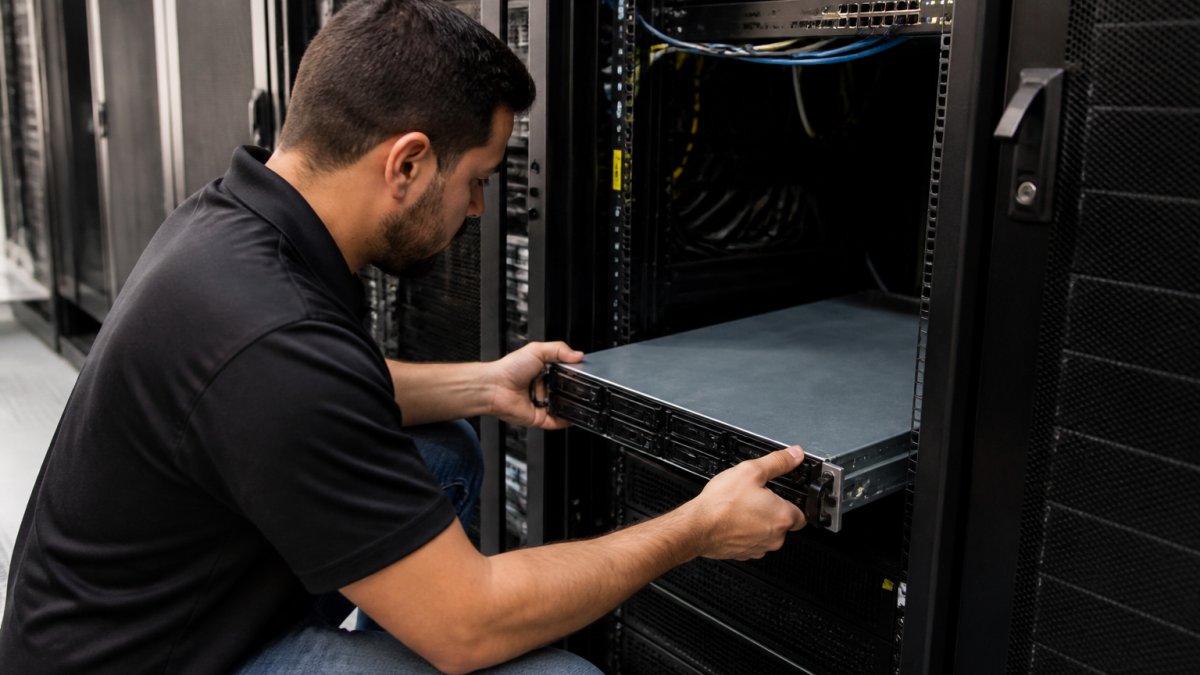
Hardware and model parity:
- Backup server specifications should match or exceed your primary server
- Same CPU, GPU, and memory capacity ensures consistent inference performance
- Network connectivity to both your cameras and your monitoring station
- Storage that syncs with the primary (or mirrors it in real-time)
- The same detection model version and configuration, or a documented, approved substitute
The AI-specific controls most teams forget
Generic failover guides stop at hardware. AI security systems carry additional state that must move with the workload:
- Authentication and authorization. Service accounts, API keys, and role mappings used by the detection pipeline must exist on the backup. If the backup uses a different identity provider or a stale credential, alerts may fire but downstream systems will reject them.
- Encryption keys and certificates. Video at rest, model weights, and alert payloads are typically encrypted. The backup needs access to the same key material (or a replicated key store) and valid TLS certificates for its endpoints. A backup with expired certs will fail silently at the monitoring station.
- Data handling and retention policy. Prompts, frames, detections, and logs must follow the same retention windows and access rules on the backup. If the backup writes to a different bucket or a local disk with different retention, you have created an unmanaged copy of sensitive data.
- Policy enforcement. Sensitivity thresholds, camera-specific rules, privacy masks, and zone definitions are policy. They must be versioned and synced, not re-created by hand during an incident.
A backup that runs the model but not the policy is not a failover, it is a second, ungoverned system. Treat configuration as data and replicate it the same way you replicate video metadata.
Data synchronization:
Your backup needs to know what the primary knows.
Real-time sync is ideal: every detection, configuration change, and setting flows to the backup instantly. A common pattern is to sync configuration and metadata continuously and replicate video segments on a short delay to avoid saturating the link.
Failover trigger:
Define exactly what causes a switch. Common triggers include:
- Primary server offline for 10+ seconds
- CPU or GPU usage stuck at 100% for 30 seconds
- Network latency exceeding 500ms
- Primary server unable to reach monitoring station
- Inference queue depth growing without draining (a sign the model is degraded, not just slow)
Set your trigger too sensitive and you will switch constantly; too loose and you will wait too long.
Log every failover event with the trigger that fired, the time to switch, and whether the backup was fully synced. That log is the only reliable way to tune thresholds over time.
Test before you deploy. Simulate failures: unplug cables, kill processes, revoke a credential on purpose and confirm the backup still authenticates. If it works in a test, including the security controls, it will work when it matters.
Ensuring Backup Power for Your AI Detection System
A server with no power is worthless. When the grid fails, your backup server needs to stay running.
Uninterruptible Power Supply (UPS):
A UPS sits between your server and the wall outlet. When power cuts, the UPS instantly switches to battery. Your server doesn’t even notice.
For a single server, a mid-range UPS keeps it running for 15-30 minutes, enough time to alert your monitoring station, shut down gracefully, or switch to a backup power source. For longer outages, stack systems:
- UPS for immediate protection (15-30 minutes)
- Generator for extended runtime (hours or days)
- Automatic transfer switch to move power from grid to generator seamlessly
Generator sizing:
A typical AI detection server draws 500-800 watts. A small generator (5-10 kW) handles this easily, plus your networking equipment and a few other devices.
Testing backup power:
Don’t assume your backup power works.
AI Video Analytics During Internet Outage: What Continues
This is the core advantage of on-site AI processing. When the internet dies, cloud-based systems go dark. Your local AI server keeps working.
What continues during an outage:
- Real-time video analysis from all connected cameras
- Threat detection (weapons, intruders, vehicles, fire)
- Local alerts to on-site staff
- Recording to local storage
- Camera-specific sensitivity settings remain active
What pauses:
- Alerts to remote monitoring stations (if they depend on internet)
- Cloud backup of video footage
- Remote access to the system
- Updates to threat definitions or detection models
When the local model itself is the failure
An internet outage is one failure mode. A degraded or failed local model is another, and it is the one most AI deployments are unprepared for. The model can fail in ways a health check will not catch: inference latency climbs, confidence scores drift, a specific class stops firing, or the GPU enters a thermal-throttled state. If your only fallback is “the backup server runs the same model,” you have no fallback for model-level failure.
A practical fallback ladder for AI detection looks like this:
- Primary local model, full detection, full policy.
- Secondary local model, a smaller or older model on the backup server. Lower accuracy, higher speed, same policy and data controls.
- Alternate provider model, reached over a secondary connection (cellular or a second ISP). Useful only if your data-handling rules permit sending frames or metadata off-site.
- Human review, alerts route to staff for manual monitoring of a reduced camera set. Slow, but it preserves coverage.
Each rung on the ladder must preserve the same authentication, encryption, and retention rules as the primary. A fallback that bypasses your data policy is not a fallback, it is a compliance incident waiting to happen.
Provider behavior changes when you switch
If your ladder includes an alternate provider, expect the output to change. Refusal behavior, safety filters, output formats, and tool permissions differ between providers. A model that returns structured JSON on one provider may return prose on another, and a safety filter tuned for one domain may suppress legitimate alerts on another. Before relying on an alternate provider, run a small set of known detections through it, compare results against your primary, and adjust your alert parser accordingly.
Data privacy and residency across fallback paths
When requests move to a backup provider, prompts, frames, and logs may leave your approved region or fall under a different retention policy. Before enabling any off-site fallback, confirm:
- Which regions the provider processes and stores data in
- Whether data is used for training or retained after the request
- Whether your existing agreements cover the fallback path
- Whether logs generated during failover are subject to the same retention rules as primary logs
If any answer is unclear, keep that rung off the ladder. A failover that moves sensitive video to an unapproved region is worse than a brief detection gap.
Local storage becomes critical
Without cloud backup, all your recorded video sits on your local server. If that server fails, you lose the footage. Replicate local storage to the backup server, and test that the backup can serve footage to investigators without the primary online.
A common pattern is to keep a small, pre-approved set of test clips on the backup server. After any failover, run them through the active model and compare detections to the last known-good run. This catches silent model degradation that health checks miss.
Failover Testing Checklist for On-Site AI Systems
Testing is where most deployments fail. You set up failover, assume it works, never test it, then a real failure happens and it doesn’t work as expected.
Use this checklist to validate your setup before you rely on it:
- Primary and backup servers are both online and synced
- Health check monitor is active and pinging both servers
- Failover trigger is defined and documented
- Backup server can reach all cameras
- Backup server can reach monitoring station
- Alerts from backup server match format of primary alerts
Common test mistakes:
Many teams test failover once in a controlled environment, then assume it’s good forever. Configuration changes, software updates, or network changes can break failover without your knowledge.
Test in conditions that match your real deployment.
Document everything:
Write down what you tested, when, and what happened.
Conclusion: Building Resilience Into Your AI Security Infrastructure
A security system that works 99% of the time leaves you vulnerable 1% of the time. That 1% is when threats happen.
Failover isn’t an advanced feature. It’s a requirement for any AI security deployment that matters.
MDI AI Detection’s on-site approach gives you the foundation for resilient failover. Because your AI processing happens locally, not in the cloud, your detection survives internet outages.
Building a resilient AI security system requires more than hardware. Our on-site processing, camera-specific sensitivity settings, and integration with monitoring stations like Immix and Bold Manitou ensure your alerts reach the right people, every time. Book a demo to see how failover protects your security operations.
Frequently Asked Questions
What happens to AI camera detection if the local server fails?
If your primary AI security system server fails without failover configured, detection stops immediately at that location. On-site AI systems process video locally, so when the server goes down, the cameras continue recording but no threat detection occurs. With failover enabled, a backup server automatically takes over, maintaining real-time detection of weapons, intruders, vehicles, and fire. This is why many facilities deploy redundant servers or automatic failover routing to ensure continuous protection during hardware failures.
How can an on-premise AI security system keep detecting threats during an internet outage?
On-site AI servers process video detection locally on your premises, independent of internet connectivity. Your cameras feed directly to the local server, which analyzes the video stream and generates alerts without needing cloud access. During internet outages, threat detection continues uninterrupted. However, alerts may not reach your mobile phone or monitoring station until the connection restores, unless you have a local network backup or secondary communication path. This offline-first design is why on-premise AI systems are more resilient than cloud-dependent alternatives.
What backup power is needed for an on-premise AI security server?
An uninterruptible power supply (UPS) or backup generator is essential for continuous operation during power loss. A UPS provides immediate battery backup, typically sustaining your AI server and network equipment for 15 minutes to several hours depending on capacity. For longer outages, a backup generator ensures extended runtime. Size your UPS based on your server’s wattage, network switch, and any redundant equipment. Most facilities pair a UPS for immediate failover with a generator for extended outages, ensuring your AI security system remains operational regardless of power disruption.
How should businesses test failover for an AI security system?
Effective failover testing validates that your backup systems activate correctly and maintain detection accuracy. Start by documenting your current configuration, then simulate failures one at a time: power down the primary server to trigger backup activation, intentionally disconnect internet to verify offline detection, or unplug network cables to test redundant routing. Monitor alert delivery to your team and monitoring station during each test. Run a full failover test quarterly and after any system changes. Keep a failover testing checklist to ensure consistency, including verification that threat detection continues, alerts reach the right personnel, and recovery to primary systems is smooth.