

Last Updated: October 25, 2026
Quick Summary
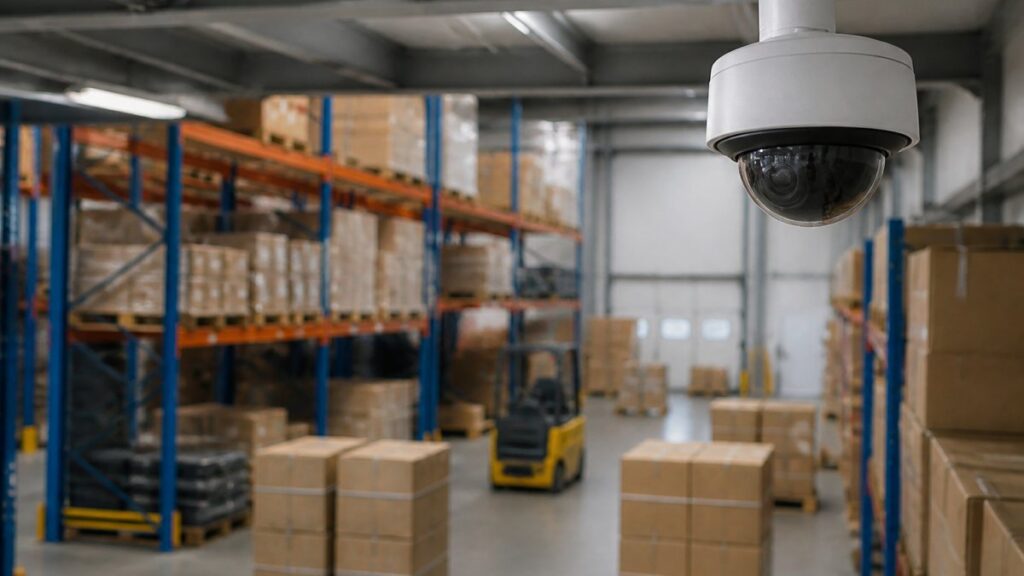
AI video analytics for warehouses turns your existing camera feeds into a live detection layer that flags threats, safety gaps, and workflow problems as they happen. It catches events every time instead of relying on someone watching a wall of screens, and it runs on your current IP cameras and recorders.
- Score vendors 1-5 on eight criteria, including camera compatibility, edge vs. cloud processing, and three-year total cost of ownership.
- Run a 14-day pilot on two cameras, log every alert as true or false, retune, then re-run for another 14 days.
- A forklift pedestrian detection system is the single highest-value deployment in most warehouses.
- Set written retention schedules: continuous footage often 14-30 days, alert clips 60-90 days, incident evidence per case.
- Exclude break rooms, locker rooms, and restrooms from analytics entirely, and document the exclusion.
Table of Contents
- What AI Video Analytics for Warehouses Actually Changes
- Warehouse Video Analytics Software: How to Judge a Platform Before You Buy
- AI Warehouse Safety Monitoring: From PPE Checks to Restricted Areas
- Forklift Pedestrian Detection System: Closing the Highest-Risk Gap
- Order Fulfillment Monitoring With AI: Where Throughput Gains Come From
- Cutting False Alarms and Tuning Detection Accuracy
- Privacy, Retention, and Worker Governance Before You Deploy
- Book a Demo and Map Your First Camera Zone
- Frequently Asked Questions
What AI Video Analytics for Warehouses Actually Changes
The AI video analytics market is set to grow from $5.04 billion in 2025 to $17.23 billion by 2031, according to Research and Markets’ AI video analytics market analysis. For a warehouse-specific deep dive, see our AI threat detection for warehouses guide.
Warehouse video analytics is the practice of applying computer vision to camera feeds to detect events, not just record them. That shift matters. Manual monitoring means someone watches a wall of screens and misses most of what happens.
Warehouse Video Analytics Software: How to Judge a Platform Before You Buy
Most buyers compare feature lists. That is the wrong test. A study in Review of Managerial Science on AI-based order picking adoption examined how warehouses adopt AI systems, and the lesson is consistent: fit with existing operations decides success more than raw capability.
This section is deliberately vendor-neutral. The goal is a scoring framework you can take to any shortlist, ours included, and a set of questions that expose the difference between a polished demo and a system that survives a busy dock on a rainy Tuesday.
The Buyer’s Scorecard: Eight Criteria That Actually Predict Fit
Score each vendor 1-5 on every line, then weight the lines that match your operation. A system that wins on capability but loses on integration or validation will fail in production.
- Camera and recorder compatibility. Does it ingest ONVIF-compliant IP cameras from mixed manufacturers, or does it require a single-brand stack? Ask specifically about older analog-to-IP encoders and any cameras running non-standard firmware.
- Edge vs. cloud processing. On-premises or edge processing keeps detection running when the internet drops and keeps footage inside your network. Cloud processing can simplify updates and multi-site rollouts but adds bandwidth and data-residency questions.
- Integration surface. The platform should expose a documented API and support the systems you already run: WMS (for example, Manhattan Associates, Blue Yonder, or Körber), access control, incident management, and alert escalation to a central station via a standard like Immix. Ask for the API documentation before the demo, not after.
- Alert routing and escalation. Can verified alerts go to a guard station, a supervisor’s mobile device, a loudspeaker, or a forklift-mounted warning light? Can you set escalation rules by zone and time of day?
- Sensitivity and rule control. Per-camera and per-zone tuning is table stakes. Ask whether rules can be changed by your staff without a vendor ticket, and whether changes are versioned.
- Evidence and audit trail. Every alert should carry a timestamp, camera ID, clip, and reviewer decision in a chain of custody you could produce in a deposition or an OSHA inspection.
- Model validation and false-positive reporting. The vendor should be able to show precision and recall on footage like yours, not a marketing video. Ask for a two-week pilot on your own cameras with a written false-alarm log.
- Total cost of ownership. Price the cameras, network upgrades, licenses, storage, integration labor, training, and support over three years. A low license fee with heavy integration labor is not a low-cost system.
| Criterion | Weak System | Strong System |
|---|---|---|
| Camera support | One brand, proprietary firmware | Mixed manufacturers, ONVIF |
| Processing | Cloud-only, stops on outage | Edge or on-prem option |
| Integrations | No public API | Documented API, WMS and access-control connectors |
| Alert tuning | Global settings, vendor-only changes | Per-zone rules, staff-editable |
| Evidence | Basic clips | Timestamped chain of custody |
| Validation | Demo footage only | Pilot with written false-alarm log |
| TCO | License-only quote | Three-year TCO including integration and support |
Integration With Warehouse Systems and Response Workflows
Video analytics only pays off when an alert triggers an action. Map the response path before you buy:
- WMS and WES: tie dock and staging alerts to receiving and put-away events so a delayed trailer shows up next to the order it is holding up.
- Access control: correlate a restricted-zone alert with the badge event that opened the door.
- Incident management: push clips and metadata into your case-management tool so investigations start with evidence attached.
A common pattern is to start with one integration, usually the central station or guard station, and add WMS correlation in a second phase once the alert volume is tuned.
How to Validate Accuracy Before You Sign
Ask every vendor to run the same pilot protocol on your footage:
- Pick two cameras: one busy dock and one quieter aisle.
- Run live for 14 days and log every alert as true or false.
- Compute the false-alarm rate per camera and per rule.
- Retune and re-run for another 14 days.
- Compare the before-and-after logs side by side.
Lighting, occlusion, camera angle, and changing workflows all move detection quality. A vendor that cannot show you a before-and-after log on your own site has not proven fit.
If you want to run AI on cameras you already own, our guide on upgrading old security cameras with AI walks through the fit question.
Bring the scorecard to every demo and score vendors in the room. Vendors who welcome the questions are usually the ones who can answer them.
AI Warehouse Safety Monitoring: From PPE Checks to Restricted Areas
AI warehouse safety monitoring catches what a walk-through misses. It checks personal protective equipment, flags safety violations, and watches restricted areas without a person staring at screens. Synaedge’s warehouse monitoring work covers loading zones, inventory, traffic routes, and safety as core monitoring areas (Synaedge warehouse monitoring overview).
Here is where it earns its place:
- PPE detection: flags missing hard hats or vests at entry points
- Restricted-area detection: alerts when someone enters a no-go zone
- Guard patrol detection: confirms patrols actually happened
The value is response time. An alert in the first minute beats an incident report the next day.
Forklift Pedestrian Detection System: Closing the Highest-Risk Gap
A forklift pedestrian detection system is the single highest-value deployment in most warehouses.
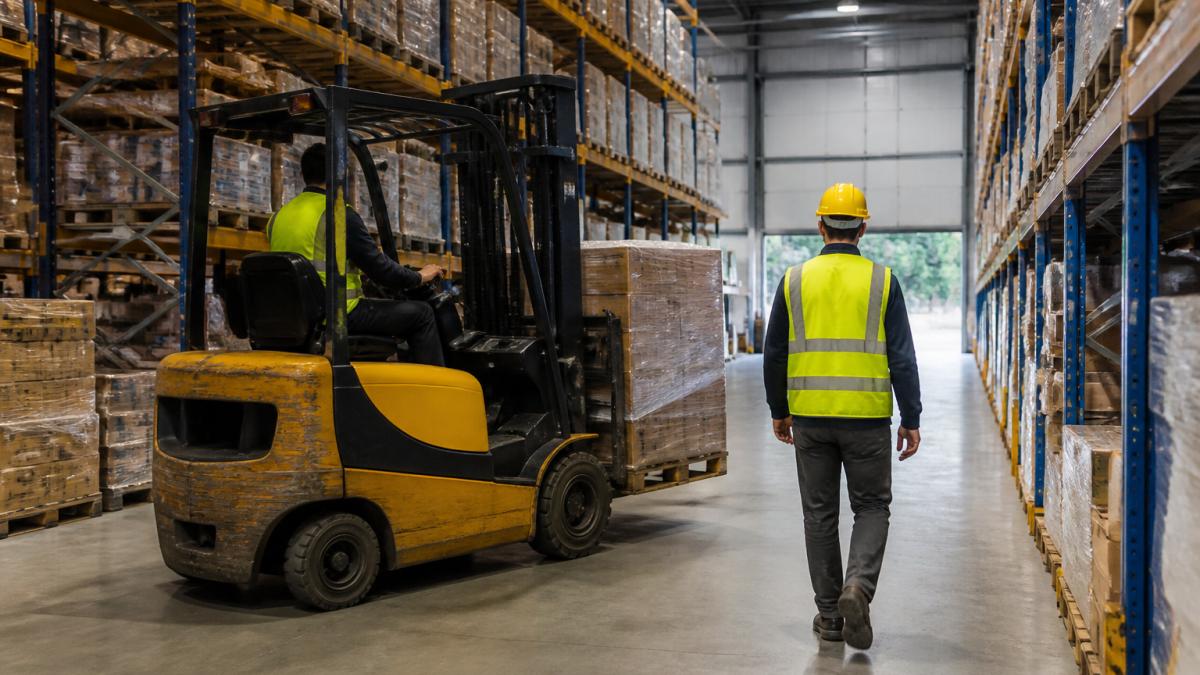
The system watches the zone between the forklift and people on foot. When someone steps into a blind spot, the alert fires. You get incident detection in real time, not a video footage review after the fact.
Order Fulfillment Monitoring With AI: Where Throughput Gains Come From
Order fulfillment monitoring with AI finds process problems while they are still cheap to fix. Grid Dynamics describes detecting sorting-flow imbalances, quality leakage, and workforce-allocation gaps in real time (Grid Dynamics on AI video monitoring). No measured performance figure is published, but the mechanism is clear: you see the bottleneck as it forms.
Watch these signals:
- Loading and unloading delays that stall the dock
- Sorting imbalances that back up a lane
- Workforce gaps where one zone is short-staffed
Throughput gains come from fixing small problems fast. Automated reporting turns those fixes into a pattern you can act on.
Cutting False Alarms and Tuning Detection Accuracy
False alarms are the reason monitoring teams stop trusting a system. If your station is drowning in junk alerts, the fix is tuning, not more cameras. Camera-specific sensitivity settings let you set the threshold per view. A busy dock needs different rules than a quiet back gate.
Test accuracy this way:
- Run the system on live footage for two weeks
- Log every alert and mark it true or false
- Adjust sensitivity on the worst cameras
For deeper guidance, see our article on how to reduce false alarms from security cameras.
Privacy, Retention, and Worker Governance Before You Deploy
Worker governance decides whether a deployment survives its first month. Cameras that track productivity raise real questions, and you need answers before you go live. This section is the part most vendor pages skip: a concrete governance playbook you can adopt regardless of which platform you choose.
The U.S. Legal Frame You Are Operating In
There is no single federal workplace-surveillance statute, so the rules come from a patchwork:
- National Labor Relations Act (NLRA). Section 7 protects concerted activity, and the National Labor Relations Board has repeatedly scrutinized surveillance and monitoring policies that could chill organizing. Review your policy with labor counsel if your workforce is unionized or if you monitor break areas and parking lots.
- State wiretap and eavesdropping laws. Audio capture is riskier than video. Some states require all-party consent for audio recording; many warehouses simply disable audio on analytics cameras to avoid the question.
- State biometric privacy laws. Illinois’ Biometric Information Privacy Act (BIPA) and similar statutes in Texas and Washington impose notice, consent, and retention limits when video is used to identify individuals by face or gait. If your analytics include facial recognition or person re-identification, treat it as a biometric program, not a camera program.
This is not legal advice. Have counsel review your policy against the states where you operate before the first camera goes live.
Retention, Access, and Audit: The Three Controls That Matter
- Retention. Set a written schedule by data type: continuous footage (often 14-30 days), alert clips (60-90 days), and incident evidence (retained per case until resolution and any statutory period). Purge automatically; do not rely on manual deletion.
- Access. Role-based access with named accounts, not shared logins. Review the access list quarterly and remove departed employees the same day. Log every view, export, and deletion.
- Audit. Keep a reviewer log for every alert: who reviewed it, what they decided, and what action followed. This log is your defense in a dispute and your evidence in an investigation.
What to Tell Workers, and When
A common pattern that works:
- Before go-live: a written notice describing what is monitored, which zones are off-limits (break rooms, locker rooms, restrooms), how long footage is kept, and who can see it.
- At go-live: a short training session and a named point of contact for questions.
- Ongoing: a quarterly summary of alerts and outcomes so the system is understood as a safety and operations tool, not a disciplinary dragnet.
Scope discipline matters. Exclude break areas and personal spaces from analytics entirely, and document the exclusion. Workers who see a clear boundary trust the system more than workers who are told to relax.
Productivity Tracking: Separate the Program From the Camera
If you use analytics to measure productivity, separate that program from safety monitoring in policy and in practice. Define the metrics in advance, share them with workers, and give supervisors a review step before any coaching decision rests on an alert. A camera flag is a signal, not a verdict.
Facial recognition and person re-identification carry biometric-privacy obligations in several states. If you do not need identity, configure the system not to collect it.
Get this wrong and you lose trust fast. Get it right and the system becomes part of normal operations.
Book a Demo and Map Your First Camera Zone
The fastest way to judge AI video analytics for warehouses is to see it on your own footage. Start with one high-risk zone, prove the detection works, then expand. Before you commit, build the business case with our ROI calculation guide.
MDI AI Detection runs on your existing IP cameras and recorders, processes video on site so detection keeps working during internet outages, and sends verified alerts to your team or monitoring station through Immix and Bold Manitou. When you are ready to map your first camera zone, contact our team to book a demo.
Frequently Asked Questions
Can AI video analytics work with existing warehouse cameras?
In most cases, yes. On-site AI servers are built to read feeds from the IP cameras and recorders already installed, so a warehouse with cameras from several manufacturers can usually keep that hardware. The practical check is whether the server supports your camera protocols and whether detection runs locally rather than streaming video to a third-party cloud. Confirm compatibility camera by camera before you commit, and ask whether recorders stay in place.
How does edge-based video analytics differ from cloud-based analytics?
Edge-based processing runs the detection model on a server inside the building, so alerts keep firing when the internet drops. Cloud-based analytics sends video off site for processing, which adds bandwidth cost and creates a dependency on connectivity. For a distribution center where the connection is unreliable, on-site processing keeps monitoring continuous. Ask any provider where the model runs and what happens during an outage before you sign.
How can warehouses reduce false alerts from AI video analytics?
Camera-specific sensitivity settings are the main lever. A dock camera facing moving trailers needs different thresholds than an aisle camera watching for pedestrians. Tune each zone separately, review the first two weeks of alerts with your monitoring station, and adjust rather than accept a noisy default. Verified alerts that reach a person with a clip attached also cut the time spent chasing alarms that turn out to be nothing.
What warehouse hazards can AI video analytics detect?
Common detections include missing personal protective equipment, pedestrians in forklift lanes, restricted-area entry, and vehicles in unauthorized zones. Systems also flag fire and smoke signatures and intruders after hours. Each detection should arrive with a short clip and a timestamp so a supervisor can confirm what happened without pulling footage manually. Prioritize the two or three hazards your incident log shows most often rather than enabling everything at once.
The challenge is simple: most warehouses already have the cameras but not the detection. MDI AI Detection turns that existing infrastructure into a proactive layer that flags threats, safety gaps, and workflow problems in real time. With on-site processing, camera-specific tuning, and a court-ready audit trail, you stay in control without watching a wall of screens. Get started with MDI AI Detection and see what your cameras have been missing.
