

Last Updated: November 3, 2026
Quick Summary
The best ai security for retail turns existing cameras into on-site detection that flags theft, fraud, and safety events in real time, with camera-specific tuning and a timestamped evidence trail. Processing happens on local servers, so alerts keep running when the internet drops.
- Detection quality depends more on tuning and integration than on the model itself.
- Set sensitivity per camera, per zone, and per store to cut false positives.
- Tier alerts by severity from day one so managers are not flooded.
- Correlate POS transactions with video to turn suspicions into case files.
- Review false positives weekly for the first quarter after go-live.
Table of Contents
- What the Best AI Security for Retail Actually Does
- Quick Comparison: AI Security Systems for Retail
- AI Video Surveillance for Retail: Computer Vision and Behavioral Analytics
- AI Loss Prevention Software: Shrink Reduction and Fraud Detection
- Retail Security Best Practices for AI Deployments
- Retail Security System Integration with Your Existing Cameras
- What AI Security Costs and How to Judge ROI
- Book a Demo and Test Detection on Your Own Cameras
- Frequently Asked Questions
What the Best AI Security for Retail Actually Does
The best AI security for retail turns cameras you already own into a detection system that flags theft, fraud, and safety events as they happen, not hours later during a manual review. Base Operations notes that AI video analytics platforms now lead the category for retailers who want to catch theft in the moment (AI Retail Security Solutions guide).
AI security is the use of machine learning models on camera and sensor data to detect, classify, and escalate security events automatically. For retailers, that means computer vision watching for concealment at a shelf, behavioral analytics flagging a person lingering near a stockroom door, and software that routes a verified alert to a guard or manager within seconds.
Three capabilities separate real systems from marketing claims:
- Detection at the edge or on site. Processing happens near the camera, so alerts survive network outages.
- Camera-specific tuning. Sensitivity is set per camera, not globally, which is how false positives come down.
- An evidence trail. Every alert carries a timestamped clip and chain of custody.
Most guides treat “AI security” as a single product category. It isn’t. Detection quality depends far more on how the system is tuned and integrated than on the model itself.
Quick Comparison: AI Security Systems for Retail
Most comparison tables for AI security mix retail loss prevention tools with general cybersecurity platforms, which makes them useless for a store operator. The criteria that actually separate retail systems are narrower and more operational.
| Comparison criterion | What to ask | Why it matters in a retail environment |
|---|---|---|
| Detection accuracy and tuning granularity | Can sensitivity be set per camera, per zone, and per store? What is the documented false-positive rate on footage like ours? | A stockroom camera and a checkout lane need different thresholds; global settings produce alert fatigue within weeks. |
| Camera and recorder compatibility | Which manufacturers, models, and stream protocols are supported? Does it read existing RTSP streams or require proprietary hardware? | Multi-site chains rarely run one camera brand; compatibility determines whether you replace hardware or reuse it. |
| Alert latency and routing | How many seconds from detection to alert delivery? Can alerts route by severity to a guard, manager, or central station? | A verified alert that arrives after the subject leaves the store has no loss prevention value. |
| Deployment effort per site | What hardware, rack space, power, and network changes are required at each location? Who installs and configures it? | Per-site effort multiplies across a chain and is the most common source of budget overruns. |
| Integration with POS and inventory | Does the system correlate transactions with video? Which POS platforms are supported? | The link between register data and camera footage is what turns a hunch into a case. |
| Support and tuning model | Is tuning included post-launch? What is the response time for false-positive complaints? | Systems that are not retuned after go-live get switched off; support terms matter more than feature lists. |
Neither model is universally better; the right choice depends on your internet reliability, camera inventory, and whether your monitoring station can accept alerts from the platform.
Watch out: comparing vendors on feature checklists alone hides the two costs that dominate total ownership, per-site deployment labor and the ongoing labor spent reviewing false alerts. Ask each vendor to quote against your actual camera inventory and to describe a realistic first-quarter tuning plan.
AI Video Surveillance for Retail: Computer Vision and Behavioral Analytics
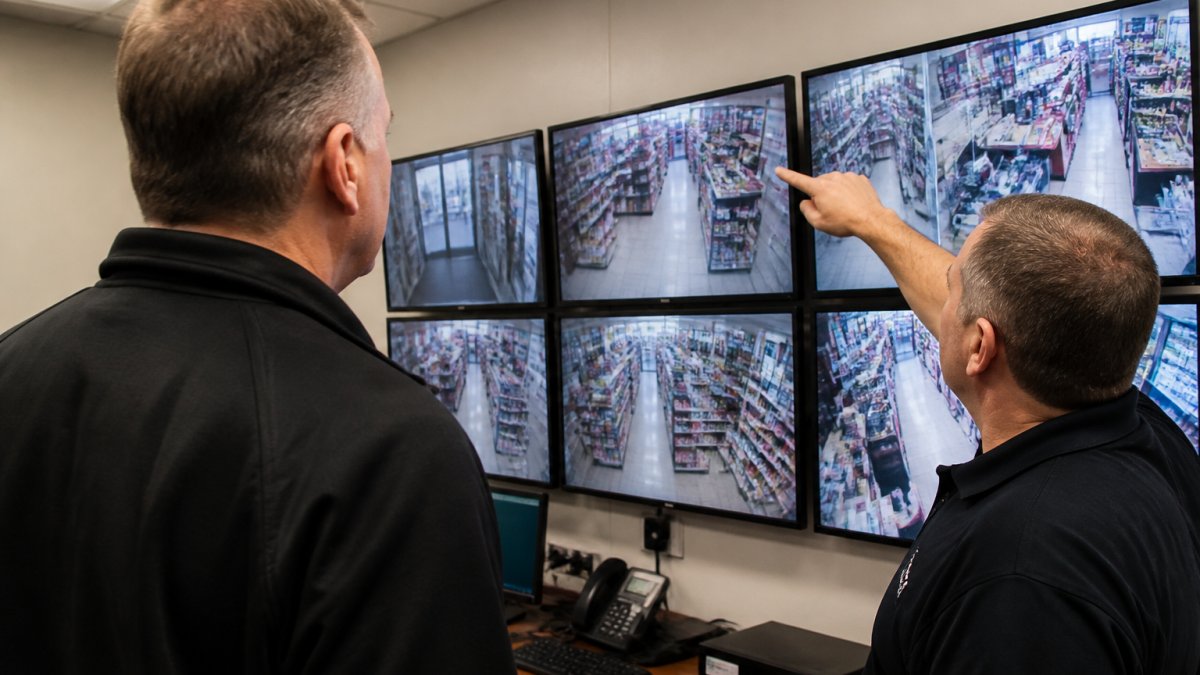
AI video surveillance for retail works by running computer vision models on live camera feeds to classify objects and actions, then applying behavioral analytics to decide which patterns deserve an alert. The system does not watch everything equally. It watches for defined signals and ignores the rest.
Theft Detection, Loitering, and Suspicious Behavior Signals
Detection starts with a short list of signals that matter in a store: a person concealing merchandise, a group entering together and splitting up, someone loitering near a stockroom or exit, a vehicle idling at a loading dock. For a deeper, retail-specific walkthrough of the same topic, see How to Use AI Video Analytics for Retail Theft Detection. Behavioral analytics scores these patterns over time rather than reacting to a single frame, which is the difference between a useful alert and a nuisance.
Real-Time Alerts and Incident Response
Real-time monitoring only pays off if the alert reaches someone who can act. A verified alert should include the camera, the clip, the timestamp, and a recommended response, and it should route to a guard, a manager, or a monitoring station based on severity. Incident escalation rules decide who gets pinged first and who gets notified if nobody responds.
Watch out: routing every detection to every manager is the fastest way to get your team to ignore the system. Tier alerts by severity from day one.
AI Loss Prevention Software: Shrink Reduction and Fraud Detection
AI loss prevention software extends past the sales floor into the transactions that drive shrink. Integrating these digital safeguards alongside fundamental retail theft prevention tactics creates a comprehensive defense that secures both the register and the stockroom.
The mechanism that matters is correlation. When the software links a flagged transaction to the video from that lane at that timestamp, the reviewer sees the register event and the customer interaction side by side.
A common mistake is buying loss prevention software as a standalone tool and never connecting it to the camera system. The value sits in the link between what the register recorded and what the camera saw.
Prioritizing Alerts and Keeping a Human in the Loop
Transaction anomalies and camera detections should share one severity model, not two.
Human review is not a weakness in the system; it is the safeguard that keeps the system trustworthy. A reviewer confirms or dismisses each queued event, and that decision is logged.
Watch out: correlating transactions with video captures employee behavior, so the deployment needs a documented purpose, restricted access to footage, and a retention limit that matches that purpose.
Retail Security Best Practices for AI Deployments
Retail security best practices for AI come down to three things: tune before you trust, document everything, and keep a human in the review loop. A system deployed with default settings will produce alerts your team learns to dismiss within a month.
Start with these:
- Set sensitivity per camera. A stockroom camera and a checkout camera need different thresholds.
- Define your alert taxonomy. Decide what counts as critical, high, and informational before go-live.
- Log every alert and every response. The audit trail is what makes an incident defensible.
- Review false positives weekly for the first quarter. Tuning is a process, not a one-time setup.
Cutting False Positives and Protecting Privacy
False positives are the number one reason AI deployments get switched off. The fix is camera-specific sensitivity plus a human verification step before an alert escalates to a response. For practical tactics, see Reduce False Alarms From Security Cameras.
Privacy deserves equal attention. Retail video captures customers and employees all day, and a responsible deployment limits retention, restricts who can review footage, and documents the purpose of each camera. Data protection is not a compliance checkbox; it is what keeps the system defensible when someone asks why a clip was kept.
Retail Security System Integration with Your Existing Cameras
Retail security system integration is where most projects succeed or stall. The good news: you usually do not need to replace your cameras or recorders. On-site AI servers are built to sit alongside existing IP cameras and recorders, reading the same streams your current system already produces. For a step-by-step walkthrough, read Integrating AI With Existing IP Cameras.
The questions to ask before you sign:
- Which camera manufacturers and models are supported?
- Does the AI run on site, or does it stream video to a third-party cloud?
- What happens to detection when the internet goes down?
- How does the system hand alerts to your monitoring station platform?
If your sites run cameras from several manufacturers, compatibility is the first thing to verify.
What AI Security Costs and How to Judge ROI
Pricing depends on camera count, site count, processing location, and whether you need monitoring-station integration. For current prices or a quote, contact MDI AI Detection directly. Judging ROI is more useful than comparing quotes.
Build the case on four numbers:
- False alarm cost. What your team and station spend responding to alerts that turn out to be nothing.
- Manual monitoring hours. Hours spent watching video walls that AI could replace with verified alerts.
- Shrink you can attribute. Loss events the system catches that your current process misses.
- Investigation time. Hours saved per incident when the clip and the transaction are already linked.
A transparent ROI model compares total cost of ownership, including hardware, installation, and support, against those four savings. To put real numbers behind that comparison, use AI Video Surveillance ROI: Calculate Real Savings.
Book a Demo and Test Detection on Your Own Cameras
The only way to know whether a system will work in your stores is to run it against your own footage. MDI AI Detection installs on-site AI servers that work with your existing IP cameras and recorders, with no video streaming to third-party clouds and detection that keeps running during internet outages.
If you are ready to see detection on your own cameras, contact our team to book a demo.
Frequently Asked Questions
Can AI security work with existing retail security cameras?
In most cases, yes. On-site AI appliances are built to read feeds from standard IP cameras and recorders, so you keep the hardware you already installed. The practical test is compatibility: ask the vendor to run detection on footage from each camera model across your sites before you sign. Mixed-manufacturer fleets are common, and a system that only works with one brand will force replacements you do not need.
How can retailers reduce false alarms with AI security?
Set sensitivity per camera rather than globally. A camera aimed at a loading dock sees different motion than one over a jewelry case, and camera-specific thresholds stop one busy view from flooding your monitoring station. Pair that with human verification on flagged events and a review of alert logs each month. If your team is already ignoring alerts, the detection settings, not the staff, are the problem.
Does AI video security require cloud storage?
Not necessarily. On-site AI processing keeps video on your own recorders and sends only verified alerts out, which means detection keeps running when the internet drops. Cloud-dependent systems can go blind during an outage. Ask vendors where footage is stored, whether video leaves your network, and what happens to detection during a connectivity failure before you commit.
What features should retailers look for in an AI security system?
Prioritize per-camera sensitivity settings, real-time alerts routed to your team or monitoring station, a court-ready audit trail with chain of custody, and integration with platforms like Immix or Bold Manitou. Add offline operation if your sites lose connectivity, and confirm the system detects the threats you actually face, such as weapons, intruders, vehicles, or fire. Pricing depends on camera count and site layout, so get a quote rather than assuming list costs.
The gap between an AI system that reduces shrink and one that gets switched off in month two is tuning, integration, and a documented process. MDI AI Detection builds on-site detection that fits the cameras you already own, keeps working when the network doesn’t, and produces alerts your team can act on and defend. Get started with MDI AI Detection and test detection on your own footage before you commit to a rollout.
