

Last Updated: November 10, 2026
Quick Summary
AI camera software for license plate recognition uses computer vision to find a plate in a video frame, crop it, and read the characters through optical character recognition, turning each passing vehicle into a searchable record. The pipeline runs four stages: capture images, optimize for plate detection, crop the plate, then run recognition on the crop.
- Per-camera sensitivity settings and confidence thresholds prevent false alerts better than one site-wide setting.
- Software-based recognition can run on existing IP cameras, adding a processing layer rather than new hardware.
- Test accuracy for at least a week with both daytime and nighttime traffic before committing.
- Track capture rate, read accuracy, false positives, and missed reads as separate test metrics.
- Set and enforce a retention period automatically instead of keeping plate records indefinitely.
Table of Contents
- How AI Camera Software for License Plate Recognition Works
- License Plate Recognition Software Features That Decide Results
- How to Integrate AI with Existing Security Cameras
- Testing License Plate Recognition Accuracy Before You Commit
- Real-Time Alerts, Access Control, and Searchable Vehicle Records
- Privacy, Data Retention, and Legal Requirements
- What License Plate Recognition Software Free Tools Actually Deliver
- Book a Demo to Test Plate Recognition on Your Own Cameras
- Frequently Asked Questions
How AI Camera Software for License Plate Recognition Works
License plate recognition is the process of turning a passing vehicle into a searchable record. AI camera software for license plate recognition does that automatically, using computer vision to find a plate in a video frame, isolate it, and read the characters without a human watching the feed.
The core pipeline has four stages, and the U.S. Department of Homeland Security’s 2025 market survey report describes them plainly: capture images, optimize them for plate detection, crop the plate image, then run recognition on the crop. Each stage feeds the next, so a weak capture stage cannot be rescued by a strong recognition stage.
Below, we break down what each stage does, what the system captures beyond the plate, and how to test accuracy before you commit.
From Image Capture to Optical Character Recognition
Optical character recognition (OCR) is the step that converts a cropped plate image into text. Everything before it exists to give OCR the cleanest possible input.
A camera records a frame. The software locates the plate region, corrects for angle and exposure, crops tight around the characters, and passes that crop to the OCR engine. The engine returns a string, a state or jurisdiction guess, and a confidence score.
The confidence score matters more than most buyers realize. A read at high confidence is safe to act on. A marginal read needs a second frame or a human check.
What the System Captures Beyond the Plate Number
A plate read is one data point. Modern systems also log vehicle make, model, color, and timestamp alongside each capture.
That combination is what makes records useful later. A plate alone tells you a specific car passed. A plate plus color plus vehicle type lets an operator confirm they are looking at the right vehicle and filter out a misread.
Most systems store a cropped plate image with each record. That image is your evidence. If a read is challenged, the crop is what proves the system saw what it claimed to see.
License Plate Recognition Software Features That Decide Results
The features that separate a workable deployment from a frustrating one are not the flashy ones. They are the controls that determine how many false alerts reach a human.
Watch out: the most common failure we see is a system tuned globally rather than per camera. One sensitivity setting across a whole site guarantees that your clean entrance camera and your glare-heavy exit camera behave identically, and one of them will be wrong.
What actually decides results:
- Per-camera sensitivity settings so each camera is tuned to its own scene
- Confidence thresholds you can set per camera, not just per site
- Real-time alerting with enough context to act on
- A searchable record store with plate, time, and image linked together
- An audit trail showing what was captured, when, and what alert fired
A system without per-camera tuning will either flood your monitoring station or miss reads. There is no middle setting that fixes both.
How to Integrate AI with Existing Security Cameras
Integration is the question that decides most purchases, and the answer is usually better than buyers expect. Software-based plate recognition can run on cameras you already own rather than requiring dedicated hardware at every location.
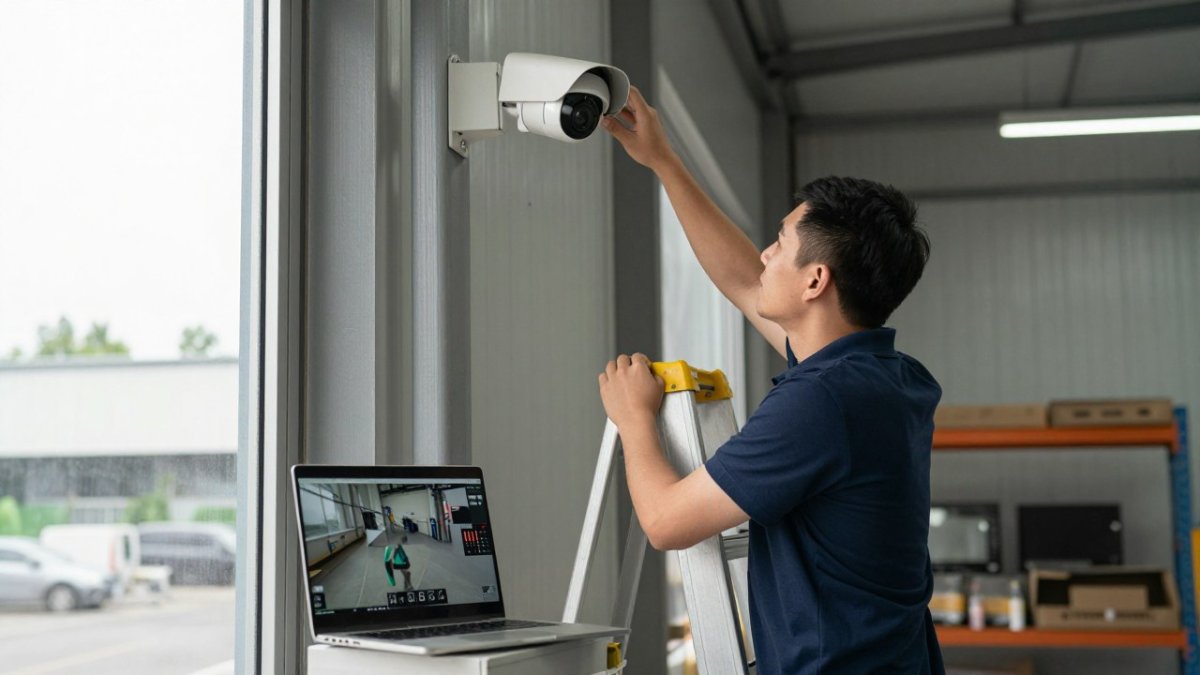
That changes the cost conversation. You are not replacing recorders or pulling new cable in most cases. You are adding a processing layer.
For a step-by-step walkthrough of connecting AI to cameras you already have, see our guide on integrating AI with existing IP cameras. If you are running older hardware, the upgrade path for legacy cameras covers what still works and what genuinely needs replacing.
The practical sequence looks like this:
- Inventory every camera model and firmware version across sites
- Confirm each camera can deliver a usable frame at the plate location
- Point the AI server at the existing video management system
- Tune sensitivity per camera
- Run a test period before going live
Camera Compatibility and Placement Settings
Camera compatibility comes down to three things: resolution at the plate, angle, and light. Get those right and most modern IP cameras will work.
Placement rules that matter in practice:
- Mount the camera so the plate crosses the frame roughly level, not steeply angled
- Keep the plate large enough in frame to resolve characters
- Avoid pointing into direct sun or oncoming headlights at the capture point
- Use a short shutter setting to reduce motion blur on moving vehicles
Image quality and distance drive recognition more than any software setting. A perfectly tuned system on a badly placed camera still fails. Before you buy, confirm your specific models and mounting positions against our camera compatibility guide.
Testing License Plate Recognition Accuracy Before You Commit
Accuracy claims are easy to make and hard to verify. Test on your own cameras, in your own light, before you sign.
Run a controlled test over at least a week, and make sure the test period includes both daytime and nighttime traffic. Log every vehicle pass, then compare system reads against a manual check. Track four numbers:
| Metric | What It Measures | Why It Matters |
|---|---|---|
| Capture rate | Share of passing vehicles the system detected | Low rate means missed vehicles |
| Read accuracy | Share of captured plates read correctly | Wrong characters create bad records |
| False positives | Alerts with no real vehicle match | Floods your monitoring station |
| Missed reads | Vehicles that passed with no alert | Blind spots in coverage |
Capture rate and read accuracy are different problems with different fixes. Low capture rate is usually a placement or detection-threshold issue.
A reproducible test plan has five parts:
- Baseline capture. Record raw video at the capture point for a full day and night. Count vehicles manually so you have a true denominator for capture rate.
- Condition matrix. Break results out by daylight, dusk, night with headlights, rain or glare, and fast versus slow motion. A system that reads 95 percent in daylight and 60 percent at night is a different product than one that reads 85 percent in both.
- Plate variety. Include plates from multiple states, older and newer plate designs, and any specialty or vanity plates your site actually sees. Character confusion between similar shapes is where OCR fails first.
- Confidence threshold sweep. Run the same footage at several confidence thresholds and plot false positives against missed reads. The right threshold is the point where your team can actually respond to the alert volume, not the highest accuracy number on a spec sheet.
- Failure handling. Disconnect the network or stop the recognition service mid-test and confirm what happens: are events queued, dropped, or duplicated when service returns?
Watch out: testing only during business hours hides the night and headlight-glare failures that generate most false alerts in production.
If false alerts are already your biggest headache, our guide on reducing false alarms from security cameras covers the tuning approach we use.
Real-Time Alerts, Access Control, and Searchable Vehicle Records
Real-time processing turns a plate read into an action.
Three use cases dominate:
- Access control: known plates trigger gate opens, unknown plates trigger review
- Property security: watchlist plates trigger immediate alerts
- Parking and enforcement: records support permits, towing, and violations
Searchable records are the quiet workhorse. Being able to pull every pass by a plate across 30 days, with images, is what turns a camera system into an investigative tool.
Privacy, Data Retention, and Legal Requirements
Plate data is personal data in practice, and it draws scrutiny.
That means your deployment needs rules before it needs features.
- Define a retention period and enforce it automatically
- Limit who can search records and log every search
- Document your purpose for capture
- Check state and local rules where you operate, since requirements vary
Watch out: keeping plate records indefinitely “just in case” is the fastest way to turn a security tool into a liability. Set retention deliberately and delete on schedule.
For buyers in regulated settings like school districts, the audit trail is not optional. You need to show what the system captured, when, and why an alert fired.
What License Plate Recognition Software Free Tools Actually Deliver
Free license plate recognition software exists, and it is genuinely useful for one thing: proving the concept works on your cameras.
What free tools typically give you:
- Basic plate detection on a limited number of cameras
- Short retention windows or local-only storage
- Little or no per-camera tuning
- No integration with monitoring stations
That is fine for a test. It is not a deployment. The gap between free and production is almost entirely in the controls that reduce false alerts and the audit trail that makes records defensible.
Our advice: use free tools to validate that your cameras can capture plates at all. Then evaluate paid systems on tuning, integration, and evidence handling, not on recognition demos.
The 2026 ScienceDirect research on AI-driven license plate recognition for vehicle monitoring points to where the field is heading, with predictive modeling layered onto recognition.
Book a Demo to Test Plate Recognition on Your Own Cameras
The only accuracy test that matters is the one run on your cameras, in your light, at your entrances. Every vendor demo looks good on a clean test track.
MDI AI Detection runs on-site AI servers against your existing IP cameras and recorders, with no video streamed to a third-party cloud. Detection keeps working during internet outages because the processing is local.
Book a demo and test plate recognition on your own cameras.
Most plate recognition projects fail on tuning and testing, not on the software. The teams that get it right test on their own cameras first, set retention rules before go-live, and tune each camera separately.
Frequently Asked Questions
Can license plate recognition software work with existing security cameras?
In many cases, yes. Software-based license plate recognition can run on IP cameras you already own, provided the camera delivers enough resolution and frame rate at the plate’s distance. Industry surveys describe ALPR systems as combining image capture hardware with software that optimizes, crops, and recognizes plate images. Check your camera’s pixels-per-plate at the target distance before assuming compatibility, and confirm the platform supports your camera models and recorders.
How accurate is AI license plate recognition?
Accuracy depends on image quality, distance, lighting, and plate condition. Recognition performance drops when plates are blurred, dirty, or poorly lit, and the DHS report notes that plate identification depends on image quality and distance. Rather than trusting a vendor’s headline number, test on your own cameras: log reads and misses over a week at each lane, then calculate your capture rate and false-positive count before scaling.
Does license plate recognition software need an internet connection?
It depends on where the recognition runs. Cloud-based systems need a steady connection to process video and deliver alerts. On-site AI servers process footage locally, so detection and alerts keep working during an internet outage, which matters at warehouses and remote sites with unreliable connectivity. Ask any provider where the processing happens and what happens to alerts when the connection drops.
What affects license plate recognition accuracy at night?
Low light is the biggest factor. Headlight glare, motion blur, and insufficient infrared illumination all reduce capture rates. Camera placement matters too: angle the camera less than 30 degrees off the plate’s face, keep the plate large enough in frame, and use dedicated IR illuminators at gate lanes. Test night reads separately from daytime reads, because a system that performs well in daylight can miss a large share of plates after dark.
