

Last Updated: November 21, 2026
Quick Summary
On-premise video analytics runs AI models on local servers to analyze camera feeds inside your building, rather than streaming footage to a remote cloud. Detection happens where your cameras already are, keeping footage and detection data inside your network while working during internet outages.
- The global video analytics market sits at roughly USD 14.57 billion in 2026, growing at a 22.18% compound annual rate through 2031.
- Server-based analytics lets you tune sensitivity per camera, the single biggest lever for cutting false alarms.
- Total cost of ownership sums five cost pools over three to five years: hardware, software licensing, storage, integration and commissioning, and maintenance and staffing.
- Skipping the camera audit is the most common cause of a failed rollout, since a camera that cannot deliver a clean second stream degrades detection accuracy.
- Run a 30- to 60-day pilot on one site, track false-alarm rate and alert-to-response time, then replicate the configuration.
Table of Contents
- How On-Premise Video Analytics Turns Existing Cameras Into a Detection System
- On-Premise vs. Cloud Video Analytics: Where the Processing Lives
- Edge vs. Server Video Analytics: Picking the Right Processing Location
- AI Video Analytics for Security Cameras: What Detection Actually Delivers
- Video Analytics Failover Options That Keep Detection Running
- Total Cost of Ownership, ROI, and the Implementation Plan
- Cybersecurity, Privacy, and Measuring Detection Accuracy
- Book a Demo and Test Detection on Your Own Cameras
- Frequently Asked Questions
How On-Premise Video Analytics Turns Existing Cameras Into a Detection System
On-premise video analytics for security is the practice of running artificial intelligence models on local servers to analyze camera feeds, rather than streaming footage to a remote cloud. According to Mordor Intelligence’s video analytics market forecast, the global market sits at roughly USD 14.57 billion in 2026 and is projected to grow at a 22.18% compound annual rate through 2031.
That growth matters because most organizations already own the hardest part: the cameras. At MDI AI Detection, we build on-site AI servers that connect to your existing IP cameras and recorders, so a school district or retail chain does not have to rip out infrastructure to gain real-time detection of weapons, intruders, vehicles, and fire.
The core idea is simple. On-premise video analytics is a deployment model in which computer vision and machine learning models process video feeds on local hardware, keeping footage and detection data inside your network.
On-Premise vs. Cloud Video Analytics: Where the Processing Lives
The dividing line is processing location. On-premise runs analytics on servers inside your building; cloud-based analytics streams video to a remote provider. A comparison of edge, on-premise, and cloud deployment models notes that the right choice depends on the deployment, not on which model sounds most advanced.
| Criterion | On-Premise | Cloud | Edge |
|---|---|---|---|
| Processing location | Local servers | Remote data center | Camera or device |
| Data control | Full, stays on site | Leaves the network | Stays at the device |
| Bandwidth use | Minimal | High for video streams | Minimal |
| Multi-site management | Per-site servers | Centralized, federated | Distributed |
| Works during outage | Yes | No | Yes |
On-premise wins on data control and bandwidth. If you are weighing whether local servers justify the spend, our breakdown of whether on-premise AI security servers are worth the investment walks through the trade-offs.
Edge vs. Server Video Analytics: Picking the Right Processing Location
Edge vs. server video analytics comes down to where the model runs: on the camera itself or on a local server. Edge processing suits a handful of cameras with light detection needs. Server-based analytics handles heavier models, more channels, and centralized management of a site’s full camera estate.
In practice, most multi-site operations land on a hybrid. Edge handles simple object detection at the camera; a local server runs the demanding classification and alerting.
AI Video Analytics for Security Cameras: What Detection Actually Delivers
AI video analytics for security cameras converts raw footage into events. Object detection finds a person, vehicle, or weapon; object classification labels it; anomaly detection flags behavior outside the norm. A 2023 overview of intelligent video analytics and human action recognition documents how these computer vision methods underpin automated monitoring.
What that means operationally:
- Real-time alerts pushed to your team or monitoring station the moment an event fires
- Verified events instead of a video wall someone has to watch constantly
- A court-ready audit trail that shows what was detected and when
MDI AI Detection delivers these alerts through Immix and Bold Manitou, so your existing monitoring workflow absorbs them without a new platform to learn.
Video Analytics Failover Options That Keep Detection Running
Failover keeps detection alive when a server fails. The right design depends on how much downtime a site can tolerate.
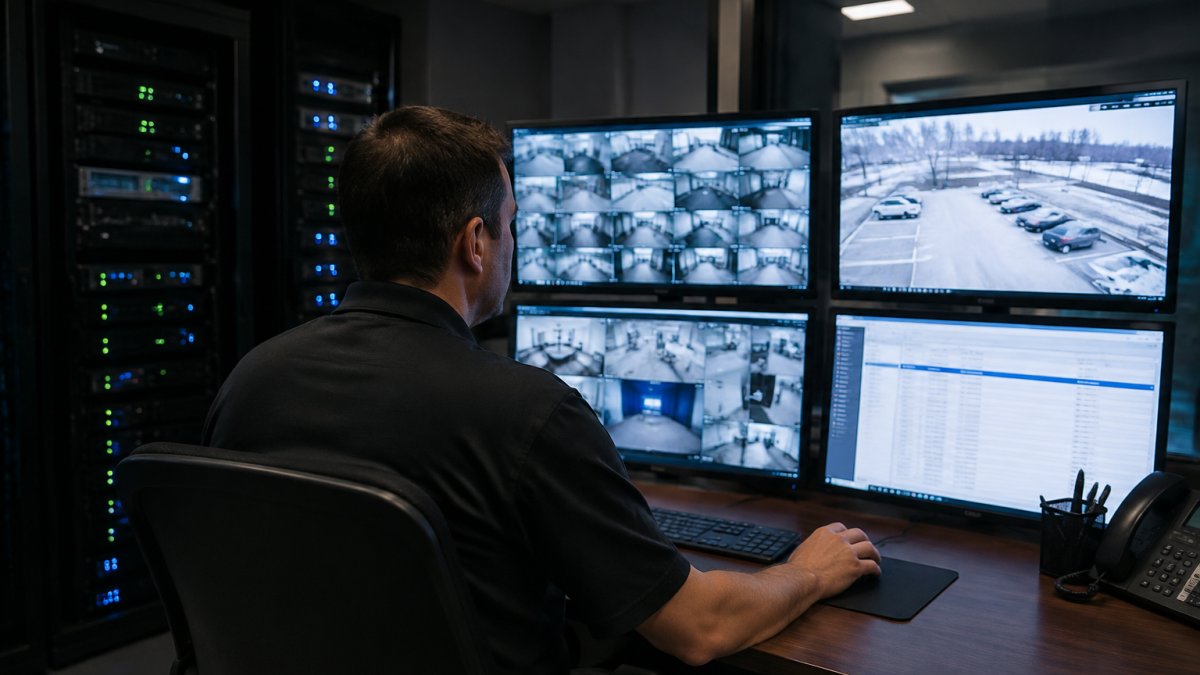
Options range from a warm standby server that takes over automatically, to edge processing that keeps detecting at the camera, to a secondary site handling overflow. For a practical deep-dive, see our guide to AI security system failover options.
Total Cost of Ownership, ROI, and the Implementation Plan
Total cost of ownership for on-premise video analytics is not the server sticker price. It is the sum of five cost pools over a three-to-five-year horizon, minus the labor and loss avoidance the system produces.
The five cost pools
- Hardware, analytics servers sized to channel count and model load, plus redundant power and, if you want failover, a warm standby.
- Software licensing, per-channel or per-site analytics licenses, VMS integration licenses, and any monitoring-station seats. Ask whether licensing is perpetual or subscription and whether it includes model updates.
- Storage, retention days × bitrate × camera count. On-premise keeps footage local, so you own the disks; budget for RAID and for a retention policy that matches your legal obligations rather than “keep everything.”
- Integration and commissioning, camera audit, network segmentation, per-camera sensitivity tuning, and alert routing into your monitoring station. This is the line item competitors omit and the one that most often blows a budget.
- Maintenance and staffing, patching, health monitoring, spare parts, and the operator time to review alerts. A system with poor tuning consumes more operator hours than it saves.
A transparent example calculation. Take a 120-camera site with 30-day retention at an average 4 Mbps per camera. Raw storage is roughly 120 × 4 Mbps × 86,400 seconds × 30 days ÷ 8 bits ÷ 1,000,000 ≈ 15.6 TB before overhead. Multiply the storage requirement by your storage cost per TB, add server and licensing quotes, then add integration hours. On the benefit side, count only what you can defend: reduced false-alarm dispatches, fewer manual video-wall hours, and avoided losses from verified incidents. If the payback period exceeds your capital cycle, the honest answer is to pilot one site before committing the estate.
Implementation and migration plan
- Audit cameras and recorders. Confirm ONVIF or RTSP support, firmware versions, and whether each camera can deliver a second stream for analytics without starving the recorder.
- Size servers to channels and models. Weapon and fire detection carry heavier compute than person/vehicle detection; size for the heaviest model you intend to run, not the average.
- Segment the network. Put analytics servers and cameras on a dedicated VLAN with least-privilege access, and document the data flow before go-live.
- Tune per camera. A loading dock, a quiet hallway, and a parking lot should never share a sensitivity threshold. Tune against recorded footage from each scene.
- Connect alerts to the monitoring workflow. Route verified events into your existing station (we deliver through Immix and Bold Manitou) and define escalation before the pilot starts.
- Pilot one site, measure, then roll out. Run a 30- to 60-day pilot, track false-alarm rate and alert-to-response time, and only then replicate the configuration across sites.
Watch out: skipping the camera audit is the most common cause of a failed rollout, a camera that cannot deliver a clean second stream will silently degrade detection accuracy no matter how well the server is sized. To build the business case with your own numbers, use our AI video detection ROI calculation guide.
Cybersecurity, Privacy, and Measuring Detection Accuracy
Cybersecurity and privacy are a strong argument for local processing: footage is not streamed to a third-party cloud, so data control stays with you. But “on-premise” is not automatically secure.
Hardening and resilience
- Network segmentation. Put cameras and analytics servers on a dedicated VLAN, block inbound traffic from the corporate network, and allow only the specific ports the VMS and monitoring station need.
- Access controls. Enforce role-based permissions, unique accounts per operator, and multi-factor authentication on the analytics console. Shared logins destroy the audit trail you will need later.
- Patching. Treat the analytics server like any other production system: a documented patch cadence, a test window, and a rollback plan. Model updates and OS updates are separate tracks.
Governance and privacy
Retention policy, audit trails, access permissions, and masking are the four controls auditors ask about first. Set a retention period that matches your legal obligations, log who viewed or exported footage, restrict exports to named roles, and mask areas where privacy expectations are highest. Jurisdiction-specific privacy obligations vary, so have counsel confirm your retention and notice practices rather than copying another site’s policy.
Measuring detection accuracy and operational performance
A vendor demo is not a measurement. Define these metrics before the pilot and track them in your own environment:
- Precision, of the alerts the system fired, what share were real events?
- Recall, of the real events that occurred, what share did the system catch?
- False-alarm rate, false alerts per camera per day; this is the number that determines operator fatigue.
Test them with recorded footage from each scene plus a live pilot, and compare results before and after per-camera tuning. Verify your setup against a concrete standard with our AI server security checklist.
Book a Demo and Test Detection on Your Own Cameras
The fastest way to judge on-premise video analytics is to test it against your own footage.
Get started with MDI AI Detection and test real-time weapon, intruder, vehicle, and fire detection on your own cameras. Contact our team to schedule a demo.
Stop guessing whether local AI will work with your camera mix. MDI AI Detection integrates with your existing IP cameras and recorders, processes video on site so detection survives outages, and tunes sensitivity per camera to cut false alarms.
Frequently Asked Questions
How does on-premise video analytics work with existing IP cameras?
On-premise video analytics runs on a local server that pulls camera streams over RTSP or ONVIF, the same protocols your recorders already use. The server processes each feed with computer vision models, flags objects like weapons, intruders, vehicles, or fire, and pushes verified alerts to your team or monitoring station. No camera replacement is required, and no video leaves the building. MDI AI Detection builds its servers to integrate with the IP cameras and recorders you already run, so your IT director does not have to approve a rip-and-replace project.
What happens to video analytics when the internet goes down?
With on-premise video analytics, detection continues because the AI server sits on your local network. Camera streams never depend on an outside connection, so object detection, event logging, and local alerts keep working during an outage. Alerts to phones or a remote monitoring station may queue until connectivity returns, depending on how you configure routing. This is the core difference from cloud-based analytics, where a dropped connection can leave a site effectively blind. Warehouses and remote sites with unreliable internet are the clearest beneficiaries.
How do on-premise, edge, and cloud video analytics differ?
The difference is where the AI model runs. Edge analytics process video inside or beside the camera, which cuts bandwidth but spreads processing power across many small devices. Server-based on-premise analytics process many camera streams on one local server, giving centralized management and easier model updates. Cloud analytics send footage off site, which suits multi-site organizations that want federated monitoring but adds bandwidth cost and a dependency on the internet. Each model fits a different site profile; the right answer depends on camera count, network capacity, and how much data control you need.
How do I know on-premise AI won’t just add more false alarms?
False alarms usually come from motion-only triggers that fire on rain, shadows, or swaying trees. Modern AI video analytics classify objects before alerting, so a person climbing a fence is treated differently from a branch moving in the wind. Camera-specific sensitivity settings let you tune each feed for its scene instead of applying one threshold everywhere. Ask any vendor to run a trial on your noisiest cameras and compare alert volume against what your monitoring station handles today. Verified alerts with a court-ready audit trail are the standard to hold them to.
What should businesses consider when choosing an on-premise video analytics server?
Start with camera count and resolution, since both drive processing load. Confirm the server supports the protocols your cameras use, typically RTSP and ONVIF, and that it integrates with your monitoring platform if you use one. Ask about failover: what happens when the server goes down, and is there a secondary unit or fallback path. Check storage for the audit trail, cybersecurity controls on the local network, and whether the vendor provides local support. Pricing depends on camera count and site layout, so request a quote rather than relying on list figures.
Can on-premise video analytics hold up as evidence after an incident?
It can, if the system keeps a chain of custody. That means logging when an event was detected, which camera captured it, what the AI classified, and who received and acted on the alert. Footage and event records should stay on local storage you control rather than passing through a third-party cloud. For schools and retail chains, this audit trail is what lets you show that an alert was genuine and not a false positive. Ask vendors to demonstrate the log format before you commit.
