

Table of Contents
- What AI Video Analytics Without Internet Means
- How On-Premise AI Video Analytics Works
- Setting Up Your IP Camera Network Without Internet
- AI Video Analytics Bandwidth Requirements
- What Happens During Internet Outages
- AI Security System Failover Options
- Maintaining System Security and Compliance Offline
- Reducing False Alarms With On-Site Sensitivity Controls
- Frequently Asked Questions
Last Updated: October 14, 2026
What AI Video Analytics Without Internet Means
AI video analytics without internet detects threats, objects, and events directly on local servers connected to your security cameras.
Traditional security relies on cloud-based analytics: cameras stream video to remote servers that analyze footage and send alerts back. If your internet goes down, so does detection, a serious gap for high-risk environments.
At MDI AI Detection, we’ve built our system around this principle. Your existing IP cameras work with our on-site AI servers, and alerts reach your team or monitoring station in real-time, whether your internet is up or down.
This approach matters most in three scenarios:
- High-security facilities where internet outages create blind spots you cannot accept
- Multi-site operations where bandwidth costs and latency make cloud streaming impractical
- Regulated environments where keeping video data on-premises is a compliance requirement
This guide covers setup, what to expect during outages, and how to keep false alarms under control.
How On-Premise AI Video Analytics Works
On-premise AI video analytics runs a detection engine on a local server connected to your IP cameras over your internal network.
Here’s the flow:
- Video input: IP cameras capture live footage and transmit it to the local server
- Real-time processing: Machine learning models analyze each frame for objects and events
- Detection and classification: The system identifies specific threats (weapon, person, vehicle, fire)
- Alert generation: When a threat is detected, the system creates a verified alert
- Local response: Alerts are sent to your team, monitoring station, or automated systems, all without leaving your network
The key difference from cloud systems is where computation happens: cloud systems send raw video outbound; on-premise systems keep video local and send only alerts outbound.
The system maintains a complete local audit trail: every detection, alert, and response action is logged with timestamps and chain of custody, making the record court-ready.
Setting Up Your IP Camera Network Without Internet
Camera Compatibility and Integration
Your existing IP cameras likely work with on-premise AI analytics, since most modern security cameras output video streams a local server can consume.
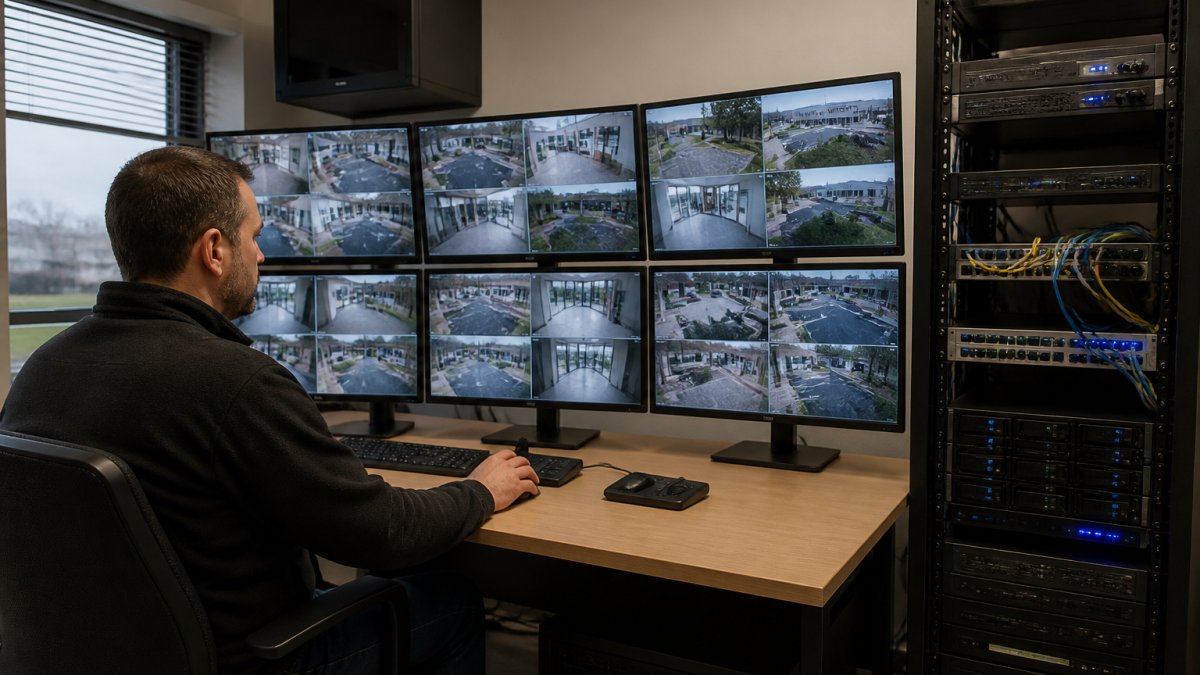
IP cameras output video in standard formats, RTSP (Real Time Streaming Protocol) or ONVIF (Open Network Video Interface Forum), and any on-premise AI system should support both.
Check your camera documentation for:
- RTSP stream URL (the address your local server uses to access the video feed)
- ONVIF compliance (confirms the camera meets industry standards)
- Resolution and frame rate (1080p at 30 fps is standard; 4K is supported but requires more server resources)
Older analog cameras require a converter to IP format first.
The system does not require you to replace your cameras. That’s a major cost savings.
Local Network Configuration
Your local network must be stable for on-premise AI analytics to work. The server and cameras communicate over Ethernet. Network reliability directly affects detection performance.
Use wired Ethernet whenever possible; WiFi introduces latency and dropout risk. For cameras that cannot be wired, use a dedicated access point with strong signal.
Network switch setup:
- Use a managed switch that supports VLAN (virtual local area network) segmentation
- Separate your security cameras onto their own VLAN if possible
- This isolates camera traffic from general office traffic and reduces congestion
Server placement:
- Install the local AI server in a secure location with reliable power (UPS backup recommended)
- Position it close to your network core for lowest latency
- Ensure adequate cooling and ventilation for the server hardware
Network redundancy:
- Use dual network connections (bonded Ethernet) if available on your server
- This ensures the system stays online if one connection fails
- For critical facilities, consider a backup internet connection (cellular modem) for alert delivery only
Storage and Recorder Integration
On-premise AI analytics integrates with your existing video recorder or NVR (network video recorder): the recorder stores video while the AI server analyzes it and generates alerts.
Most NVRs output video streams that the AI server can access. You do not need to replace your recorder.
If your facility uses a traditional DVR (digital video recorder) with analog cameras, you’ll need to upgrade to an NVR with IP cameras, a larger but one-time investment that supports both recording and AI analytics.
Storage considerations:
- Your NVR stores continuous video for playback and investigation
- The AI server does not require local video storage; it processes streams in real-time
- However, storing alerts and detection metadata locally helps with audit trails
Recorder compatibility:
- Confirm your NVR supports RTSP stream output (most modern ones do)
- Test the connection between the AI server and your NVR before full deployment
- Ensure both devices are on the same network segment for lowest latency
AI Video Analytics Bandwidth Requirements
On-premise AI analytics requires far less bandwidth than cloud-based systems: the local server processes video without uploading raw footage, sending only alerts outbound.
Bandwidth usage depends on three factors:
- Number of cameras connected to the system
- Resolution and frame rate of each camera (1080p at 30 fps vs. 4K at 60 fps)
- Network efficiency of your system (hardware encoding reduces bandwidth needs)
Typical bandwidth requirements:
- Single 1080p camera at 30 fps: 2-4 Mbps per camera
- Four 1080p cameras: 8-16 Mbps total for video processing
- Alert transmission: less than 1 Mbps (alerts are small data packets)
Internal network (LAN) bandwidth:
- Your local network carries video from cameras to the AI server
- Use gigabit Ethernet (1,000 Mbps) to handle multiple camera streams comfortably
- Even with 10 cameras at 1080p, you use less than 50 Mbps of your gigabit capacity
Internet bandwidth (for alert delivery):
- Alerts consume minimal bandwidth (typically less than 100 Kbps)
- If your system sends alerts to a monitoring station, that data is small
- You do not need high-speed internet for the system to function locally
This is the major advantage over cloud analytics, which uploads full video streams continuously and requires 50-200 Mbps for just a few cameras. On-premise systems use your internal network for video and minimal internet bandwidth for alerts.
What Happens During Internet Outages
Real-Time Detection Continues Offline
When your internet goes down, your on-premise AI analytics keeps working: the local server continues analyzing camera feeds, with detection happening on your network, not in the cloud.
This is the core reliability benefit. Cloud-based systems go blind when your connection fails. On-premise systems do not.
Real-time detection during an outage:
- Cameras feed video to the local server continuously
- The server processes frames and detects threats in real-time
- Detection accuracy remains the same as when internet is available
Your facility stays protected during outages, theft, intrusion, fire, or other threats are detected immediately, without waiting for internet to restore.
The system’s machine learning models run entirely on your local server, with no cloud reliance.
Local Alerting and Response
During an internet outage, your team needs to know about threats immediately. On-premise systems support local alerting without internet.
Local alerting options:
- Audio/visual alarms: Sirens, strobes, and speakers triggered directly by the AI server
- Local notification system: Alerts sent to staff phones on your internal WiFi network
- Integration with access control: Doors lock automatically when a threat is detected
Alerts queue locally while internet is down, storing detected events with timestamps, confidence scores, and video clips.
This queue approach ensures no alerts are lost, giving your monitoring station a complete record of the outage, not just what occurs after connectivity returns.
AI Security System Failover Options
Failover protects your security system if the AI server fails, a single point of failure is unacceptable for high-risk facilities.
Failover strategies for on-premise AI analytics:
Option 1: Redundant servers
- Deploy two AI servers on your network
- Both analyze the same camera feeds in parallel
- If one fails, the other continues detection
Option 2: Failover to cloud backup
- Your primary system runs on-premise
- If the local server fails, the system automatically sends camera streams to a cloud backup
- Cloud system takes over detection until the local server is repaired
Option 3: Failover to traditional monitoring
- If the AI server fails, your facility reverts to standard video monitoring
- Security staff monitor cameras manually on video walls
- This is less efficient but maintains some level of security
Option 4: Hybrid approach
- Deploy a local AI server as your primary system
- Use a cloud-based AI system as your secondary failover
- Both systems run simultaneously, but only the local system generates alerts during normal operation
Discuss failover requirements with your team before deployment.
Maintaining System Security and Compliance Offline
On-premise systems keep sensitive video data on your network, not in the cloud. That improves privacy and compliance. It also requires careful security practices.
Security practices for offline AI analytics:
Network segmentation
- Place your AI server and cameras on a separate network segment (VLAN)
- Restrict access to this segment from general office networks
- Use a firewall to control what traffic enters and leaves the security network
Access control
- Limit who can access the AI server and its configuration
- Use strong passwords and multi-factor authentication
- Log all access attempts and configuration changes
Physical security
- Secure the AI server in a locked room
- Restrict physical access to network cables and hardware
- Use cable locks to prevent theft of equipment
Data retention and deletion
- Define a retention policy for video and alert data
- Delete data according to your policy to manage storage
- Ensure deletion is permanent (not just file removal)
Compliance requirements
- Check your industry regulations for data handling requirements
- Healthcare facilities (HIPAA), financial institutions (PCI-DSS), and schools (FERPA) have specific rules
- On-premise systems help meet compliance because video stays on your network
Backup and disaster recovery
- Back up your alert logs and detection metadata regularly
- Store backups in a secure, separate location
- Test restoration procedures to ensure backups work
Reducing False Alarms With On-Site Sensitivity Controls
False alarms waste your monitoring station’s time and reduce alert credibility. On-premise systems let you tune detection sensitivity per camera to reduce them.
False alarms typically come from:
- Shadows and reflections mistaken for objects
- Legitimate activity flagged as threats (employees moving boxes)
- Weather effects (rain, snow, wind moving objects)
On-site sensitivity controls:
Camera-specific tuning
- Each camera has its own sensitivity settings
- Adjust detection thresholds based on that camera’s environment
- A camera pointing at a window needs different settings than one in a hallway
Zone-based detection
- Define detection zones within each camera’s field of view
- Alert only when threats are detected in high-risk zones
- Ignore activity in low-risk areas (parking lot perimeter vs. building entrance)
Time-based rules
- Set different sensitivity levels for different times of day
- Higher sensitivity during off-hours when activity is suspicious
- Lower sensitivity during business hours when legitimate movement is expected
Threat classification filtering
- Configure which threats trigger alerts (weapons only vs. all intruders)
- Ignore certain object types if they are not relevant to your facility
- A warehouse may care about intruders but not vehicles; a parking lot is the opposite
Confidence score thresholds
- The AI system assigns a confidence score to each detection (0-100%)
- Set a minimum confidence threshold before an alert is sent
- High thresholds reduce false alarms but may miss real threats
MDI AI Detection provides camera-specific sensitivity controls through a simple interface. Your team can adjust settings without technical expertise.
On-premise AI video analytics eliminates dependency on cloud connectivity while maintaining real-time threat detection. Your security infrastructure stays operational during internet outages, keeps sensitive data on your network, and reduces false alarms through local tuning.
Frequently Asked Questions
Can AI video analytics run without an internet connection?
Yes. On-premise AI video analytics processes video feeds directly on a local server connected to your IP cameras. The AI engine analyzes live and recorded video locally, generating real-time alerts for threats like weapons, intruders, and fire without sending data to cloud servers. Detection continues even if internet connectivity is lost, though remote access to alerts may be limited until the connection restores.
What happens to AI security alerts when the internet goes down?
Threat detection and local alerting continue uninterrupted. The on-site AI server keeps analyzing camera feeds and triggering alerts based on detected objects and events. If your system integrates with a monitoring station via Immix or Bold Manitou, alerts queue locally and transmit once connectivity returns. Operators at the facility receive immediate notifications through local network channels, ensuring your team stays informed during outages.
Do IP cameras need internet to send video to a local AI server?
No. IP cameras and the on-premise AI server communicate over your internal network using standard network protocols. Cameras transmit video streams to the local server via Ethernet or WiFi without requiring internet. This isolated network design improves security, reduces bandwidth costs, and eliminates dependency on cloud connectivity while enabling real-time object detection, event classification, and threat identification.
What failover options keep an AI video analytics system running if the server fails?
Redundancy strategies include deploying multiple on-site servers across locations, configuring failover servers that activate if the primary system goes offline, and integrating with your existing recorders so video continues to be captured and stored locally. Test failover procedures regularly to ensure detection resumes quickly.