

Last Updated: November 14, 2026
Quick Summary
AI video analytics uses computer vision models to convert raw camera footage into structured, searchable events without a human watching every frame. It runs as a three-stage pipeline: capture and preprocessing, object detection and classification, then tracking, rules and alerting. Only events that pass the rules generate an automated alert with metadata such as timestamp, camera ID and clip reference.
- Analytics systems sample frames at a set interval, often 1 to 5 frames per second per camera.
- Single-stage detectors dominate real-time video because they predict boxes and classes in one pass.
- A confidence threshold, often between 0.4 and 0.7, decides which detections survive.
- Tracking links the same object across frames so the system follows a trajectory, not single frames.
- On-site processing keeps detection running when the internet drops, but you own the hardware.
Table of Contents
- The AI Video Analytics Pipeline, Step by Step
- Traditional Video Analytics vs AI Video Analytics
- What Video Analytics Software for CCTV Actually Does
- A Video Analysis Example: From Feed to Verified Alert
- Hardware Requirements and On-Site vs Cloud Processing
- Privacy and Ethical Compliance Under U.S. Law
- Troubleshooting Accuracy and Integration Workflows
- Book a Demo to Test Detection on Your Cameras
- Frequently Asked Questions
The AI Video Analytics Pipeline, Step by Step
AI video analytics is the process of using computer vision models to convert raw camera footage into structured, searchable events without a human watching every frame. It is commonly described as a three-stage pipeline: capture, detect, and act. Each stage has its own failure modes, and knowing them is what separates a system that works from one your team learns to ignore. The sections below walk through how the pipeline runs on a live camera.
Step 1: Frame Capture and Preprocessing
A camera shoots 15 to 30 frames per second, but the model rarely needs all of them. Analytics systems generally sample frames at a set interval, resize each image, adjust contrast, and normalize color so the model sees consistent input regardless of lighting. Poor preprocessing is a common cause of missed detections at dusk or under harsh glare.
The mechanics matter here. Most IP cameras deliver video as an H.264 or H.265 stream over RTSP; the analytics layer decodes that stream, drops frames to the target inference rate (often 1 to 5 frames per second per camera is enough for perimeter and loitering rules), and resizes each frame to the model’s fixed input dimensions, commonly 640×640 or 1280×1280 pixels. Color normalization and histogram equalization reduce the gap between a noon frame and a 2 a.m. infrared frame so the same model weights stay usable across conditions.
Step 2: Object Detection and Classification
This is where computer vision does the heavy lifting. A neural network, typically a convolutional or transformer-based model, scans each frame and draws bounding boxes around objects it recognizes: a person, a vehicle, a weapon, a plume of smoke. Classification then assigns a label and a confidence score. Deep learning models trained on large labeled datasets handle this far better than the pixel-motion rules older systems relied on.
Under the hood, detection models fall into two families. Two-stage detectors generate region proposals first and then classify each one, which is accurate but slower (Contents). Single-stage detectors predict bounding boxes and class probabilities in one pass, which is why they dominate real-time video. Transformer-based detectors have gained ground because they handle crowded scenes and partial occlusion better than older convolutional designs. After the model outputs raw boxes, a post-processing step called non-maximum suppression removes duplicate overlapping boxes for the same object, and a confidence threshold (often set between 0.4 and 0.7 depending on the camera) decides which detections survive.
Step 3: Tracking, Rules and Alerting
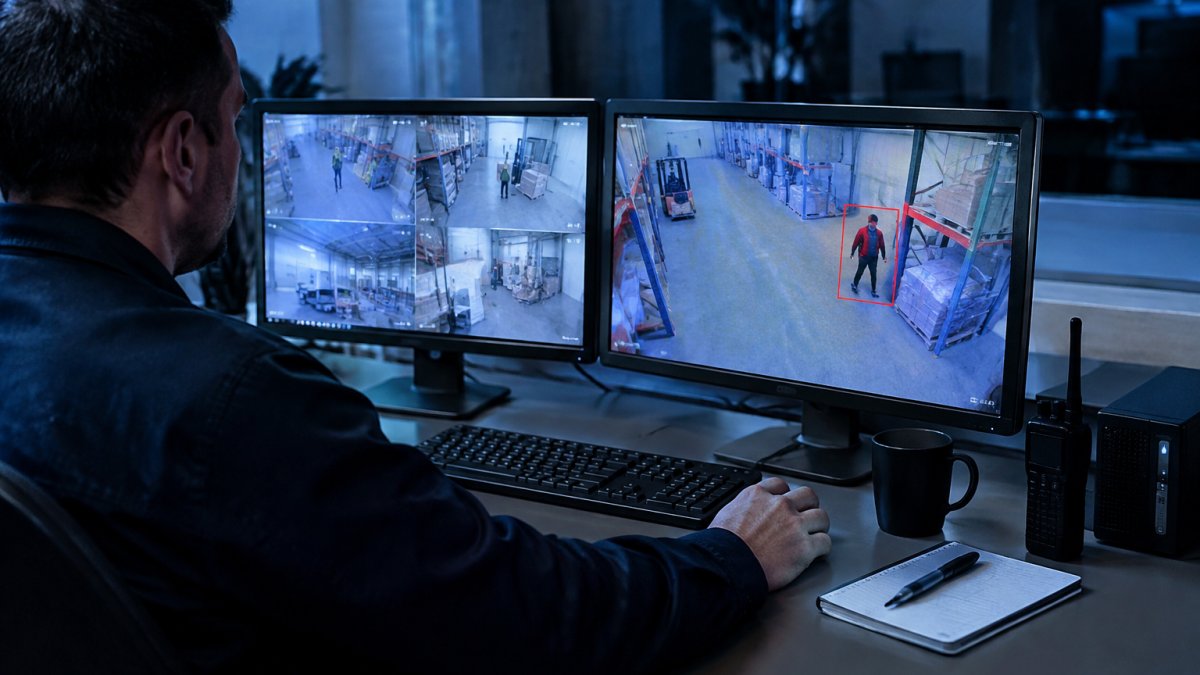
Detection alone produces noise. Tracking links the same object across frames so the system knows a person walked from the fence line to the loading dock rather than treating each frame as a new event. Rules then decide what matters: zone entry, loitering duration, direction of travel, object type. Only events that pass the rules generate an automated alert, and that alert carries metadata such as timestamp, camera ID, and clip reference.
The tracking layer is what turns per-frame detections into an object trajectory. Simple trackers match boxes frame to frame by position and appearance; more robust trackers maintain an identity even when an object is briefly hidden behind a pillar or a parked truck. Analytics platforms generally produce structured event records, which can make footage searchable instead of requiring a manual scrub.
Traditional Video Analytics vs AI Video Analytics
Traditional video analytics vs AI video analytics comes down to what triggers an event. Older systems used motion detection and pixel-change thresholds: anything that moved in a defined zone set off an alarm.
AI video analytics replaces pixel rules with trained models. Instead of asking “did pixels change,” the system asks “is this a person, and are they where they should not be.” For a step-by-step walkthrough of connecting these models to hardware you already own, see our guide on integrating AI with existing IP cameras.
| Capability | Traditional Analytics | AI Video Analytics |
|---|---|---|
| Trigger method | Pixel motion and thresholds | Trained object detection |
| Object classification | None | Person, vehicle, weapon, fire |
| False alarm rate | High in variable conditions | Reduced with per-camera tuning |
| Behavioral rules | Basic zone entry | Loitering, direction, dwell time |
| Search and review | Manual scrub | Metadata-driven search |
What Video Analytics Software for CCTV Actually Does
Video analytics software for CCTV generally sits between cameras and responders, ingesting video streams, running detection models, applying rules, and routing alerts to a monitoring station or video management system. The output is not more video. It is data extraction: a structured record of what happened, when, and on which camera.
That record matters more than most buyers expect. Alerts that include a clip, timestamp, and camera reference can help a monitoring station operator confirm an event faster than scrubbing footage.
A Video Analysis Example: From Feed to Verified Alert
A concrete example makes the pipeline easier to picture. Consider a warehouse perimeter camera at 2 a.m. A person climbs the fence line near a gate that should be locked.
An analytics system can detect the person, track their movement across frames, and check a zone rule for unauthorized entry after hours. When the rule fires, an alert with a clip and metadata can be sent to a monitoring station operator, who can then confirm the event and dispatch a response.
The alternative is a guard reviewing a video wall or scrubbing recorded footage after a shift change. By then the event is over.
Hardware Requirements and On-Site vs Cloud Processing
Hardware requirements depend on how many cameras you run and where the model executes. On-site AI processing puts the compute next to the cameras, on a local server or appliance. Cloud processing streams video to a remote data center for analysis.
On-site processing keeps video inside your network and keeps detection running when the internet drops. The trade-off is that you own the hardware and its uptime. Cloud processing shifts maintenance to the provider but depends on consistent upload bandwidth and adds latency. For sites with unreliable connectivity, running analytics without an internet dependency is the deciding factor. Our setup guide on AI video analytics without internet covers the on-site architecture in detail.
Best for on-site: multi-site retail, warehouses, and schools with limited upload bandwidth or strict data rules.
Skip if: you have a single camera and reliable high-bandwidth connectivity, where cloud may be simpler.
Privacy and Ethical Compliance Under U.S. Law
Privacy and ethical compliance is an important part of planning a deployment. AI video analytics processes footage of people, and that raises questions about notice, retention, and access. Obligations for video analytics can come from a combination of state laws, contractual requirements, and sector rules.
The practical safeguards are consistent. Post notice where cameras operate. Limit retention to what you need. Restrict who can review footage. Keep an audit trail that shows who accessed what and when. For sites that may need footage to hold up in an investigation or court proceeding, building an evidence-grade audit trail with a documented chain of custody matters as much as the detection itself. Verify current requirements with your legal counsel before deployment.
Troubleshooting Accuracy and Integration Workflows
Accuracy problems can trace to causes such as camera placement, lighting, or tuning. A camera pointed into afternoon sun will produce glare that degrades detection. A camera mounted too high turns people into small blobs the model struggles to classify. Before blaming the software, check the physical install.
Integration workflows are the second common sticking point. Mixed camera manufacturers across sites raise a fair question about compatibility. Confirm protocol support during scoping rather than after installation.
False alarms deserve their own attention. Per-camera sensitivity settings can help reduce noise. If your monitoring station is already overwhelmed, our guide on reducing false alarms from security cameras walks through the tuning process.
Watch out: skipping a pilot and rolling out to every site at once makes it impossible to isolate whether a problem is the camera, the network, or the rules. Test on a handful of cameras first.
Book a Demo to Test Detection on Your Cameras
The only way to know how a system performs is to run it against your own footage.
MDI AI Detection runs on-site AI servers that work with your existing IP cameras and recorders, with no video streaming to a third-party cloud. Detection keeps running during internet outages, and per-camera sensitivity settings help reduce false alarms. Verified alerts route to your team or monitoring station through Immix and Bold Manitou integrations, and every event carries a court-ready audit trail. Our team has been installing and supporting security systems since 2008.
If your current analytics generate more noise than signal, the fix is a system tuned to your cameras, not more cameras. MDI AI Detection builds on-site detection that integrates with the infrastructure you already own and delivers verified alerts your team can trust. Get started with MDI AI Detection and test detection on your own feeds before you commit to a full rollout. Contact our team to schedule a walkthrough.
Frequently Asked Questions
How does AI video analytics detect objects and events?
The system runs each video frame through a trained neural network that draws bounding boxes around objects and labels them, for example person, vehicle or weapon. A tracking layer follows each object across frames, and rules decide when behavior matters: a person crossing a perimeter line, a vehicle stopping in a fire lane, a weapon appearing in view. When a rule fires, the system sends an automated alert with the clip and metadata attached. Accuracy depends on camera placement, lighting and how well the model was trained on scenes like yours.
Can AI video analytics work with existing security cameras?
In most cases, yes. On-site AI servers work with existing IP cameras and recorders, so the camera brand matters less than whether the camera exposes a stream the server can use. Confirm compatibility before committing, since camera and recorder setups vary. A short pilot on a few cameras at one location is the fastest way to prove compatibility before rolling out across multiple sites.
Does AI video analytics require an internet connection?
It depends on where the processing happens. Cloud-based systems stream video off site and need stable bandwidth, so an outage means no detection. On-site AI servers do the inference locally, so detection keeps running during an internet outage. For warehouses, schools and retail chains with unreliable connections, local processing removes a single point of failure that cloud-only deployments carry.
What is the difference between traditional video analytics and AI video analytics?
Traditional video analytics rely on motion detection and pixel-change rules. They trigger on anything that moves, including rain, shadows, headlights and foliage, which is why they generate so many false alarms. AI video analytics use machine learning models trained to recognize what an object is, not just that pixels changed, so a person is distinguished from a blowing tarp. That classification step supports more precise alerting, and camera-specific sensitivity settings can help reduce false alarms.
