Last Updated: October 26, 2026
Quick Summary
An AI security system keeps running during an internet outage when detection happens on-site rather than in the cloud. On-site AI servers can continue detecting threats using your existing IP cameras, though alert delivery still needs a path out such as cellular backup or a secondary ISP line.
- On-site AI processing can continue detecting during an internet outage, while cloud-dependent analysis may not.
- Failover options include cellular backup, a secondary ISP line, on-site processing, and local alert routing.
- Run the outage testing checklist twice a year and after any network change.
- A test that checks only the camera feed does not verify alert delivery.
- MDI AI Detection runs on-site AI servers and does not stream video to third-party clouds.
Table of Contents
- What an Internet Outage Means for an AI Security System
- AI Security System Failover Options That Keep Detection Alive
- Security Cameras Without Internet: What Still Records and What Goes Dark
- Choosing a Security System Backup Internet Connection
- How to Tell an ISP Outage From a Router, Power, or Platform Failure
- Your Security System Outage Testing Checklist
- Book a Demo and See Offline Detection in Action
- Frequently Asked Questions
What an Internet Outage Means for an AI Security System
An internet outage does not have to blind an AI security system. The outcome depends entirely on where the detection happens. If the AI runs in an off-site cloud, a dropped connection can affect analysis. If the AI runs on a server inside your building, detection can keep running, while alert delivery may be affected.
That distinction matters more than most buyers realize. Uptime Institute’s 2026 outage analysis examines outage causes, frequency, and consequences, and notes that AI workloads and power constraints are reshaping the outage landscape. In plain terms: the more intelligence you push to the cloud, the more you have to lose when the connection drops.
At MDI AI Detection, we install on-site AI servers that work with your existing IP cameras and recorders. No video streams to a third-party cloud.
An AI security system is a setup where artificial intelligence analyzes camera feeds on-site or in the cloud to flag threats like intruders, weapons, vehicles, or fire, then sends verified alerts to staff or a monitoring station.
Local Processing vs. Cloud Dependence
Local processing means the AI server processes camera feeds on-site. Cloud dependence means analysis happens off-site.
Here is what changes when the internet drops:
- Local processing: On-site AI detection can continue during an internet outage.
- Cloud dependence: Behavior depends on which functions rely on the internet.
- Hybrid setups: Behavior depends on which functions live where.
If you are weighing this for your sites, our guide on security camera compatibility with AI servers covers which cameras work with on-site hardware.
AI Security System Failover Options That Keep Detection Alive
Failover is the backup path a system takes when the primary one fails. For an AI security system, failover options fall into four buckets: cellular backup, a secondary ISP line, on-site processing, and local alert routing. The strongest setups combine at least two. Maintaining these connectivity layers requires a consistent power supply, which is why integrating battery backup systems ensures that your security infrastructure remains operational even when the grid goes dark.
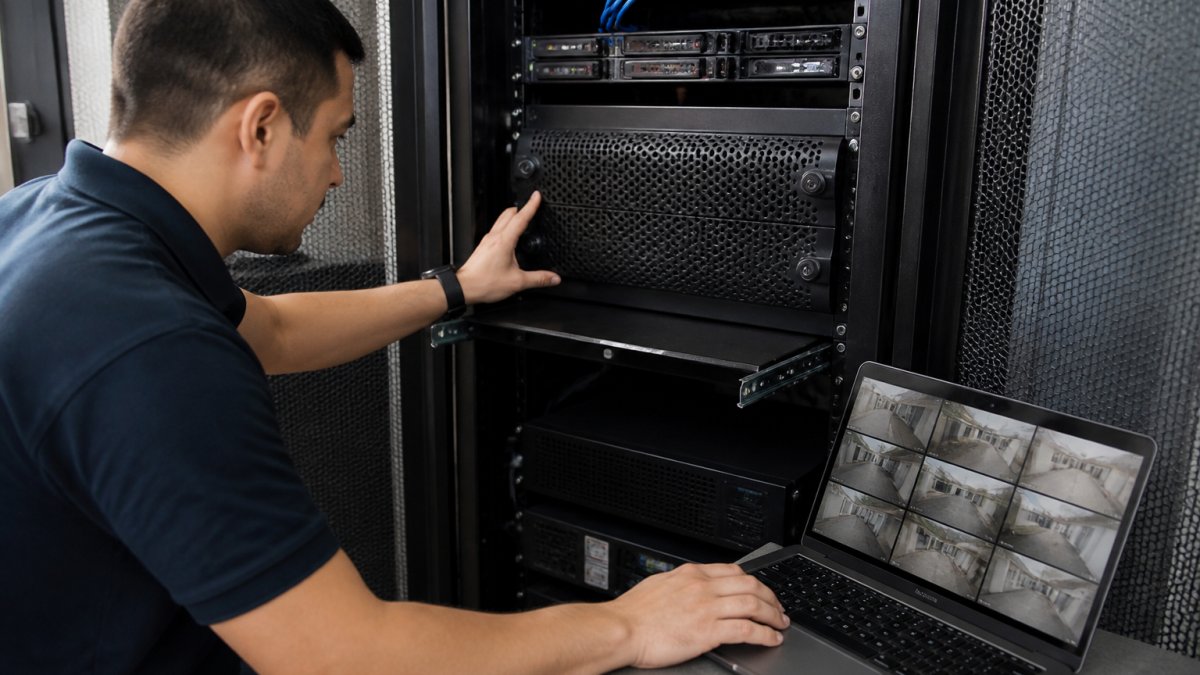
Here is how the options compare:
| Failover Option | What It Protects | Weak Point |
|---|---|---|
| On-site AI processing | Detection and recording | Alerts still need a path out |
| Cellular backup | Alert delivery | Monthly cost per site |
| Secondary ISP line | Alert delivery and remote access | Both lines can share one failure |
| Local alert routing | Staff notification on-site | No off-site visibility |
Which Functions Survive Each Failover Path
A function-by-function view can help clarify what “the system stays up” means to a guard at the door, a remote operator, and an insurance auditor.
- AI detection: On-site AI processing can continue during an internet outage.
- Alert delivery: MDI provides verified alerts to your team or monitoring station via supported integrations; the verified facts do not specify how alerts are delivered during an outage.
A failover plan is only as strong as its weakest surviving function. If detection continues but alerts cannot leave the building, the system has not failed over, it has gone quiet.
Combining Failover Paths Without Overbuilding
On-site processing can keep detection running during an internet outage. The verified facts do not specify backup paths for alert delivery.
For a deeper walkthrough of each path, read our guide to AI security system failover options.
Security Cameras Without Internet: What Still Records and What Goes Dark
What happens to security cameras without internet depends on their configuration and which functions rely on an internet connection.
Here is the system-by-system breakdown:
- On-site AI servers: On-site AI detection can continue during an internet outage.
If you want analytics to keep working offline, our AI video analytics without internet setup guide walks through the configuration.
Choosing a Security System Backup Internet Connection
A backup internet connection is a second path to the network. Whether it is appropriate depends on your site’s connectivity needs.
Cellular Backup vs. Secondary ISP Lines
Cellular backup uses a mobile data modem as an alternate connection. A secondary ISP line is a second wired connection.
Buyers planning resilient architecture should start with our AI security server buyer’s guide before committing to hardware.
How to Tell an ISP Outage From a Router, Power, or Platform Failure
To investigate a problem, check which parts of the system still work. If cameras have power but nothing reaches the network, the issue may involve the router or ISP. If only some sites fail, investigate those sites and their connections.
A basic troubleshooting sequence is to check power, the router, the ISP connection, and the relevant platform.
Cloudflare’s review of major internet disruption events shows how often large outages trace back to a handful of infrastructure points rather than hundreds of separate failures.
Power deserves its own check. A power outage can affect cameras, routers, and servers.
Your Security System Outage Testing Checklist
Test your setup before an outage finds the gap for you. Run this checklist twice a year and after any network change. The sequence matters: each step isolates one failure mode, so a failed test tells you where the problem is rather than just that one exists.
Before the Test
- Save relevant contact information somewhere that does not depend on the system you are testing
- Note the current firmware version on the AI server and relevant network equipment
- Tell the monitoring station a test is scheduled
During the Test
- Disconnect the primary internet connection and confirm the on-site AI server continues detecting
- Review the event log for a detection during the test
After the Test
- Review the audit trail for captured events
- Confirm the monitoring station received any test alerts
- Reconnect the primary line and check the system’s status
A test that checks only the camera feed does not verify alert delivery. Record the test outcome.
Diagnosing a Failed Test
If a step fails, investigate the relevant components before resetting the system. A failed detection test may involve the AI server or its connection to the cameras.
Recovery and Reconnection
When service returns, check that the system is operating as expected.
For school districts and multi-site chains, the audit trail matters as much as the alert. MDI AI Detection provides a court-ready audit trail with chain of custody.
Book a Demo and See Offline Detection in Action
MDI AI Detection runs on-site AI servers that detect threats using your existing IP cameras and recorders. The system does not stream video to third-party clouds.
Our system sends verified alerts to your team or monitoring station through Immix, Bold Manitou, and other platforms. Camera-specific sensitivity settings cut false alarms, and every event lands in a court-ready audit trail. We have been security integrators since 2008, and our team supports you from New Port Richey, Florida.
Frequently Asked Questions
Does an AI security system still work during an internet outage?
An on-site AI security system can continue detecting threats such as weapons, intruders, vehicles, and fire when the internet drops. Ask your provider where the AI processing happens and how the system handles an internet outage.
What happens to security camera alerts when the internet goes down?
On-site AI detection can continue during an internet outage. The verified facts do not specify how alerts are delivered during an outage, so ask your provider how the system handles alert delivery and test the setup.
How should businesses test AI security system failover?
Test whether the on-site AI server continues detecting when the internet connection is unavailable. Ask your provider how to test alert delivery and recording for your specific setup.
Can security cameras record locally during an internet outage?
The verified facts do not specify whether cameras continue recording during an internet outage. MDI AI Detection works with existing IP cameras and recorders and processes AI detection on-site.
