

Table of Contents
- What an AI Security Server for Business Actually Does
- AI Video Surveillance for Business: What Changes on Site
- On-Premises AI Security System vs. Cloud Analytics
- Cloud vs. On-Premises Video Surveillance: Decision Table
- AI Security System Integration with IP Cameras and Recorders
- Hardware, Deployment, and Total Cost of Ownership
- How to Choose an AI Security Server: Selection Criteria
- Conclusion
- Frequently Asked Questions
Last Updated: October 19, 2026
What an AI Security Server for Business Actually Does
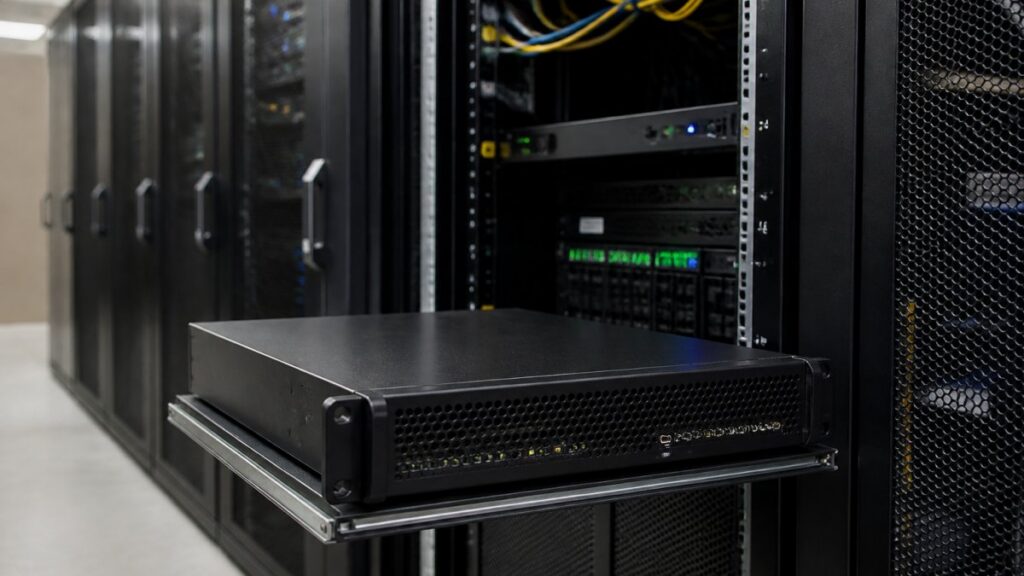
An AI security server for business is an on-site appliance that runs computer vision models against live camera feeds to detect threats and flag incidents in real time.
It is not a smarter camera or a cloud subscription: it sits between your existing IP cameras and your monitoring workflow, analyzing streams on hardware you own.
At MDI AI Detection, we build around a simple premise: your cameras already work, so the intelligence should plug into them.
AI Video Surveillance for Business: What Changes on Site
The practical shift with AI video surveillance for business: detection stops depending on human attention spans. A guard watching many feeds may miss things; a model watching the same feeds does not tire.
What changes on site, in concrete terms:
- Alerts replace monitoring. Staff respond to events instead of scanning screens.
- Sensitivity is configurable per camera. A loading dock needs different thresholds than a cash register aisle.
- Detection runs continuously. Overnight and weekend coverage no longer depends on staffing levels.
False alarm volume can decide whether a system succeeds or gets ignored. A platform firing many alerts a day can train your team to dismiss them; camera-specific sensitivity can help keep the signal clean.
Threats These Systems Detect
Detection models focus on defined object classes. For most commercial sites, the high-value categories are weapons, unauthorized intruders, vehicles in restricted areas, and fire or smoke.
Each detection type carries a different response protocol: a weapon detection should trigger immediate escalation, while a vehicle lingering at a perimeter gate might warrant a review queue entry. Matching alert type to response path is where integration pays off.
On-Premises AI Security System vs. Cloud Analytics
The on-premises AI security system wins on reliability and data control; cloud analytics wins on setup simplicity and vendor-managed updates.
On-site processing keeps video on your network. Detection continues during an internet outage, and alerts can still reach local staff or a local monitoring setup.
The trade-off is honest: on-premises means you own the hardware, the power, and the physical security of the appliance itself. Plan for that.
Deploying an on-site server without a failover plan creates a single point of failure for detection at that location. If the appliance goes down and nothing backs it up, you are blind until it is restored. Ask any vendor exactly what happens during hardware failure before you sign.
Cloud vs. On-Premises Video Surveillance: Decision Table
Use this table to match the deployment model to your site conditions.
| Factor | Cloud Analytics | On-Premises AI Server |
|---|---|---|
| Detection during internet outage | Stops | Continues |
| Video leaves your network | Yes, by default | No |
| Upfront hardware cost | Low | Higher |
| Ongoing subscription cost | Per camera, recurring | Typically lower recurring |
| Setup complexity | Lower | Moderate, needs network planning |
| Data residency control | Vendor-dependent | Full local control |
| Best for | Stable connectivity, small sites | Multi-site, unreliable networks, strict data rules |
Neither column wins outright. A retail chain with fiber at every store and no data restrictions can justify cloud. A logistics operator with spotty connectivity and audit obligations usually cannot.
AI Security System Integration with IP Cameras and Recorders
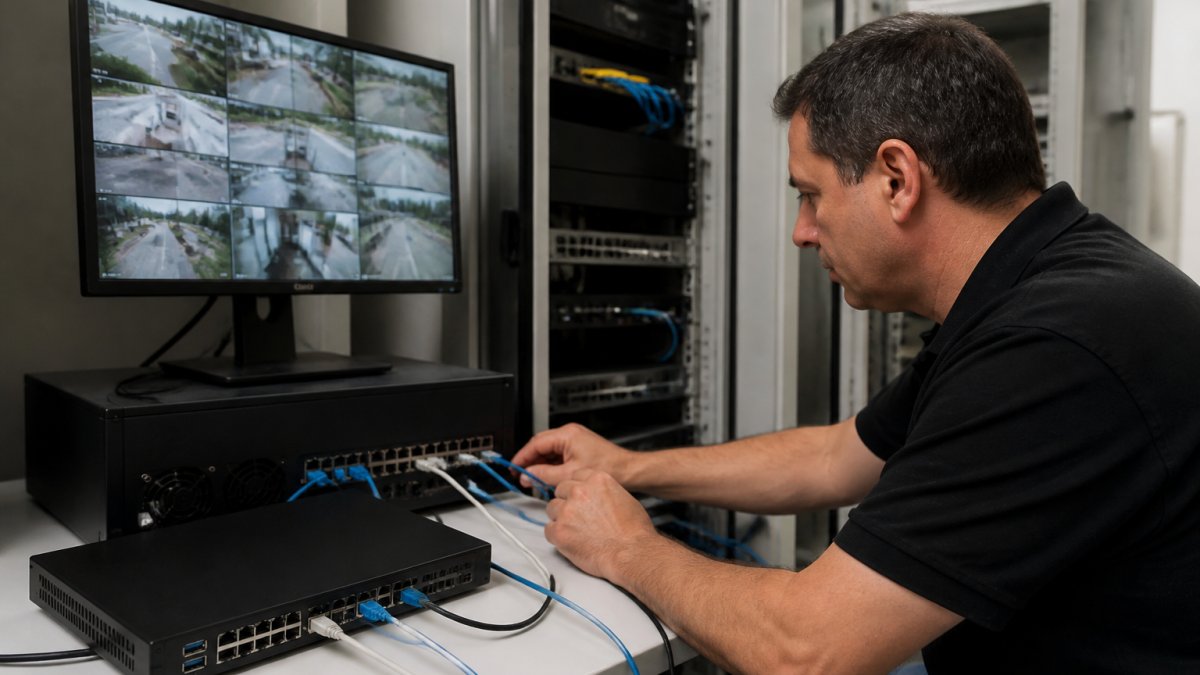
AI security system integration with IP cameras starts with one question: does the platform speak your cameras’ protocols? Most commercial IP cameras and network video recorders support standard streaming protocols, making vendor-neutral integration possible.
The integration path most buyers should insist on:
- Inventory your camera models and recorder firmware. Mixed-manufacturer environments are normal and should not block deployment.
- Confirm the server ingests standard streams from your existing recorders without replacing them.
- Map alert routing to your monitoring station platform, whether that is Immix, Bold Manitou, or another system.
- Set per-camera sensitivity during commissioning, not after the first flood of false alarms.
- Verify the audit trail captures detection events with timestamps and chain of custody.
That last point matters: if an incident goes to court, you must prove what the system detected, when, and that the record was not altered.
Run a two-week tuning period before going live to your monitoring station. Route alerts to a review queue first, adjust sensitivity per camera, then cut over. Integrators who skip this step spend months fighting alarm fatigue.
Hardware, Deployment, and Total Cost of Ownership
Most buyers compare AI security servers on sticker price and may be surprised by the operating bill. Size the hardware against your actual camera load, then model total cost of ownership across four buckets: the appliance, integration labor, ongoing operations, and the false alarms you eliminate. That last bucket can be significant.
Sizing the server to your camera load
Hardware requirements scale with stream count, resolution, and how many detection models run per stream. Size in “stream-equivalents”, one 1080p stream at 15 fps running a single model. A 4K stream at 30 fps can consume more compute, so a higher number of 4K cameras represents a larger stream workload. Ask vendors for a sizing recommendation based on your actual camera count, resolution, frame rate, and detection classes, not a generic tier chart.
A practical sizing conversation covers:
- GPU and accelerator memory. Detection models load into accelerator memory; more concurrent models and higher resolutions need more of it. Running weapons, intrusion, vehicle, and fire models simultaneously on the same feed is a heavier load than running one.
- CPU and system memory. Video decode, stream management, alert routing, and the audit-trail database all consume CPU and RAM independent of the accelerator.
- Storage. Retention policy drives capacity. Continuous recording at 30 days across 40 4K cameras is a very different storage bill than event-only clips at 14 days. Plan for the audit trail separately from video retention.
Deployment and ongoing operations
Deployment follows a predictable pattern across multi-site rollouts. Start with one location, tune it, document what worked, then template the configuration for the rest. Ripping out infrastructure you just installed can lead to resistance, so prioritizing platforms that work with existing recorders is often beneficial.
A rollout plan that holds up in practice covers:
- Integration. Confirm the server ingests standard streams from your existing recorders and map alert routing to your monitoring station platform before cutover.
- Patching. Establish a maintenance window and a rollback path for model and firmware updates. Model updates can change detection behavior, so re-tuning sensitivity after major updates may be necessary.
- Backups. Back up configuration, sensitivity profiles, and the audit-trail database on a schedule you can restore from. The audit trail is evidence; treat it like evidence.
- Monitoring. Monitor the server itself, accelerator temperature, disk health, stream health, and alert delivery success, not just the cameras.
- Disaster recovery. Document what happens when the appliance fails: does detection fail over, do alerts still route, and who is responsible for restoration? A documented failover plan is a selection criterion, not an afterthought.
- Staff responsibilities. Assign named owners for tuning, patching, and incident review. Systems without an owner drift into alarm fatigue.
Total cost of ownership
Pricing depends on camera count, site count, and integration scope, and vendors rarely publish fixed figures. Build a TCO model with transparent buckets and request quotes against it:
- Appliance and hardware. One-time capital cost per site, scaled by the sizing above. Include spares or a failover unit if detection continuity is required.
- Integration labor. One-time professional services for commissioning, camera inventory, alert routing, and the tuning period.
- Ongoing operations. Power, cooling, rack space, UPS replacement, patching labor, and any support contract. These are recurring and easy to forget.
The ROI case for on-premises AI detection often rests on two levers: fewer false alarm dispatches and less manual monitoring labor. Model both against your current spend before comparing hardware quotes, and insist on a sizing recommendation tied to your real camera load rather than a tier chart.
How to Choose an AI Security Server: Selection Criteria
Choosing well means scoring vendors against a consistent framework rather than comparing spec sheets. Score every candidate on the same criteria, weight them for your environment, and require evidence rather than claims. A server that cannot talk to your recorders is ineffective; a server that integrates cleanly delivers value.
A scoring framework you can reuse
Score each vendor from 1 to 5 on the criteria below, then weight them for your site conditions. A multi-site operator with unreliable connectivity should weight offline operation and failover heavily; a small site with stable fiber can weight setup simplicity and support.
| Criterion | What to verify | Why it matters |
|---|---|---|
| Compatibility | Works with your existing IP cameras and recorders across all manufacturers on site | Avoids rip-and-replace and protects IT buy-in |
| Offline operation | Detection continues during internet outages, with alerts still delivered | Detection continuity is the core promise of on-site processing |
| False alarm control | Camera-specific sensitivity settings, not global thresholds | Alarm fatigue is the most common failure mode |
| Audit trail | Court-ready event records with timestamps and chain of custody | Incidents may end up in court |
| Monitoring integration | Native support for your monitoring station platform | Determines whether alerts reach responders |
| Failover plan | Documented behavior when the appliance itself fails | Prevents a single point of failure for detection |
| Deployment model fit | On-premises, hosted, cloud, or hybrid options and their trade-offs | Matches control, latency, and operational burden to your sites |
| Support and SLAs | Response times, escalation paths, and update cadence | Determines long-term operational burden |
| Ideal business size | Evidence the vendor supports your scale, not just enterprise logos | Avoids over- or under-buying |
Deployment-model comparison
Before scoring products, decide which deployment model fits each site. The table compares the four common models on the factors that drive the decision.
| Factor | On-premises | Hosted (dedicated) | Cloud | Hybrid |
|---|---|---|---|---|
| Control over data | Full local control | Vendor-managed, dedicated | Vendor-dependent | Split by workload |
| Scalability | Add hardware per site | Vendor scales | High, elastic | Mixed |
| Latency | Lowest, local processing | Low to moderate | Dependent on connection | Local for critical paths |
| Operational burden | Highest, you own hardware, power, patching | Moderate | Lowest | Moderate |
| Offline detection | Continues | Depends on design | Stops | Continues at edge |
| Best for | Strict data rules, unreliable networks, multi-site | Mid-size with some control needs | Stable connectivity, small sites | Mixed portfolios |
Neither column wins outright. A retail chain with stable connectivity and no data restrictions might consider cloud. A logistics operator with unreliable connectivity and audit obligations often benefits from on-premises solutions. A hybrid model can allow for local detection at critical sites while centralizing management.
Evidence to demand before you commit
- A sizing recommendation tied to your camera inventory, not a tier chart.
- A reference deployment at your scale in a similar environment.
- A written failover plan describing behavior during hardware failure.
The CISA guidance on securing AI systems is worth reading before you evaluate vendors. Pair that with NIST’s AI Risk Management Framework when you build your evaluation scorecard, since it gives you a shared vocabulary for risk discussions with IT and legal.
Our approach at MDI AI Detection reflects 18 years of installing and supporting security systems. We built the platform to work with what sites already own, keep processing on-site, and route verified alerts to monitoring stations through Immix and Bold Manitou.
Conclusion
The hardest part of buying an AI security server can be proving the system holds up under real conditions: mixed camera brands, unreliable internet, alarm fatigue, and the possibility a detection ends up in a courtroom.
MDI AI Detection built its platform for exactly those conditions. On-site processing keeps detection running when the internet drops. Camera-specific sensitivity settings cut false alarms before they reach your monitoring station.
Book a demo and we will walk through your camera inventory, your sites, and your monitoring workflow to show what deployment would look like.
Frequently Asked Questions
What is an AI security server for business?
An AI security server is an on-site appliance that runs video analytics against your existing camera feeds. Instead of streaming footage to a third-party cloud, it processes frames locally and flags events like weapons, intruders, vehicles, or fire. Alerts go to your team or monitoring station with a verified clip attached. Because processing happens on site, detection keeps working when the internet drops, and no video leaves your network unless you choose to send it.
How does an AI security server work with existing IP cameras?
Most deployments connect to your current IP cameras and recorders over the local network, so you keep the infrastructure you already installed. The server pulls the camera streams, runs detection models, and applies per-camera sensitivity settings so a busy loading dock and a quiet back hallway are not treated the same. Alerts route to your monitoring platform or phones. Confirm camera compatibility and recorder support with the vendor before purchase, especially if your sites use cameras from several manufacturers.
Can an AI security server send alerts during an internet outage?
Yes, if detection runs on site. The server keeps analyzing camera feeds locally, so events are still caught and logged while the connection is down. What changes is delivery: alerts that depend on the internet queue until connectivity returns, while local notifications on the site network can still fire. Ask the vendor exactly which alert paths survive an outage and whether the server buffers events for later delivery, since this varies by product.
How much does an AI security server cost for business?
Pricing depends on the number of cameras, sites, and the detection features you need, so there is no single list price. Costs can include the server hardware, per-camera licensing, installation, and any monitoring-station integration. Rather than compare sticker prices, model total cost of ownership against what you spend now on false alarm responses and manual video review. Request a quote based on your camera count and site layout for an accurate figure.